Audit log
Monitor and search agent activity through the audit log
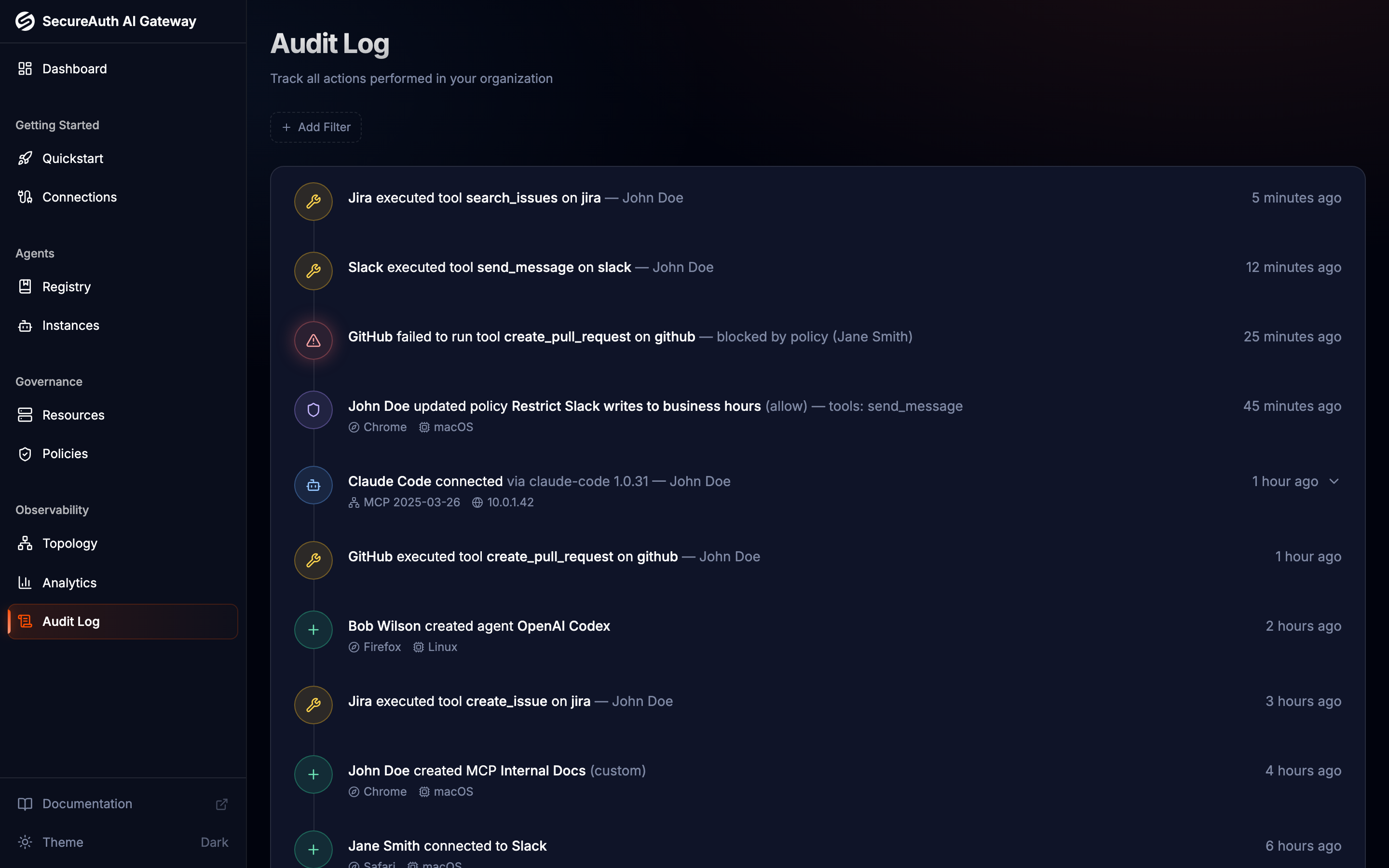
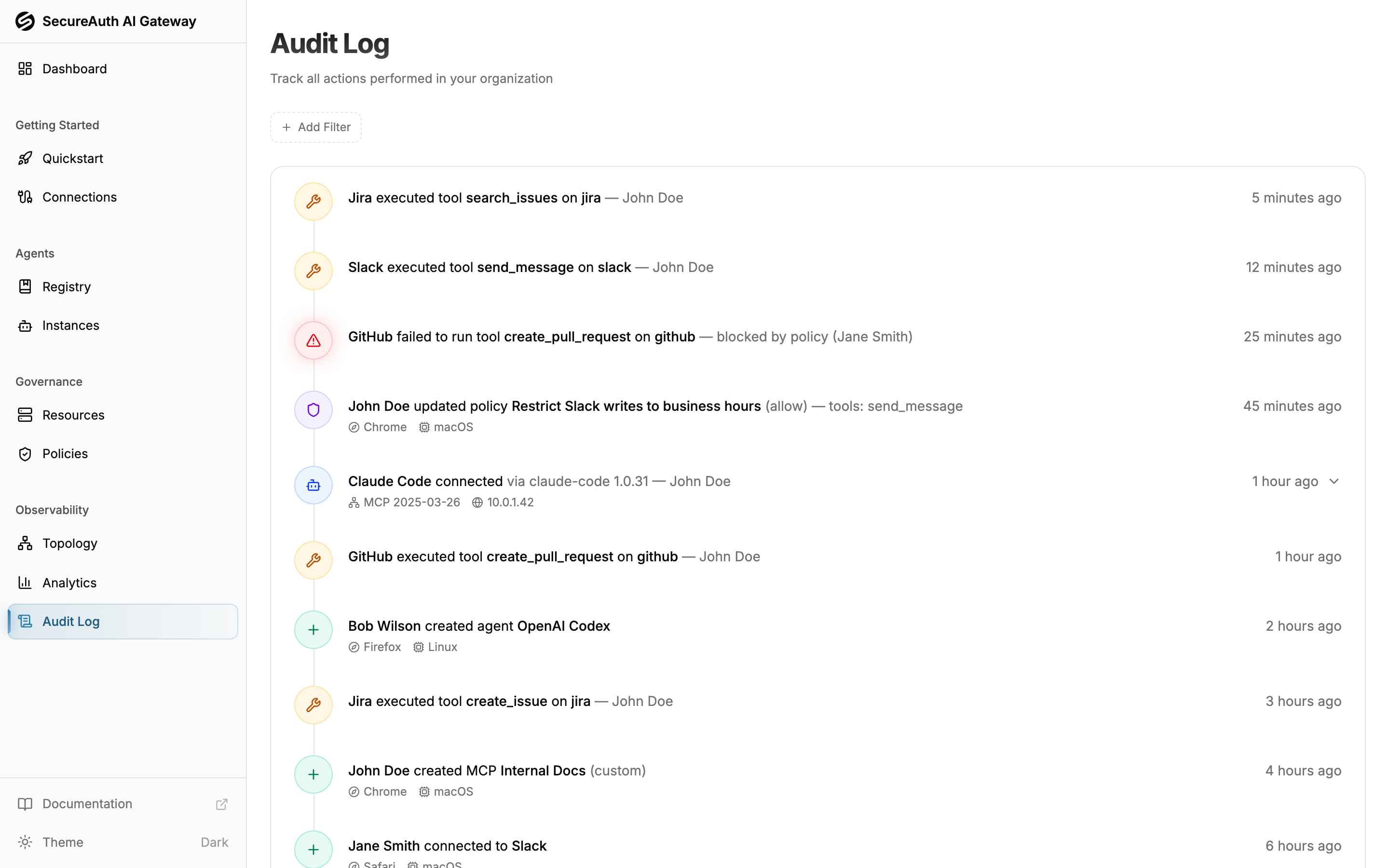
SecureAuth AI Gateway logs every action that passes through it. The audit log provides a complete record of what happened, when, and who was involved.
What gets logged
The audit log captures events across the entire gateway:
- Tool executions — every tool call made by an agent, including the tool name, MCP server, and whether it succeeded or was denied
- Tool errors — failed tool calls with error type and description
- Agent events — agent creation, updates, deletion, and first-time connections with client metadata
- Resource events — MCP server creation, updates, and deletion
- Policy events — policy creation, updates, and deletion with rule details
- Connection events — user OAuth connections created and revoked
Event details
Each audit log entry includes:
- Timestamp — when the event occurred
- Actor — the user or agent that performed the action
- Action — the event type (for example,
gateway.tool.executed,policy.created) - Resource — the MCP server, agent, or policy involved
- Details — action-specific payload (tool name, error type, policy effect, etc.)
Click any entry to expand it and see full details. Agent connection events show three buckets of tools: allowed outright, denied outright, and conditionally allowed — tools governed by an argument-level condition that's re-evaluated on every call against the live arguments. Tool executions show metadata like IP address and user agent.
Filtering
Use the filter dropdowns at the top of the audit log to narrow the feed:
- Action — filter by event type (tool execution, agent connected, policy created, etc.)
- Agent instance — see activity for a specific connected client
- Agent — roll up across every instance of one agent (for example, all Claude Code clients)
- User — events attributed to a specific gateway user
- Group — events from the current members of a user group
- Resource — see events related to a specific MCP server
- Agent tag — events from any agent carrying a tag (for example, all
prodagents) - Resource tag — events on any MCP server or tool carrying a tag
Pagination
The audit log loads events in reverse chronological order. Scroll down and click Load more to fetch older events. The log scales to large feeds without slowdown.
Use cases
- Debug a denied request — filter by agent and look for
gateway.tool.errorevents witherror_type: blocked_by_policy. Each blocked event references the policy that caused the block (id, name, description), so you can identify the responsible policy even if it has since been modified or renamed - Review agent onboarding — filter by
agent.connectedto see when agents first connected and what tools they were granted - Audit policy changes — filter by
policy.created,policy.updated, orpolicy.deletedto track who changed access rules and when - Monitor a specific resource — filter by MCP server to see all tool calls made to that service across all agents