Send GitHub Copilot telemetry
Send GitHub Copilot OpenTelemetry data to SecureAuth Agent Authority to see its token usage, models, and MCP tool calls
When you finish, you can see how many tokens GitHub Copilot uses in VS Code and Copilot CLI, on which models, and which MCP tools it calls.
Copilot sends this over OpenTelemetry (OTel) to SecureAuth Agent Authority's …/copilot ingest endpoint, and the gateway stores each agent turn, model call, and tool call, including token counts, conversation ids, tool and MCP server names, and permission outcomes.
What Copilot's data shows
Once telemetry is flowing, Copilot appears in LLM Usage, Cost and adoption, and the Sessions table alongside the other agents.
Two things about Copilot's data matter here, because both shape what you see:
- Cost is an API-equivalent estimate, not billed spend. Copilot bills in premium requests and reports consumption in its own unit (nano-AIU), never dollars. The gateway prices each turn from GitHub's published per-model rates, the same way it prices Codex and Gemini CLI, so the figure is comparable across agents, but it is not your invoice. A model the rate card does not yet carry still contributes its tokens and adds nothing to cost: it is absent from Cost totals.
- No email arrives unless you supply one. Copilot's telemetry identifies a developer by a stable hash, so usage separates correctly per person but stays unnamed. Stamp an address into the resource attributes below to attribute it to real users and groups.
Usage from the CLI and the VS Code extension rolls up together under Copilot; the gateway does not report the two surfaces separately.
Enterprise-managed settings
Copilot reads one telemetry block, and its endpoint, protocol and resource attributes apply to both the Copilot Chat extension in VS Code and the agent host behind Copilot CLI.
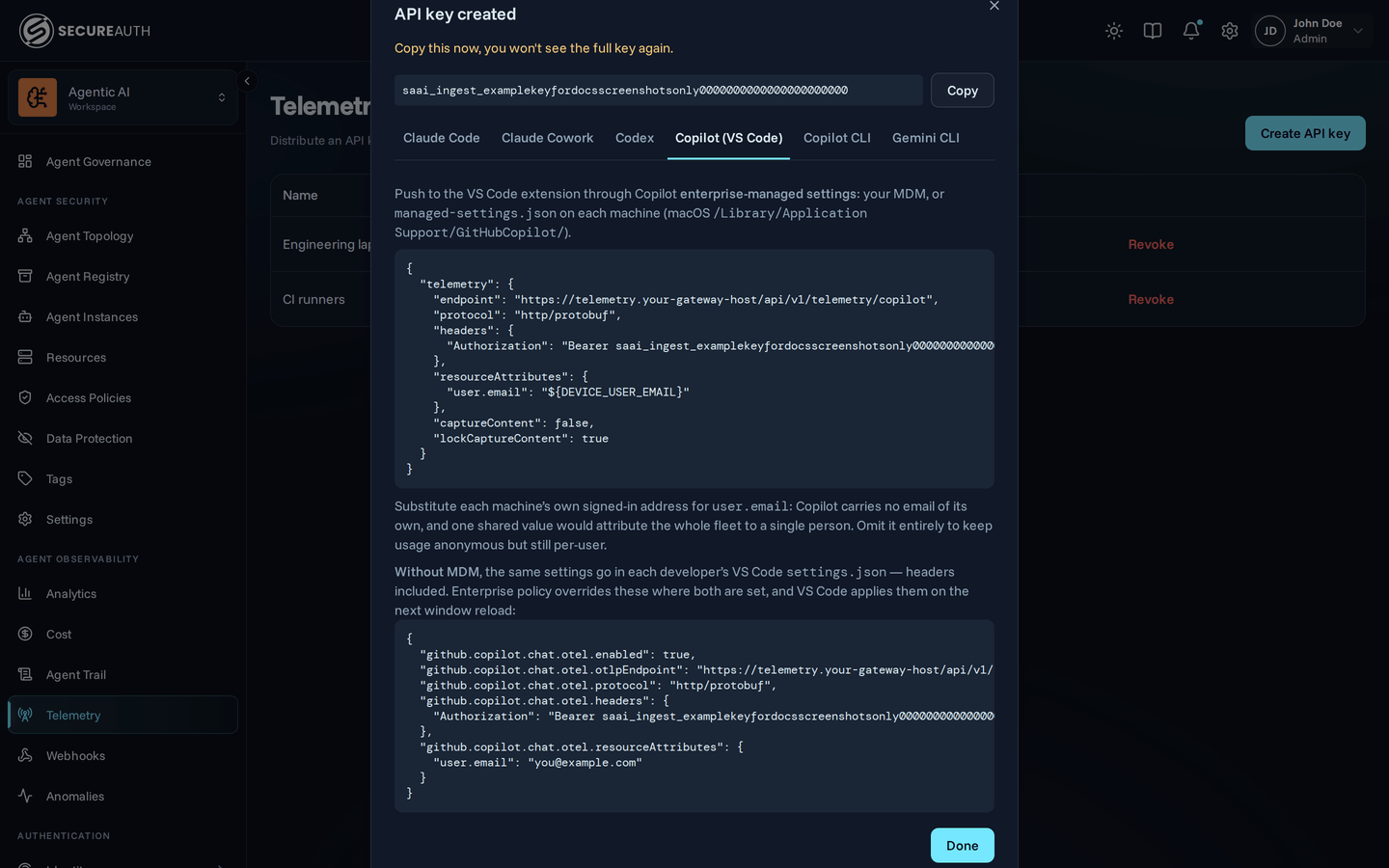
Deliver it through native MDM (Windows Registry or macOS managed preferences), server-managed settings, or a file-based managed-settings.json:
{
  "telemetry": {
    "endpoint": "<endpoint>/copilot",
    "protocol": "http/protobuf",
    "headers": { "Authorization": "Bearer <token>" },
    "resourceAttributes": { "user.email": "<this machine's user>" },
    "captureContent": false,
    "lockCaptureContent": true
  }
}
Replace <endpoint> with the OTLP endpoint shown when you created the ingest key (for example, https://telemetry.your-gateway-host/api/v1/telemetry) and <token> with the saai_ingest_… key.
Three details in that block matter more than they look:
- The endpoint stops at
/copilot. Copilot appends/v1/tracesand the other signal paths itself. Adding a signal path yourself produces a URL the gateway will not match. This is the opposite of the Codex configuration, which names each signal explicitly. protocolmust behttp/protobuforhttp/json. Both are accepted.- A managed value wins over any environment variable or user setting, so once this block is deployed a developer cannot redirect or disable the export.
Copilot CLI needs the key in its environment
The one part of that block the CLI does not receive is headers.
GitHub applies managed exporter headers only to the VS Code extension, deliberately, so that a token cannot leak into the tool subprocesses the agent host spawns.
A CLI configured from the managed block alone therefore posts without an Authorization header, and the gateway rejects it with 401.
Telemetry from every terminal session goes missing while VS Code keeps working.
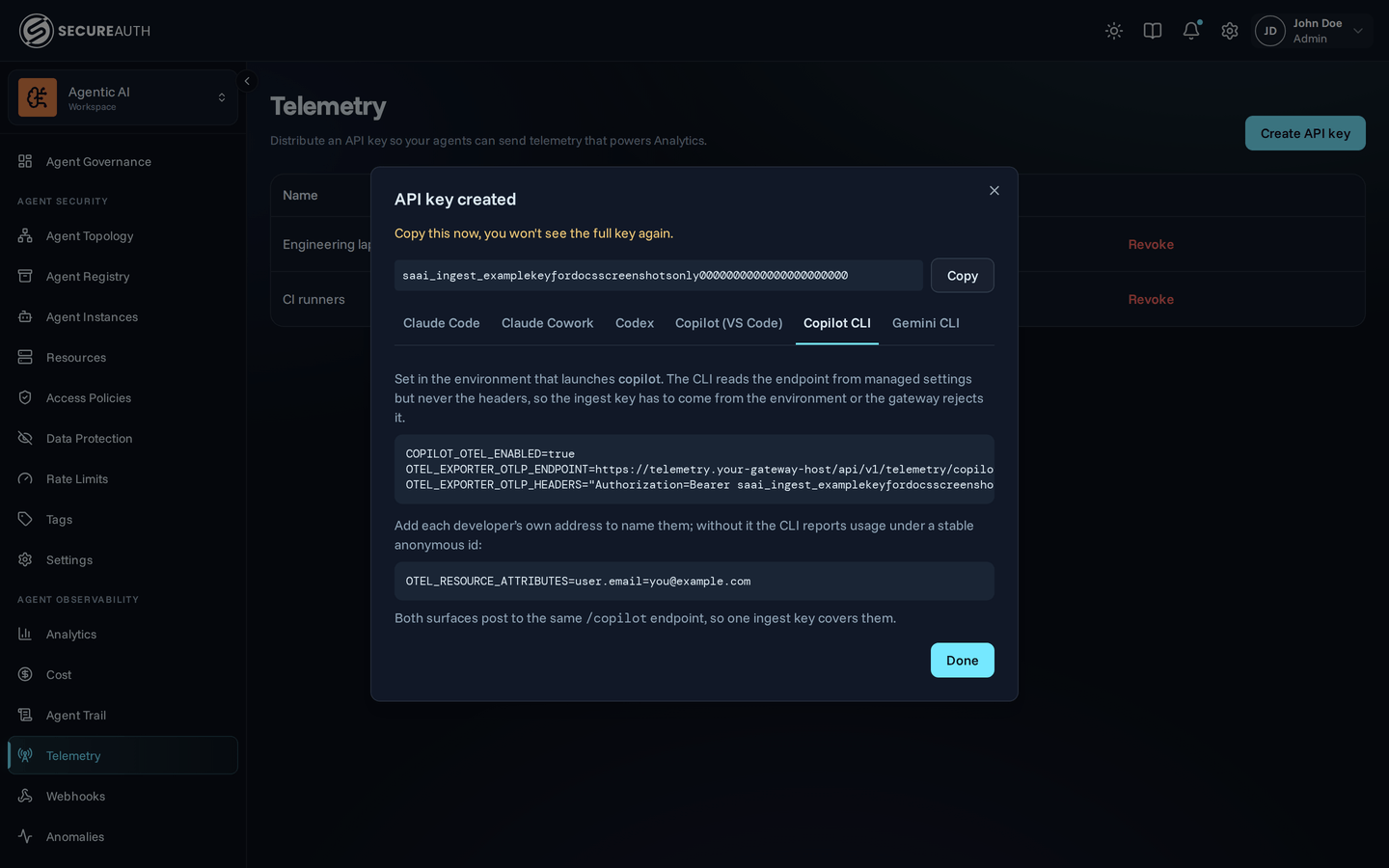
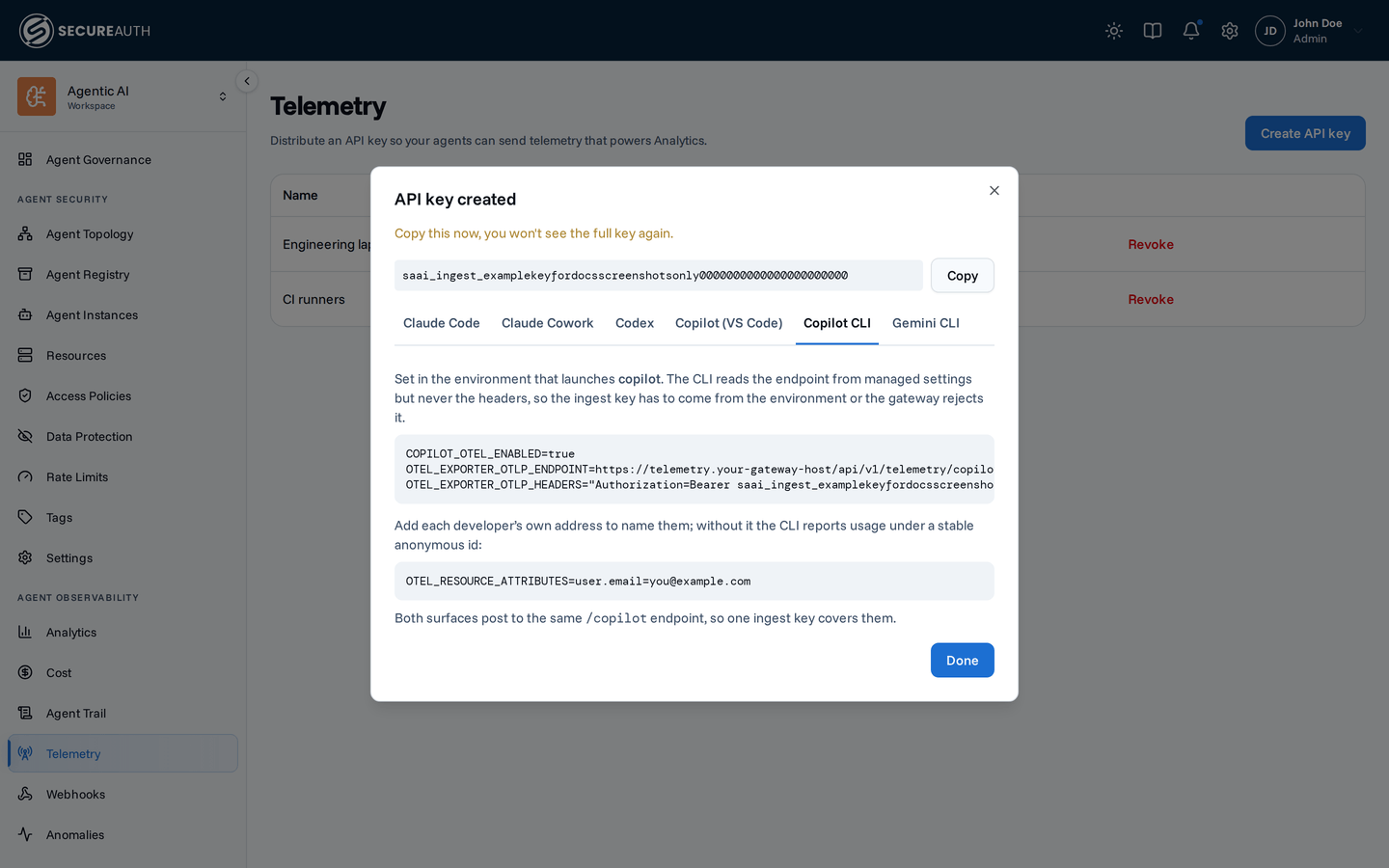
Set the key in the environment that launches the CLI:
COPILOT_OTEL_ENABLED=true
OTEL_EXPORTER_OTLP_ENDPOINT=<endpoint>/copilot
OTEL_EXPORTER_OTLP_HEADERS="Authorization=Bearer <token>"
Environment variables take precedence over user settings, so this is also how you would enable the CLI on a machine that has no managed settings at all.
VS Code without managed settings
A developer who isn't under MDM configures the extension entirely from their own settings.json, ingest key included;
the headers setting is applied straight to the OTLP exporter, so nothing has to be relaunched from a terminal:
{
  "github.copilot.chat.otel.enabled": true,
  "github.copilot.chat.otel.otlpEndpoint": "<endpoint>/copilot",
  "github.copilot.chat.otel.protocol": "http/protobuf",
  "github.copilot.chat.otel.headers": { "Authorization": "Bearer <token>" },
  "github.copilot.chat.otel.resourceAttributes": {
    "user.email": "you@example.com"
  }
}
Every one of these binds at window load, so reload the window after editing.
Leave protocol out and the extension exports OTLP/JSON instead, which the gateway also accepts.
Attributing usage to people
user.email has to be this machine's signed-in address, not one value shared across the fleet.
A single hard-coded address attributes everyone's usage to one person, which is worse than leaving it out because the result looks correct.
Template it with whatever your MDM substitutes per device, or have your provisioning script write managed-settings.json per machine.
Leave it out and the two surfaces part ways.
Copilot CLI still separates developers by a built-in pseudonymous hash, so per-user totals stay meaningful even while unnamed.
The VS Code extension sends no identity attribute of its own, so without user.email its spans cannot be attributed to anyone at all.
Unnamed rows cannot be filtered by user group on either surface.
Content capture
captureContent is off by default, and the gateway stores no prompts or responses regardless.
Setting lockCaptureContent to true prevents developers from turning capture on locally.
Using the Discovery Sources page
Choose Connect agent on the Discovery Sources page and the dialog fills the configuration in with your endpoint and a new ingest key.
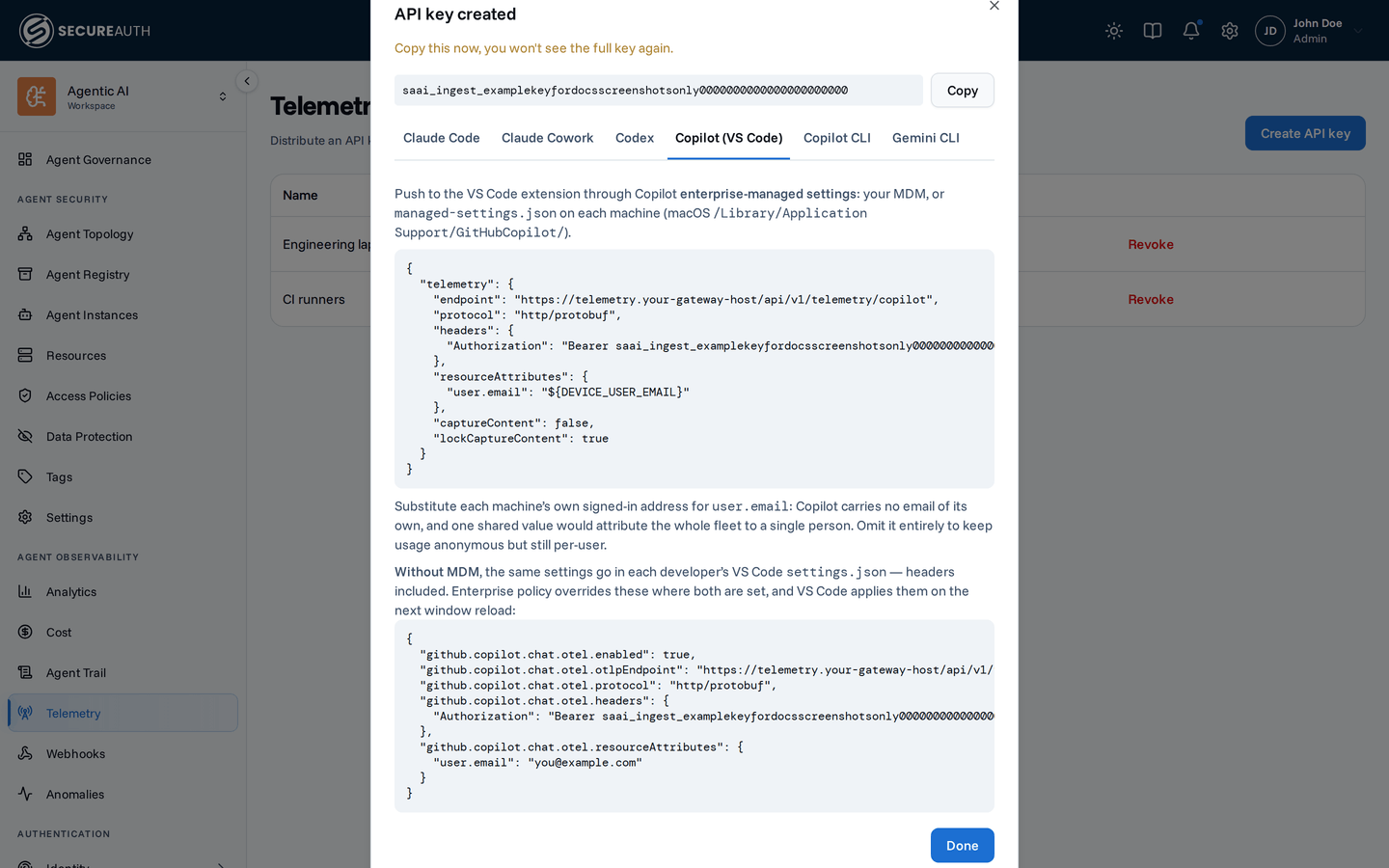
Pick Copilot in VS Code for the managed-settings block for the extension, with a switch to the user settings.json form.
Pick Copilot CLI for the environment variables the CLI needs, since it never receives the managed header.
Rolling it out org-wide
Mint one ingest key for the fleet and deploy the block above through your device-management tooling rather than asking each developer to configure it. New machines pick it up on enrollment. See the OpenTelemetry overview for the full rollout model.
Next steps
- Telemetry – the full OpenTelemetry rollout model, including how to push configuration to every machine.
- Connect Copilot CLI – route Copilot's tool calls through the gateway as well, so its MCP usage is policy-checked and audited.