MCP Gateway
Copy the gateway URL, build a scoped gateway URL, and set tool search for the whole organization.
In the console: Enforcement Points › MCP Gateway
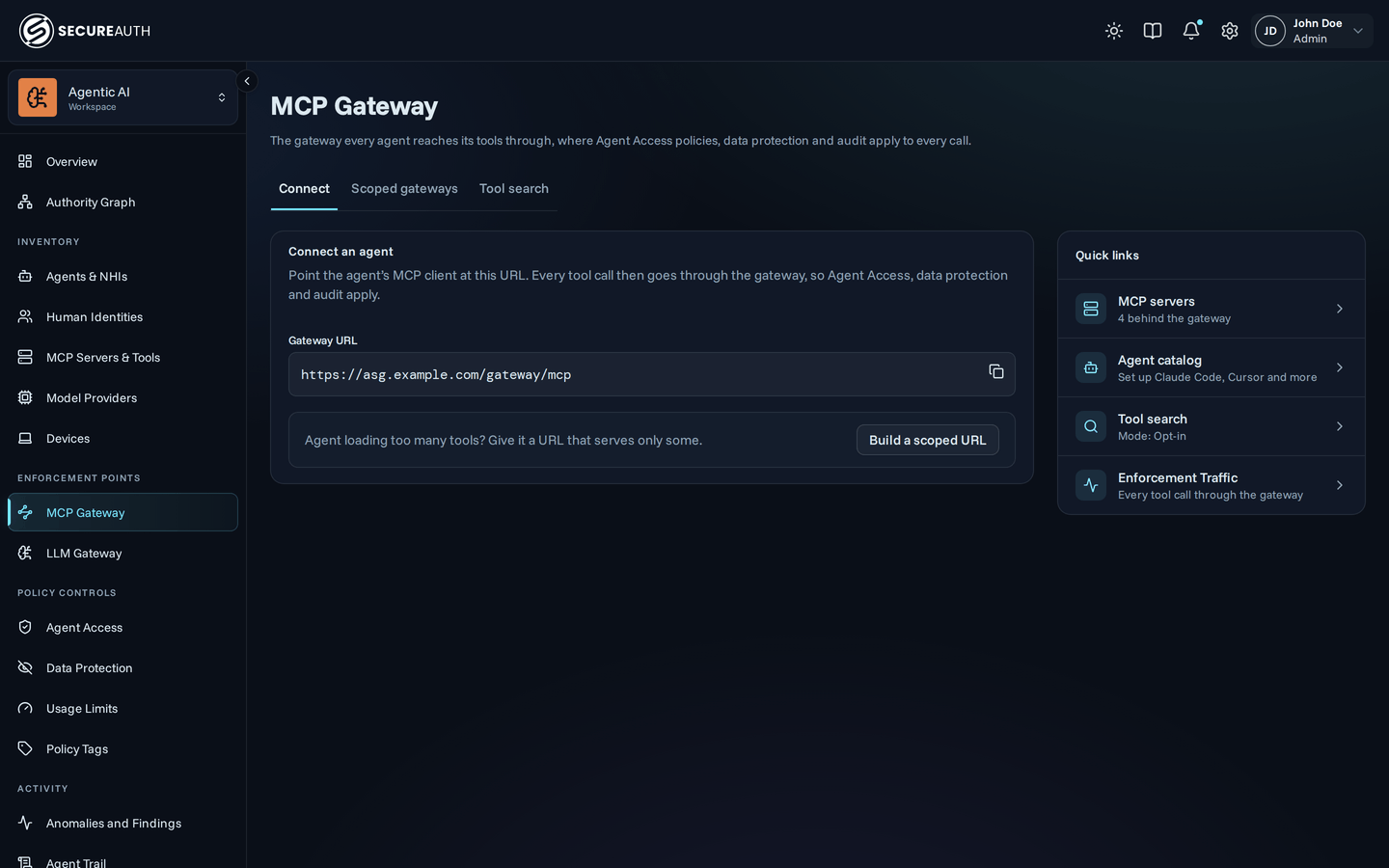
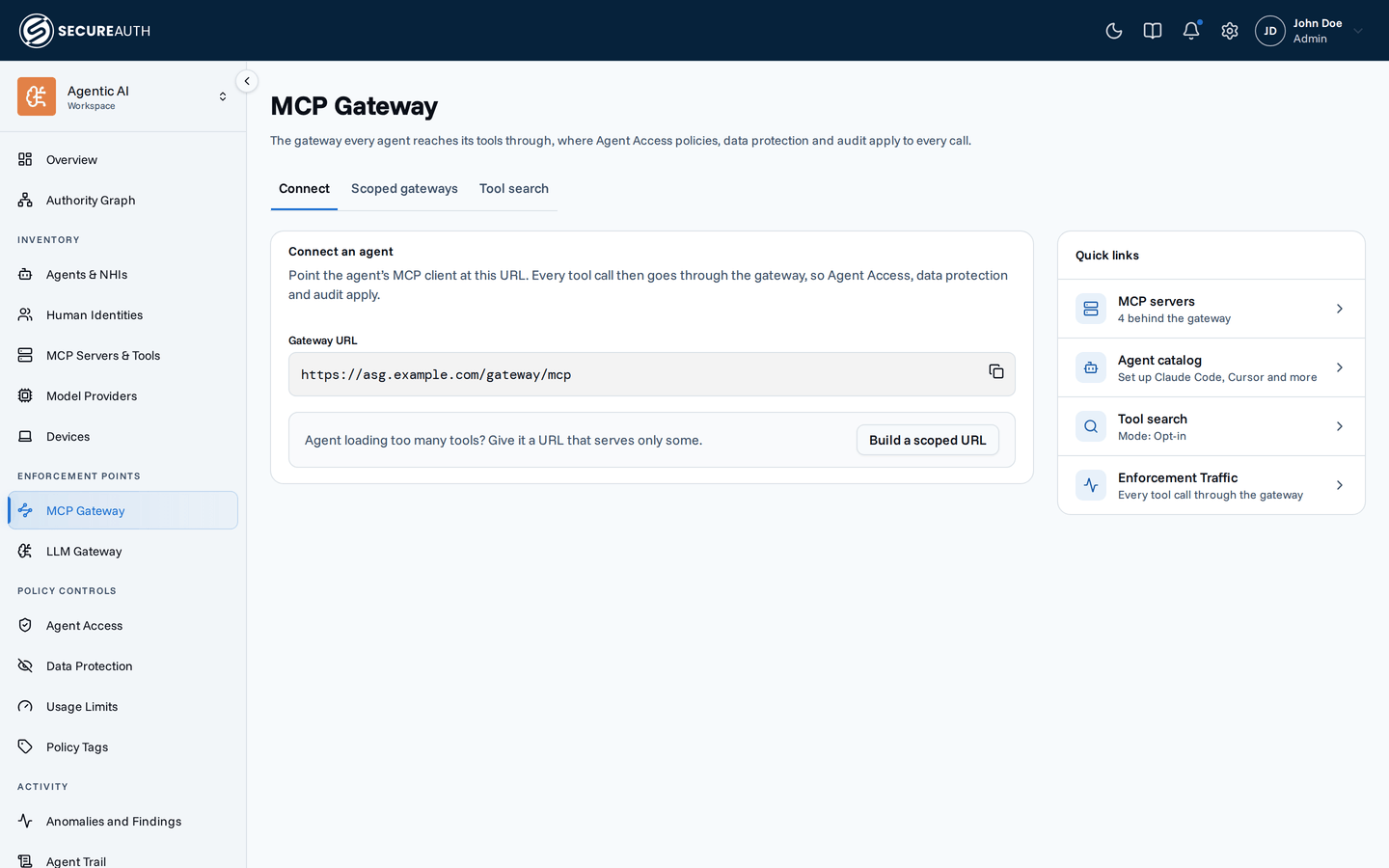
This screen is where you copy the URL every agent reaches its tools through. Agent Access policies, data protection and audit apply to every call that passes it.
Tabs
Use Connect to copy the gateway URL, Scoped gateways to build a narrower URL for an agent that needs fewer tools, and Tool search to set how agents find tools. You see only the tabs your permissions allow, and the screen opens on the first of them.
Connect
Connect an agent shows the Gateway URL, the URL an agent's MCP client connects to. Copy it into the agent. Build a scoped URL opens the Scoped gateways tab, for an agent that should load fewer tools.
Quick links lists where to go next. You see only the links your permissions allow:
- MCP servers – how many servers are behind the gateway, linked to MCP Servers & Tools.
- Agent catalog – per-client setup steps.
- Tool search – the current mode, which opens the Tool search tab.
- Enforcement Traffic – the calls that passed the gateway.
Scoped gateways
A scoped gateway is the gateway URL narrowed to part of your MCP servers and tools. You don't deploy anything: change the URL the agent connects to, and the gateway serves the shorter tool list. This tab builds that URL, and the three types it can take.
| Type | URL form | What the agent sees |
|---|---|---|
| Per service | /gateway/mcp/{service} | Every server and tool of one service |
| Per server | /gateway/mcp/{service}?upstreams=a,b | Chosen servers within one service |
| Virtual MCP gateway | /gateway/mcp?tags=a,b | Tools carrying those policy tags, from any service, served as one server |
Use a scoped gateway when an agent caps how many tools it loads, when context is tight, or when different agents do different jobs.
Build a scoped URL has these pickers:
- Connect to – choose one service. Leave it on All resources (recommended) for the whole gateway.
- Upstreams – appears once you pick a service with several servers. Choose the servers to keep.
- Policy tags – optional. Narrows the URL to resources and tools carrying any tag you pick, and works with every type. The picker is hidden when you can't view policy tags.
Under the pickers, Gateway type highlights the type your URL is, marked This URL. Policy tags with no service make a Virtual MCP gateway; with a service they narrow it and the type stays the same. With nothing picked, no type is highlighted, because the URL is the whole gateway.
Scoped gateway URL shows the result as you pick. Copy it into the agent. A scoped gateway narrows what the agent asks for and never grants access: your policies still decide.
When no MCP server exists, the tab shows No MCP servers yet with a link to MCP Servers & Tools.
Tool search
Decides whether agents get every tool they may call, or one tool to search for tools and one to call what it found. Policy, data protection and audit apply the same way in both cases.
| Option | What agents get |
|---|---|
| Off | The full tool list, always. The tools=search URL parameter is ignored. |
| Opt-in | The full tool list, unless their connection URL has the tools=search parameter. |
| On | Search mode, for every agent. |
With Opt-in selected, the tab shows the Connection URL for search mode to copy. A change applies when agents refresh their tool list or reconnect.
Actions
- Copy – copies the Gateway URL or the Scoped gateway URL.
- Save – applies the selected Tool search option.
It needs
manage_gateway_settings; without it the options are read-only.
Permissions
MCP Gateway appears when you hold view_gateway_settings or view_agents.
| Tab or action | Needs |
|---|---|
| Connect and Scoped gateways | view_agents and view_mcps |
| Tool search tab | view_gateway_settings |
| Change Tool search | manage_gateway_settings |
| Policy tags picker | view_tags |
Related
- Gateway URLs – when to use each scoped gateway type
- Connect an agent – connect an agent, with the scope picker
- Tool search – how search mode works for agents
- Policy tags – the tags a virtual MCP gateway selects on