Tool search
Give agents a tool to search for tools, so they stop reading every tool definition on every request
Once you add a few MCP servers, every agent reads the definition of every tool it may call on each request, which fills much of its context before it does any work.
Tool search replaces the list with search_tools, which finds tools by describing the task, and invoke_tool, which calls what it found.
How search mode works
A connection in search mode lists only search_tools and invoke_tool.
- The agent calls
search_toolswith a description of the task, such as posting a message to the #eng channel on Slack. - The gateway ranks the tools the agent may call by how well their name, description and arguments match, and returns up to 10 of them.
- The agent calls
invoke_toolwith a tool's name and its arguments, and the gateway runs that tool.
Search ranks by the words in the request, including other forms of a word and a few common synonyms: a request about a "ticket" also finds tools about issues. A request that shares no word with a tool's name, description or arguments can miss it. If nothing fits, the agent searches again with other words.
What stays the same
Search mode changes which tools an agent sees up front, not what it may do.
- Policy – search returns only tools the agent may call.
A tool your policies deny never appears in results, and
invoke_toolrefuses it. - Data protection, rate limits and approvals – a call through
invoke_toolis checked exactly like a direct call to the same tool. - Agent Trail – the trail records the real tool, not
invoke_tool. - Direct calls – an agent that already knows a tool's name can still call it directly, under the same checks.
Tool search reduces what an agent reads. It is not an access control: use policies to decide what an agent may call.
Turn it on
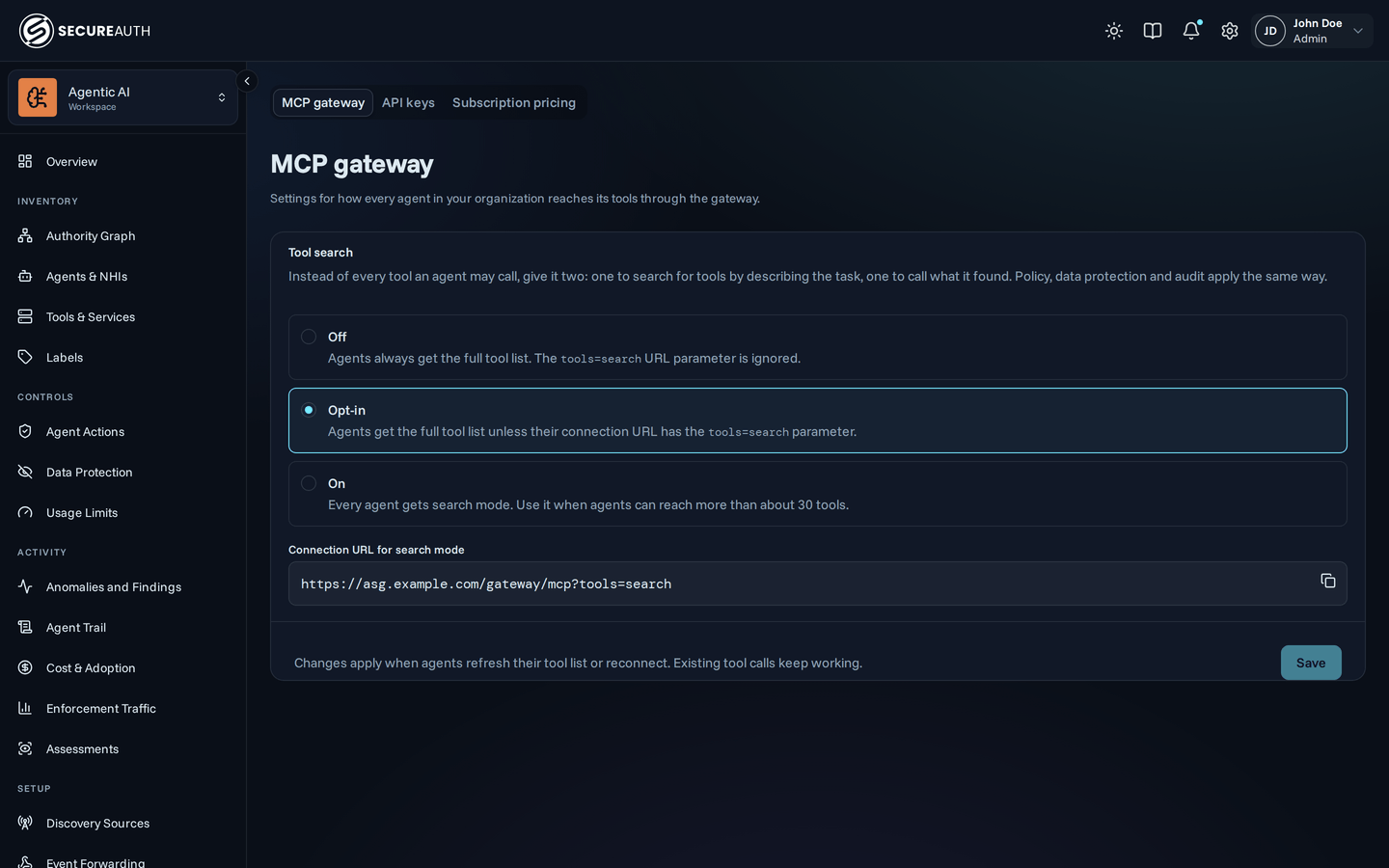
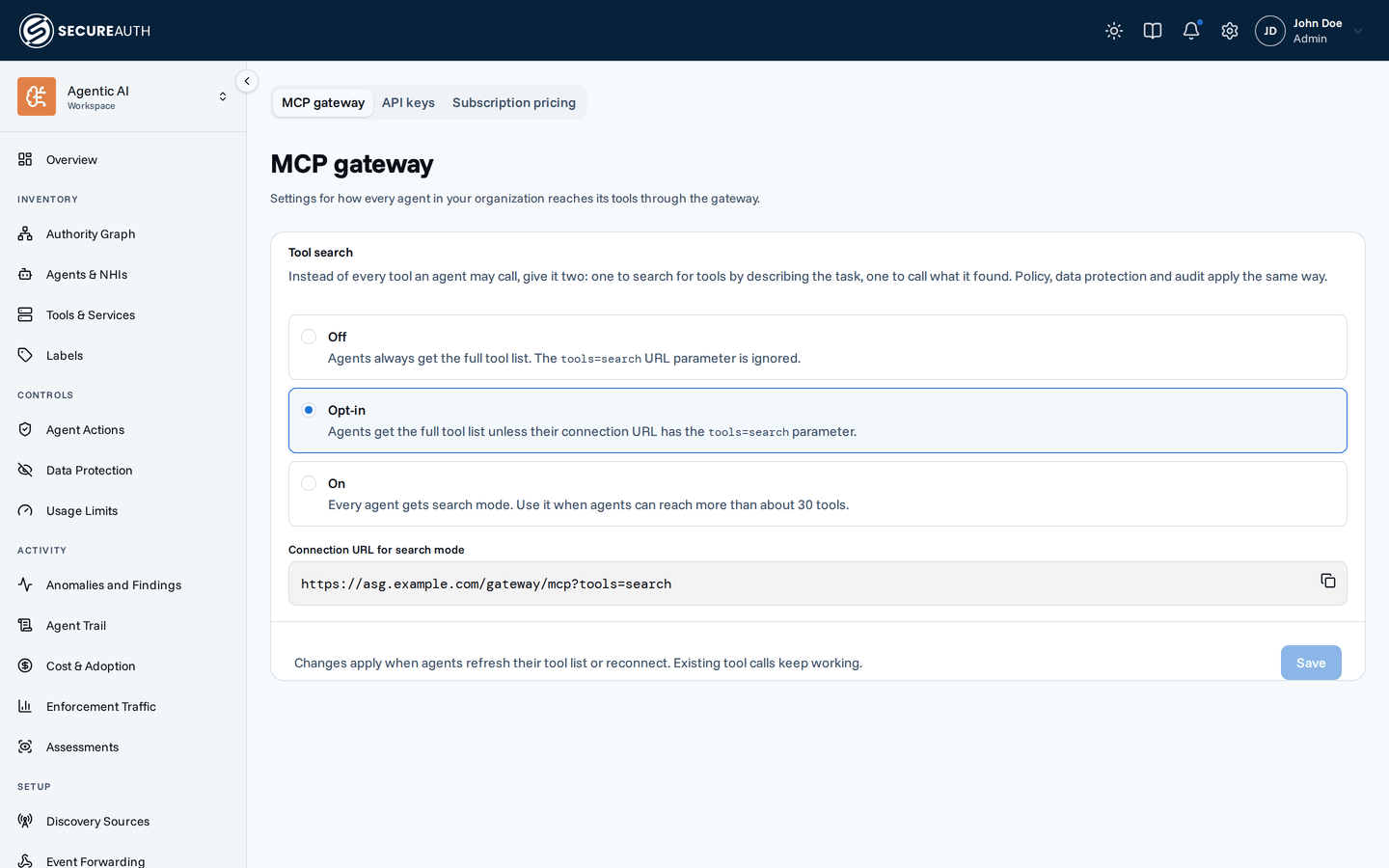
Go to Settings > MCP gateway and choose how your organization uses tool search:
- Off – every agent gets the full tool list.
- Opt-in – an agent gets the full tool list unless its connection asks for search mode. This is the default.
- On – every agent gets search mode.
A connection asks for a mode with the tools parameter on its gateway URL:
| Setting | No parameter | ?tools=search | ?tools=all |
|---|---|---|---|
| Off | Full list | Full list | Full list |
| Opt-in | Full list | Search mode | Full list |
| On | Search mode | Search mode | Search mode |
The gateway ignores a parameter value it does not recognize. A change to the setting reaches connected agents within a few seconds.
Connect an agent in search mode
Add ?tools=search to the gateway URL wherever you enter it.
If the URL already has a query, append it with & instead, as in ?tags=prod&tools=search.
For a claude.ai connector, use this as the connector URL:
https://your-gateway-url/gateway/mcp?tools=searchA client that can send headers can use the X-Tool-Mode: search header instead.
If a request has both, the URL parameter wins.
When not to use it
Search mode trades a short tool list for extra steps on every task: the agent searches before it calls.
- Few tools – below about 25 to 30 tools, the full list costs less than the extra search calls.
- Clients that already search tools – Claude Code can search MCP tools on its own, so in search mode it searches twice.
- Fixed workflows – an agent that always calls the same few tools gets nothing from searching for them.
See the mode in the Agent Trail
Each Agent Connected event records which mode the connection got. For a connection in search mode, the event description adds with tool search. A change to the setting is recorded as a Gateway Settings Updated event, with the old and new value.
Permissions
view_gateway_settings– see the MCP gateway settings.manage_gateway_settings– change them.
The built-in admin role holds both, and viewer holds view_gateway_settings.
To grant them on their own, create a custom role.
Next steps
You can now choose whether agents read every tool definition or search for the ones a task needs. Before you turn it on for everyone, review your policies: they decide which tools search can ever return.