Connect an agent
Point your agent at the gateway and start using tools
Agents connect to the gateway via MCP (Model Context Protocol). Once connected, they can access every tool from your configured resources — governed by your policies.
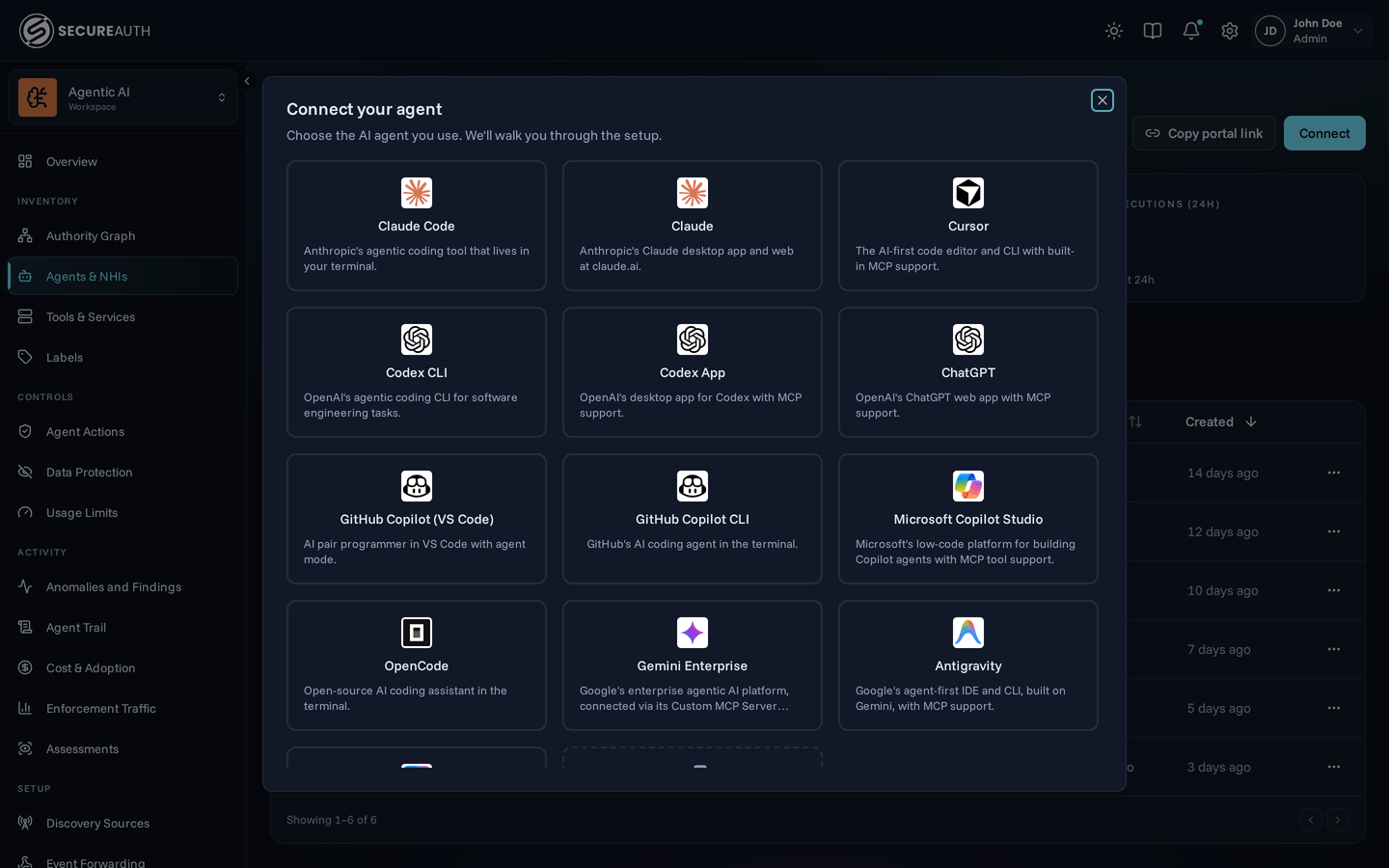
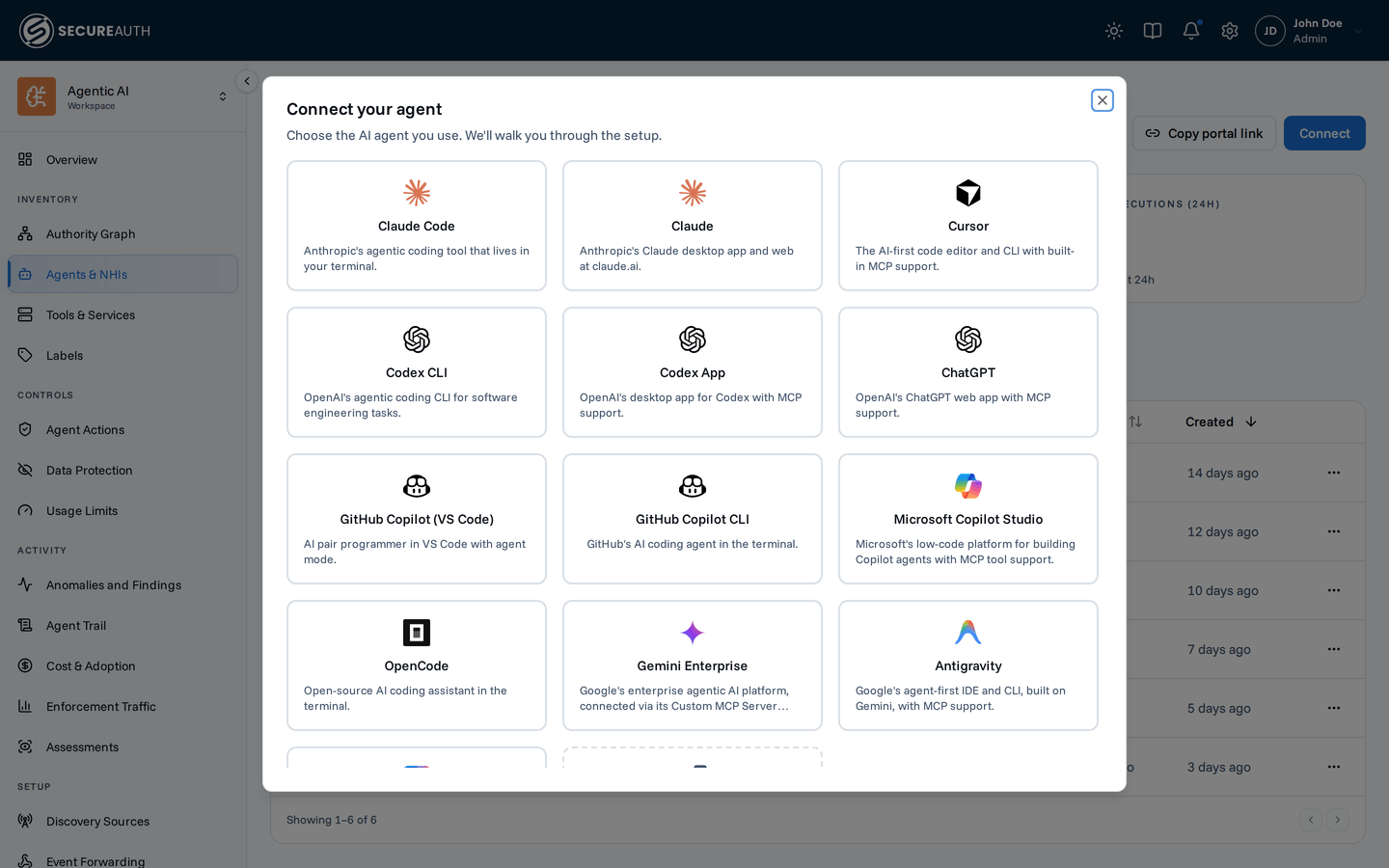
Register an agent
As an admin, open Agents & NHIs and click Connect; end users self-onboard from the Quickstart page in their portal, which you hand them with Copy portal link. Both open the same catalog of agents and the same setup steps:
- Click your agent — Claude Code, Cursor, Copilot, Codex, and more
- Follow the setup steps in the dialog — each agent has its own configuration method
- Authenticate when prompted — a browser window opens for sign-in
There's nothing to copy back into the dashboard. The gateway registers the agent automatically on its first authenticated connect, and the instance appears in the list.
For agents not in the catalog, pick the Custom agent card in the same grid, then pick how the agent authenticates:
- Auto-register – for clients that perform their own Dynamic Client Registration. Point the agent at the gateway URL and it registers itself on first connect; there's nothing to create here.
- API key – for clients that just need a static header token. The gateway issues a one-time opaque token that you configure in the agent.
- OAuth – for clients that speak OAuth 2.0 but can't self-register via Dynamic Client Registration and instead ask you to hand-paste an authorization URL, token URL, client ID, and client secret into their own settings. The gateway registers an OAuth client with your organization's issuer on the agent's behalf and shows you those values.
For the latter two, copy what's shown immediately — it isn't shown again. See Custom agent for the step-by-step, and Gateway endpoints and authentication for the full detail on both credential types, including what happens when you delete the instance.
See the setup guides for each supported agent:
- Claude Code
- Claude Desktop
- Cursor
- Codex CLI
- Codex App
- ChatGPT
- GitHub Copilot (VS Code)
- GitHub Copilot CLI
- Microsoft Copilot Studio
- OpenCode
- Antigravity
- Gemini CLI
- Custom agent – anything else that speaks MCP
Scope a connection
The default endpoint, /gateway/mcp, aggregates every MCP your org has connected into a single tool list. Some agents cap how many tools a connection may expose, and a large catalog can exceed that cap. Past it, the agent truncates tools or refuses to connect. Every tool in the list also costs context on every request. You can narrow a connection by resource, by tag, or both. See Gateway endpoints and authentication for the full reference.
By resource
Append a slug to connect to a single MCP:
https://your-gateway-url/gateway/mcp/{slug}The slug is the catalog name for catalog resources (github, slack, …) or the slug you set when adding a custom resource. An unknown slug returns 404.
By tag
Add a tags query parameter to connect to the resources and tools that carry any of the listed Resource tags:
https://your-gateway-url/gateway/mcp?tags=dev,read-only- A tool is included when its MCP carries a listed tag, or when the tool itself does. Tag an MCP to include all of its tools. Tag single tools to include only those.
- Several tags combine as a union: a tool needs only one of them.
- Built-in tags work too.
?tags=read-onlygives the agent only read-only tools across every resource. - Tag names match without regard to case. Separate them with commas, and URL-encode spaces (
team%20a). A tag whose name contains a comma can't be used here. - You can also repeat the parameter (
?tags=dev&tags=ops). A request with more than 50 tag names returns400. - A name that matches no tag returns
404. A tag that exists but labels nothing gives an empty tool list. - You can combine both forms:
/gateway/mcp/github?tags=read-onlynarrows to GitHub's read-only tools.
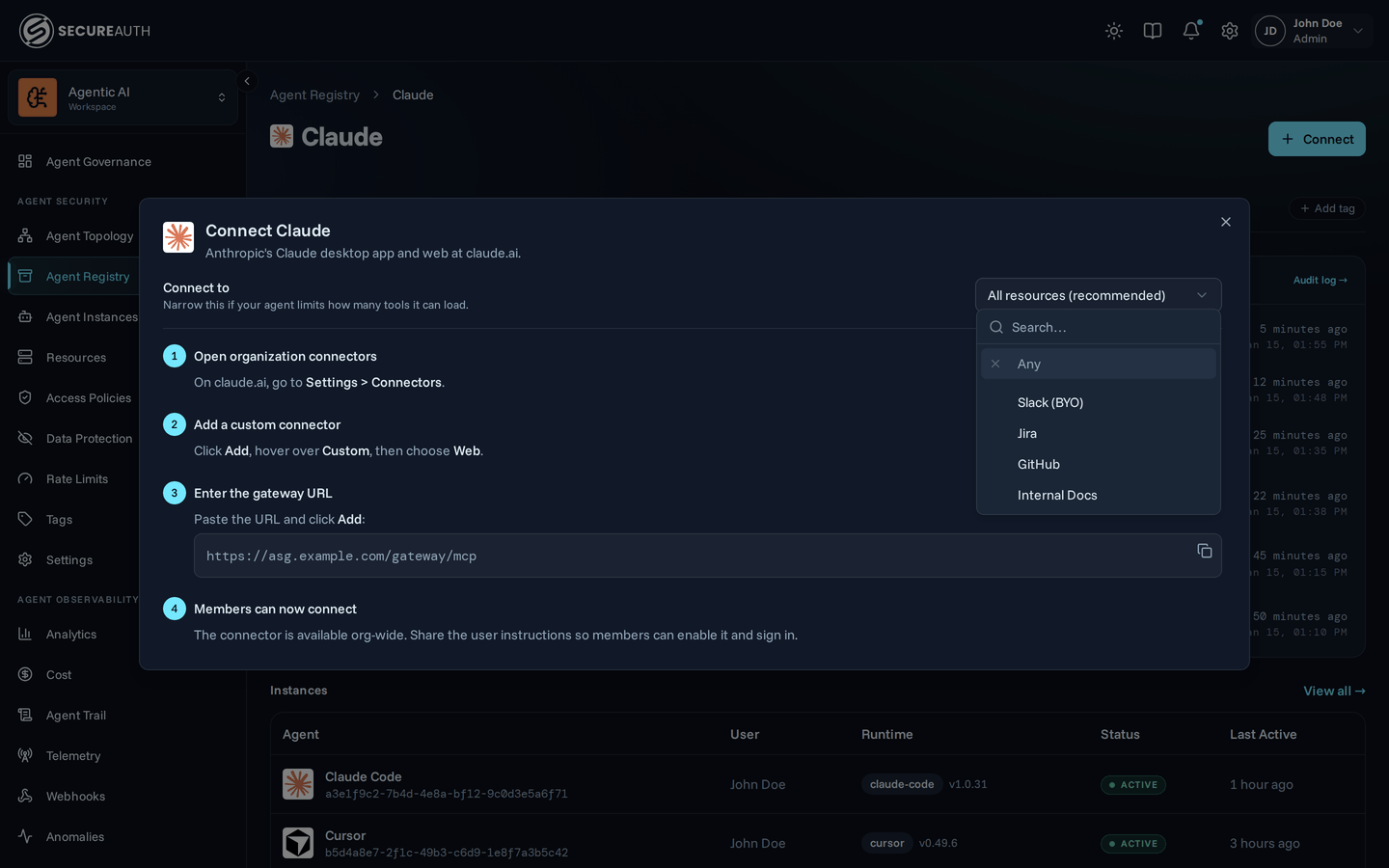
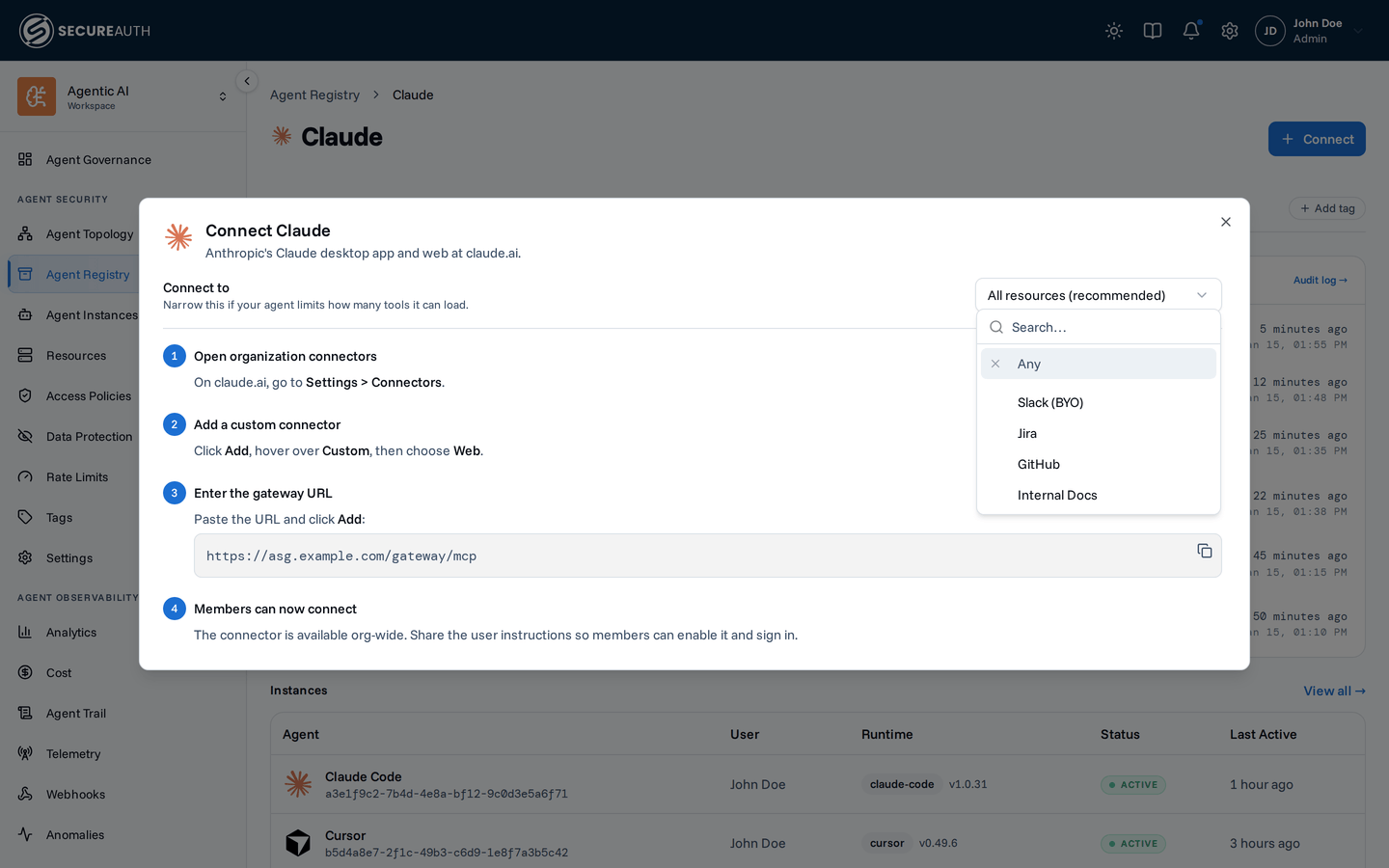
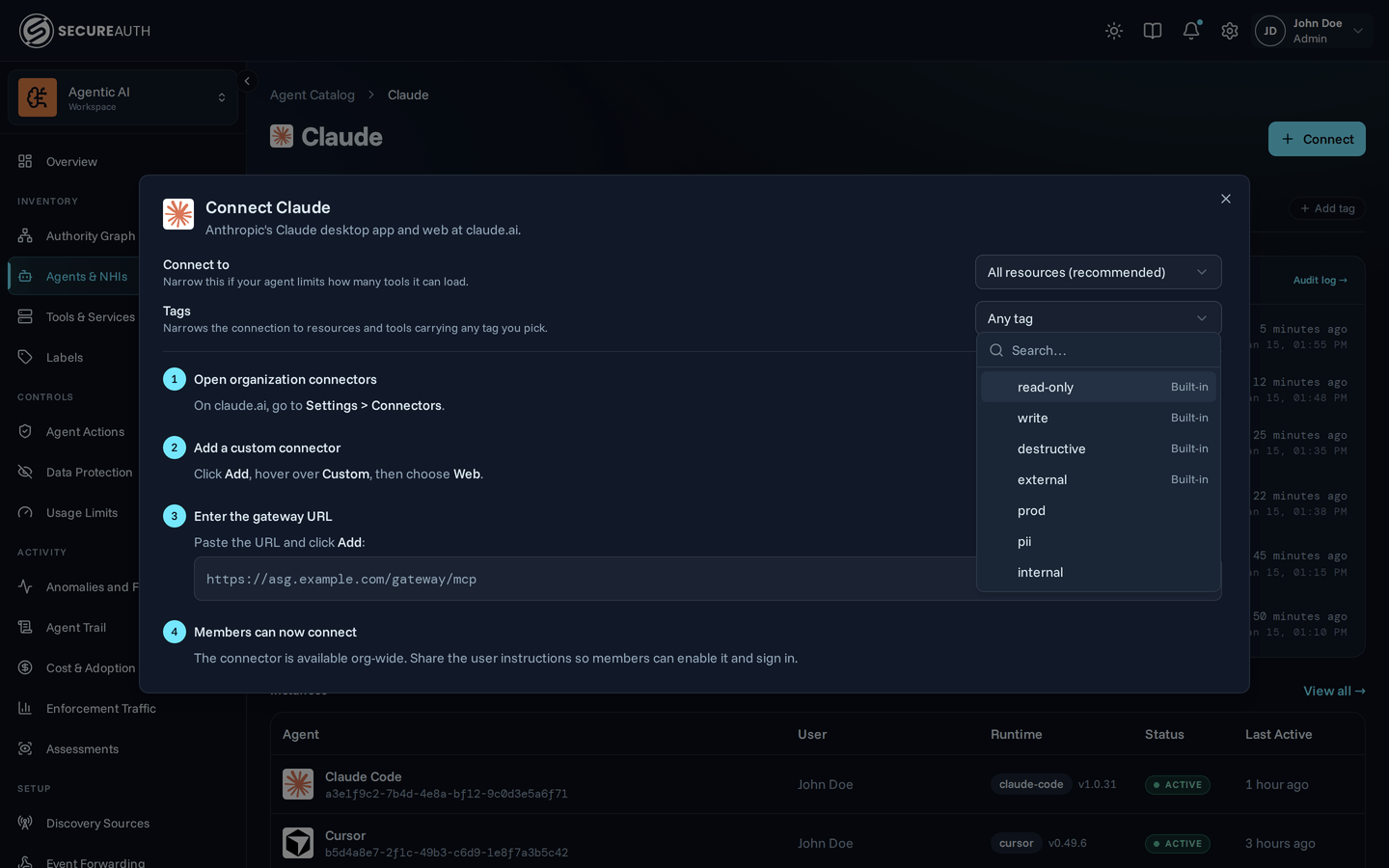
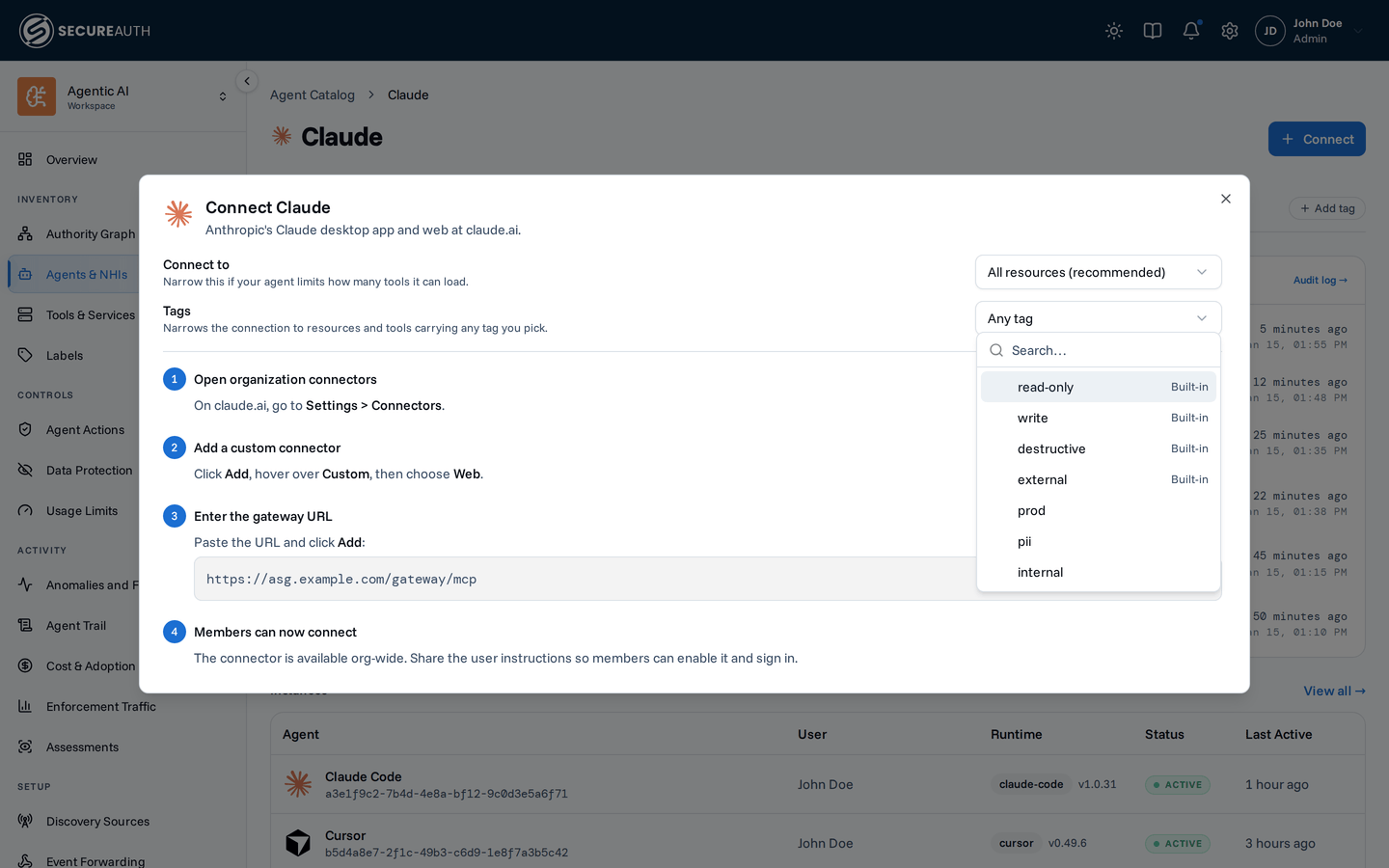
Picking the scope in the connect dialog. The setup dialog (Agent Instances and Quickstart) shows a scope picker before the setup steps. Connect to defaults to All resources; pick one resource to narrow to that MCP. Tags narrows further to the tags you pick. The dialog rewrites the URL for you.
Agents that need several separate scopes configure one connection each:
{
  "mcpServers": {
    "github": { "url": "https://your-gateway-url/gateway/mcp/github" },
    "dev": { "url": "https://your-gateway-url/gateway/mcp?tags=dev" },
  },
}
A scope narrows what the agent asks for. It doesn't grant or remove access. Authentication and policy enforcement are identical to the aggregate endpoint. An agent that drops the scope gets everything its policies allow. If your org has added a resource you haven't connected to yet, it behaves as on the aggregate endpoint. The gateway lists its tools, and calling one returns a link to connect your account.
Auto-registration
When an agent connects for the first time, the gateway automatically detects its type and records metadata like client name, version, and protocol version. The agent appears in the dashboard immediately.
Registry vs. Instances
Two views show the same agents from different angles:
- Agent Catalog – one card per agent type (Claude Code, Cursor, …) with aggregate instance counts and policy coverage. Use this to answer questions like which tools any Cursor instance can call across the org. See Agent Registry.
- Agent Instances – every individual connected client across all users. Use this to debug a specific agent's identity, history, and effective access.
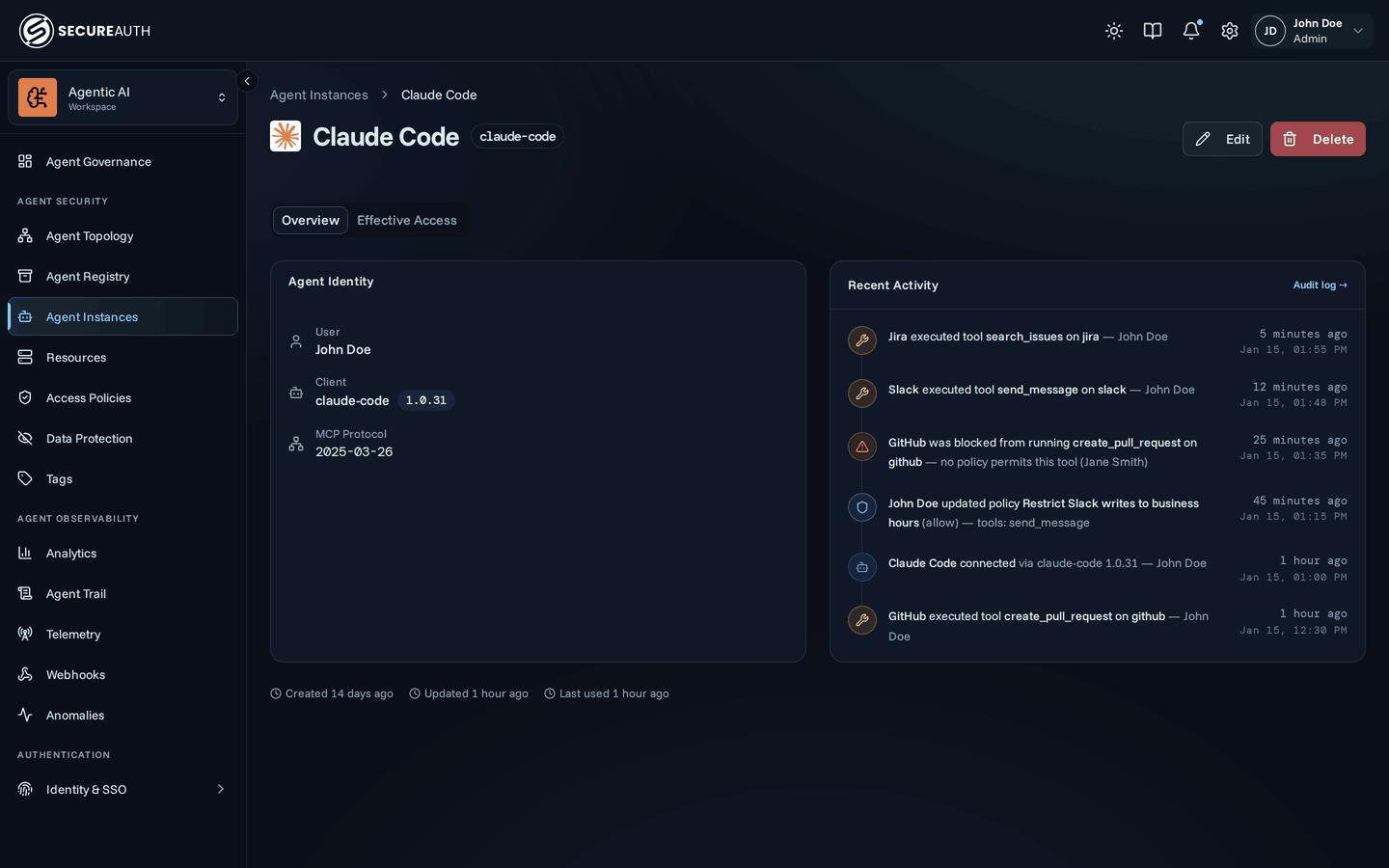
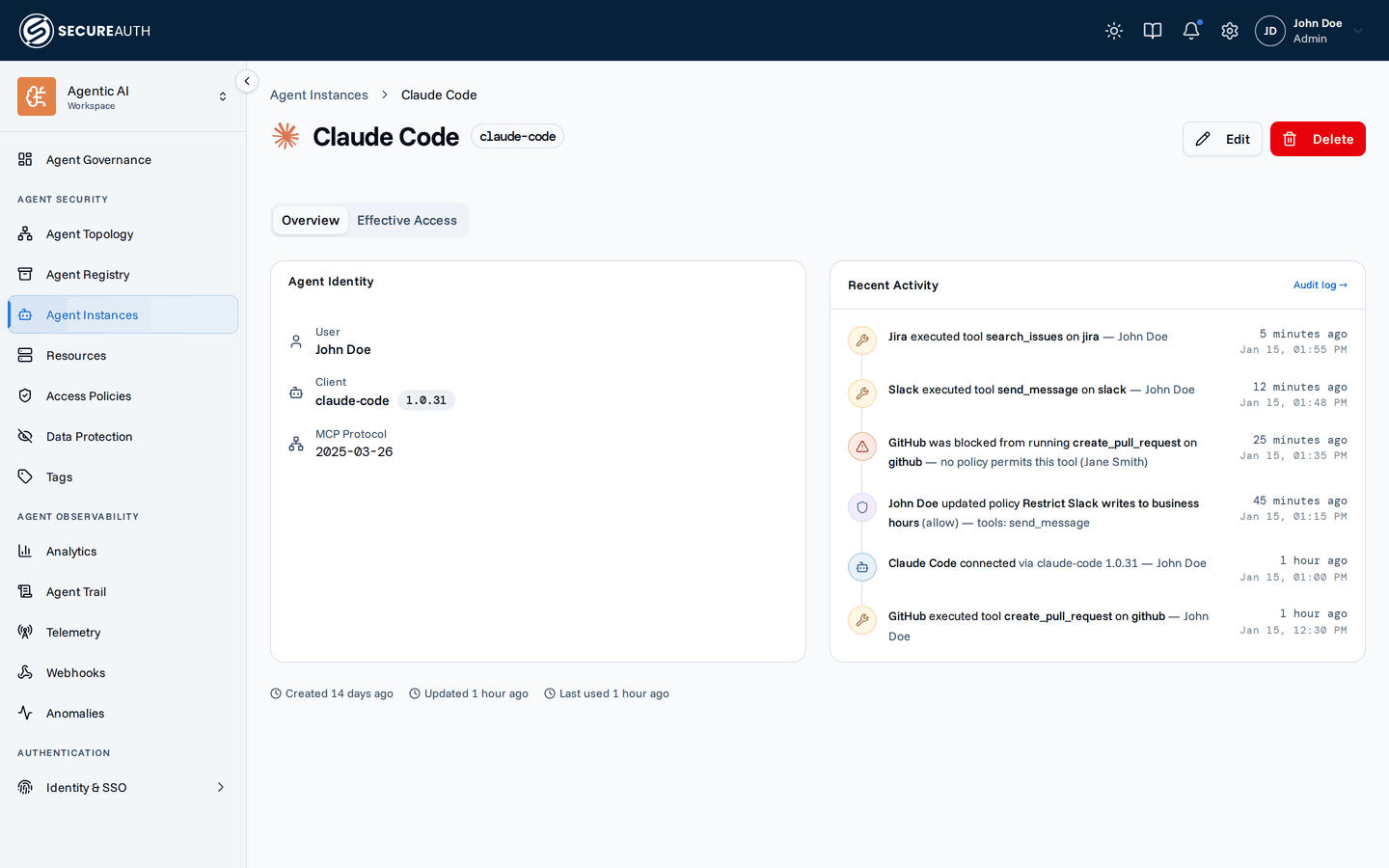
The instance detail page shows:
- Identity – user, client ID, client name and version, MCP protocol version
- Recent activity – audit events for this agent instance
- Effective access – which tools this instance can use based on current policies
Authentication
The first time your agent tries to use a tool that requires authentication (for example, Slack), the gateway will prompt you with a link to connect your account. No upfront setup needed — see Connections for details.
Next steps
Continue to Monitor activity to watch these tool calls appear in the dashboard and audit log. For client-specific setup, see the Claude Code guide or the other supported agents listed above.