Dashboard
Check your agents, resources, policies, and activity at a glance to gauge overall governance health
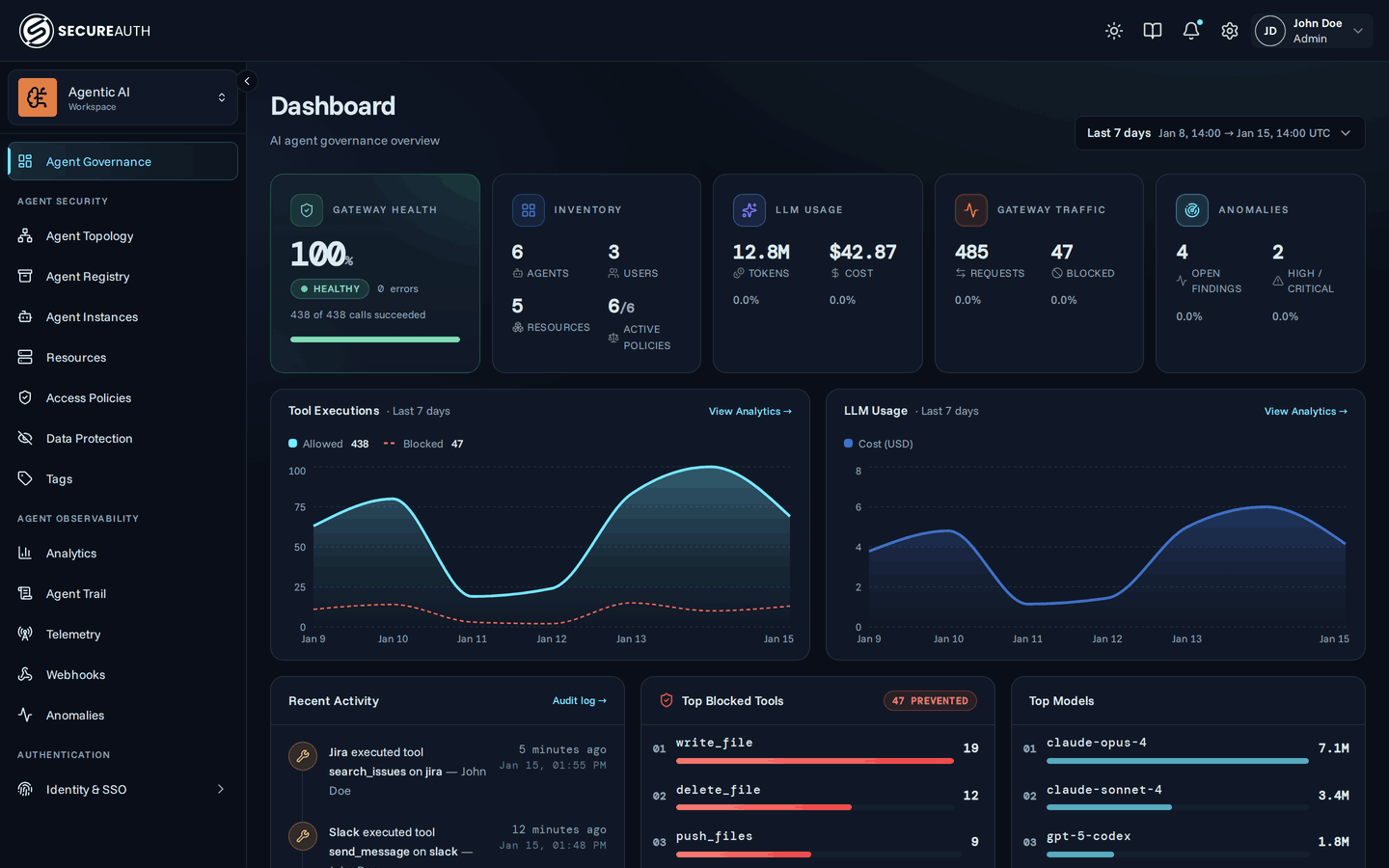
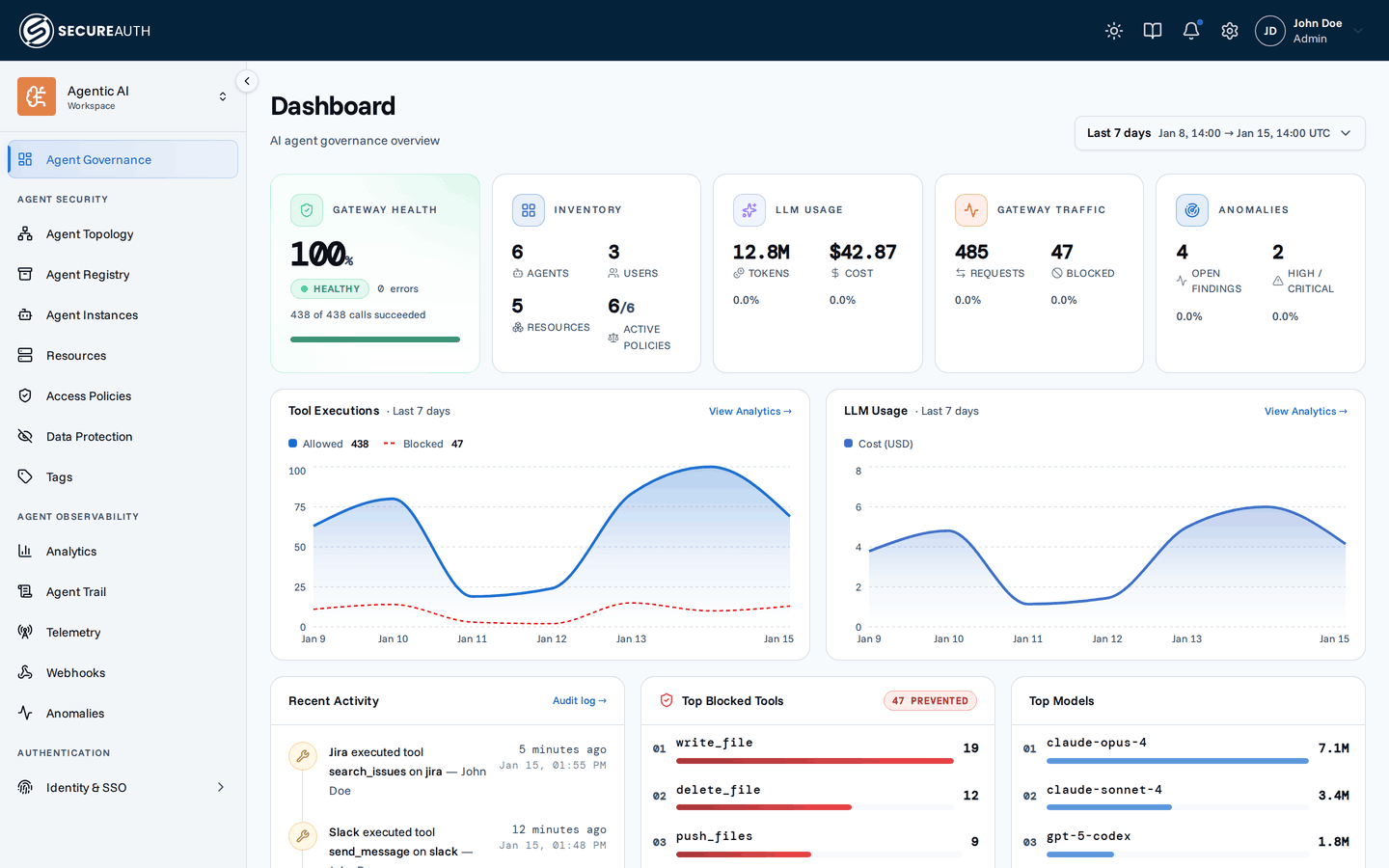
The dashboard is the landing page once agents are connected and making tool calls. Reasoning about agent governance comes down to a few core questions, and every block on this page answers one of them: who owns the agent, what it's doing, whether a given call was allowed, whether you can prove it after the fact, and whether you can stop it.
Who owns it
The Inventory card counts agents, resources, and policies (active / total), the organization's current footprint. It also counts the users who were active in the selected time range, a measure of activity rather than membership. For the owner and identity behind a specific agent or connected instance, see the Agent Registry.
What is it doing
Gateway traffic totals every request through the gateway; the tool executions trend chart and the recent activity feed break that volume down over time and event by event. The LLM usage card shows one compact spend figure (real spend once seat pricing is configured, else the API-equivalent estimate, linking to the Cost and adoption page) alongside tokens consumed. Once seat pricing is configured, the card also splits that spend into Seat Cost and API Spend. A tokens-over-time chart and the top-models widget add usage trends once agents report through OpenTelemetry; until then these figures read zero and a card invites you to connect telemetry. When anomaly detection is enabled, an Anomalies card surfaces open anomalies and how many are high or critical, deep-linking into the triage queue for spend spikes, unusual tool volume, and other unusual behavior.
Was it allowed
The same Gateway card also reports the share of tool calls that executed successfully, a count of real errors such as timeouts and upstream failures (policy blocks are excluded, since those are intended outcomes, not failures), and how many calls were blocked. The blocked-call count badge on the tool executions chart and the top blocked tools widget show what your policies are actually stopping.
What does it cost me
The LLM usage card carries the organization's spend. The user portal has its own, narrower dashboard: a person's own agent activity, plus a Cost measure and a spend-over-time chart covering only their usage. Team and org-wide cost breakdowns stay in the console; see who sees which figures.
Can I prove it
The dashboard is a summary, not the record. Every decision behind these numbers (the actor, the policy rule that fired, and the result) lives in the audit log. For trends over a longer window than the dashboard shows, see Enforcement traffic.
Can I stop it
None of these are dashboard actions: they live on the pages the dashboard summarizes. Revoke an agent instance's access, or delete it outright, from its detail page (see Agent Registry); disable or reorder a policy rule to change what's allowed going forward, or delete a resource to remove it from every agent's tool list.
Next steps
- Enforcement traffic – aggregated trends, token usage, and blocked-call analytics over time.
- Anomalies – a triage queue of unusual agent and user activity.
- Audit log – the real-time event feed behind every number on this page.