Cross-App Access
Cross-App Access lets an application request an Identity Assertion JWT Authorization Grant, or ID-JAG, for another authorization server. The requesting application exchanges a token at SecureAuth for an ID-JAG. It presents that grant to the target authorization server to request an access token.
The ID-JAG feature must be enabled for your tenant. ID-JAG requests require a trusted application with a confidential authentication method and the token exchange grant.
Configure the requesting application
- In the admin console, select your workspace and open Applications.
- Open the requesting application and select its OAuth tab.
- Enable Trusted and select a Token Endpoint Authentication Method other than None. These settings allow the application to request an ID-JAG.
- Under Grant Types, select Token exchange. The grant must also be enabled in your workspace OAuth settings.
- In Cross-App Access, check that the Trusted, Confidential, and Token exchange grant indicators are green. A warning identifies missing requirements.
- Select Add target and enter the target authorization server's issuer URL in Target authorization server.
- If the application has a different client ID at that authorization server, enter it in Client ID at target. Leave this field empty to use the requesting application's client ID.
- If the target authorization server requires a tenant identifier, enter it in Tenant at target. This optional field sets the
aud_tenantclaim for multi-tenant authorization servers. Leave it empty to omit the claim. - In Subject ID, choose the
sub_idclaim shape this target expects. Leave it on Default unless the target requires a specific format. - Add any other targets and select Save.
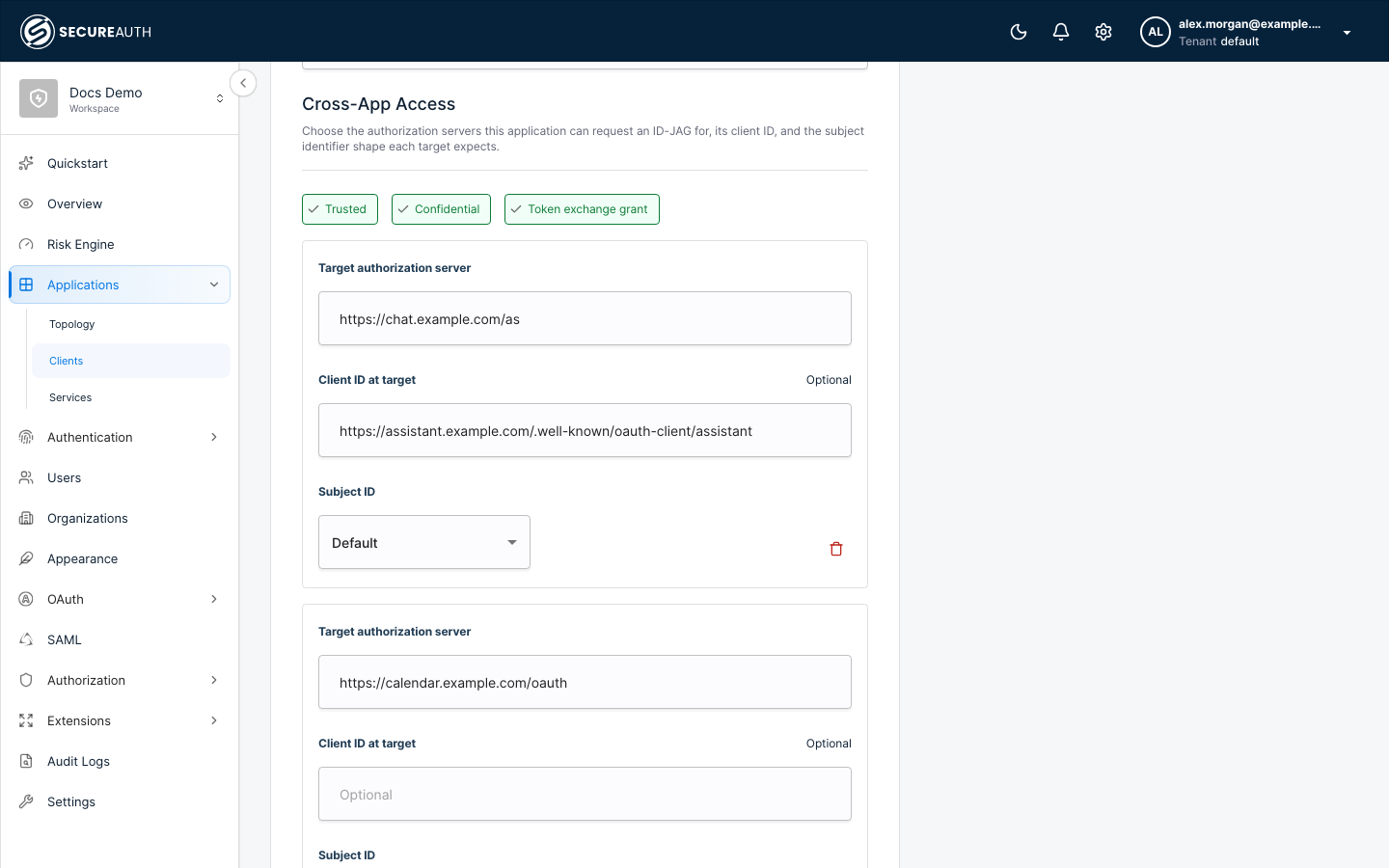
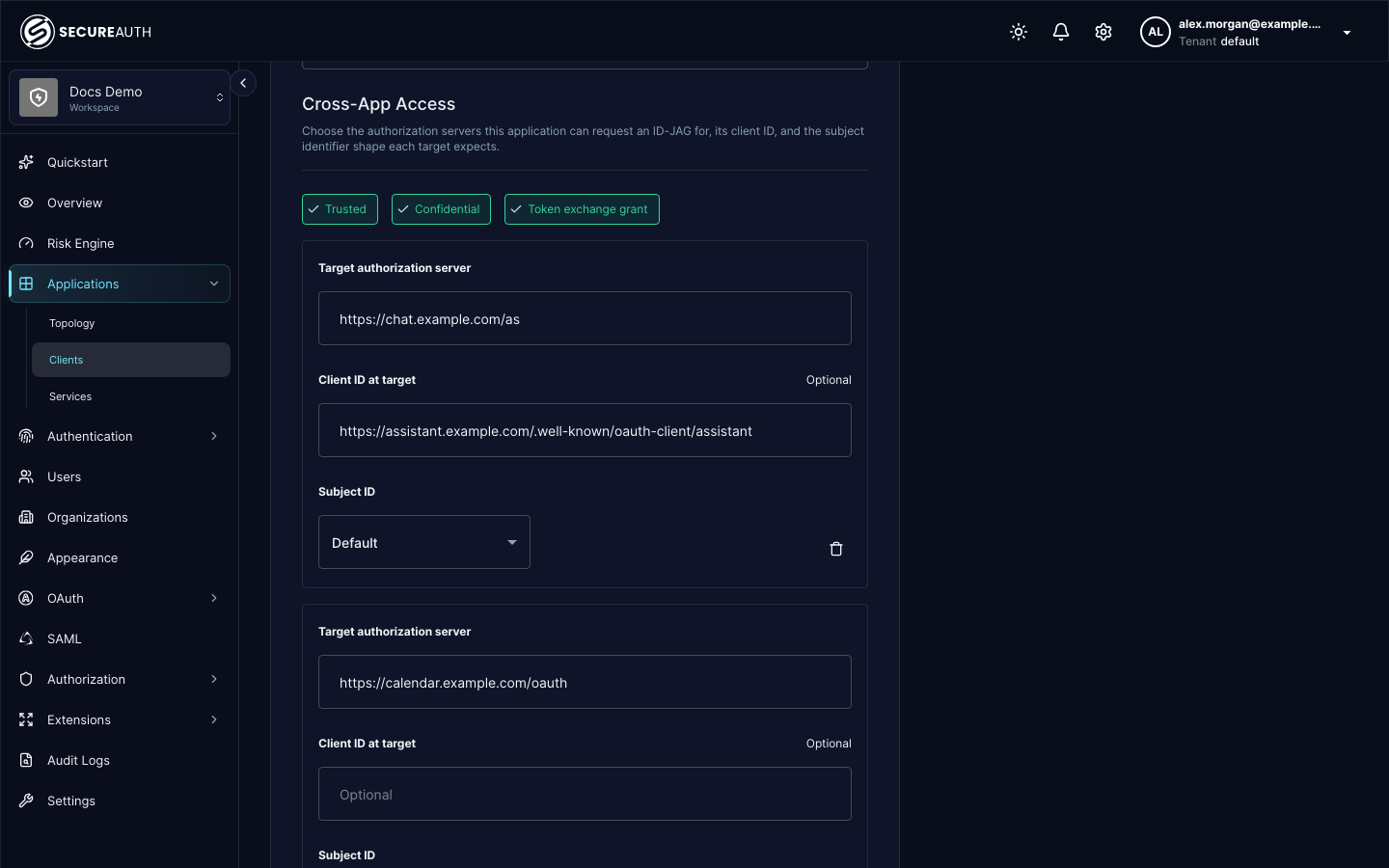
Adding or editing a target adds its URL to the application's allowed audience list. Existing ID-JAG targets outside that list remain unauthorized until you edit or recreate them. Targets with a target client ID, a tenant identifier, or a non-default Subject ID also configure token_exchange.id_jag_targets. Removing a target removes the URL and any overrides.
Understand target matching
Allowed audiences match by scheme, host, and path prefix. Registering https://chat.example.com/tenant/server allows that audience and paths beneath it, such as https://chat.example.com/tenant/server/api. It does not allow a different host or a sibling path such as https://chat.example.com/tenant/server-other.
Client ID overrides require an exact match with the requested audience. An override for https://chat.example.com/tenant/server does not apply to a request for https://chat.example.com/tenant/server/api. Without an exact override, SecureAuth uses the requesting application's client ID.
The form also displays audiences already registered for other token exchange requests. These values share the same allowed audience list. Removing one can affect those requests.
Set the subject identifier per target
token_exchange.id_jag_targets[].sub_id sets the sub_id claim format for a target, independent of the issuing workspace's subject format. Use it when a target authorization server expects a specific format.
The admin console offers each format in Subject ID. For Account, DID and URI, set Identifier attribute to the mapped authentication context attribute name. For Aliases, select Add alias to configure each identifier, including its attribute name when needed.
The client API uses these settings:
API sub_id setting | sub_id in the ID-JAG |
|---|---|
| Unset | Follows the issuing workspace's subject format (see JWT bearer flow). |
omit | No sub_id claim. |
opaque | {"format": "opaque", "id": "<sub>"}. |
email | {"format": "email", "email": "<email>"}, using the verified email. When no verified email is available, SecureAuth omits the claim. |
phone_number | {"format": "phone_number", "phone_number": "<phone>"}, using the verified phone number in E.164 format. |
iss_sub | {"format": "iss_sub", "iss": "<iss>", "sub": "<sub>"}, using the ID-JAG's issuer and subject. |
account | {"format": "account", "uri": "<account_uri>"}, using a mapped attribute containing an acct: URI. |
did | {"format": "did", "url": "<did_url>"}, using a mapped attribute containing a DID or DID URL. |
uri | {"format": "uri", "uri": "<subject_uri>"}, using a mapped attribute containing an absolute URI. |
aliases | {"format": "aliases", "identifiers": [...]}, containing the configured identifiers for the same authenticated user. |
Email requires a granted email scope and a verified email on the user, the same conditions as the email claim.
Phone number requires a granted phone scope and phone_number_verified set to true. These requirements apply to the explicit override and to entries in Aliases. The Default setting continues to describe the workspace's subject value.
For account, did and uri, set sub_id_attribute to the name of the mapped authentication context attribute that supplies the identifier. The value must identify the authenticated user. SecureAuth validates its syntax without fetching the URI or resolving the DID. A missing, empty or malformed value rejects the ID-JAG request rather than changing the selected format.
For aliases, configure sub_id_aliases with the identifiers the target should associate with the same user. Each entry sets a format other than aliases. Entries with account, did or uri also set attribute to the mapped attribute name. Exact duplicate identifiers are removed. Unavailable verified email or phone entries are left out; at least one identifier must remain. Only send aliases when the target should be allowed to correlate them.
Store these settings in token_exchange.id_jag_targets. For example:
{
  "audience": "https://auth.resource.example",
  "sub_id": "aliases",
  "sub_id_aliases": [
    { "format": "iss_sub" },
    { "format": "email" },
    { "format": "account", "attribute": "account_uri" }
  ]
}
For a single mapped identifier, use "sub_id": "account" with "sub_id_attribute": "account_uri". The attribute contains the user's identifier, not a fixed identifier shared by all users. An explicitly selected Phone number format rejects the request when no scoped, verified number is available. Email retains its existing behavior of omitting the claim when unavailable.
An ID-JAG request accepts one optional resource value identifying the API behind the target authorization server. SecureAuth includes this value in the grant. Resource registration validation is not available in this version; configuring an audience does not constrain that resource value.
For token exchange parameters, see Token exchange. For presenting an ID-JAG at SecureAuth as the target authorization server, see JWT bearer flow.
Audit Cross-App Access
Both legs of Cross-App Access record a dedicated audit event, next to the access_token_issued event every token request records. Filter the audit events API with event_subject=id_jag to see them, or by event_action=issued or event_action=redeemed to see one leg. The grant itself is never written to the audit stream.
| Event | Recorded by | When |
|---|---|---|
id_jag_issued | The workspace that mints the ID-JAG | A token exchange returns an ID-JAG. |
id_jag_redeemed | The workspace that accepts the ID-JAG | A JWT bearer request presenting an ID-JAG returns an access token. |
A refused exchange or redemption records only the usual access_token_denied event.
Both events carry the standard access request fields, such as client_id, subject, grant_type and granted_scopes, plus these fields that identify the grant:
| Field | Description |
|---|---|
issuer | Issuer URL of the workspace that minted the grant. |
audience | Issuer URL of the target authorization server. |
grant_client_id | The client_id claim of the grant. On the issuing side it differs from client_id when the target has a Client ID at target configured. |
jti | Unique identifier of the grant. Match it across both workspaces to follow one grant from mint to redemption. |
expires_at | Expiration time of the grant. |
On the redeeming side, idp_id names the identity provider whose trust verified the grant's signature.