Authoring access policies using Rego or the visual editor
You can author SecureAuth Connect authorization policies in two surfaces that run on the same evaluation engine: the visual policy editor and Rego. Choose the surface that fits the author and the review workflow.
Visual policy editor
The visual policy editor composes policies from validators. Each validator checks one thing about the request and returns true or false. The policy combines validator results into an allow or deny decision.
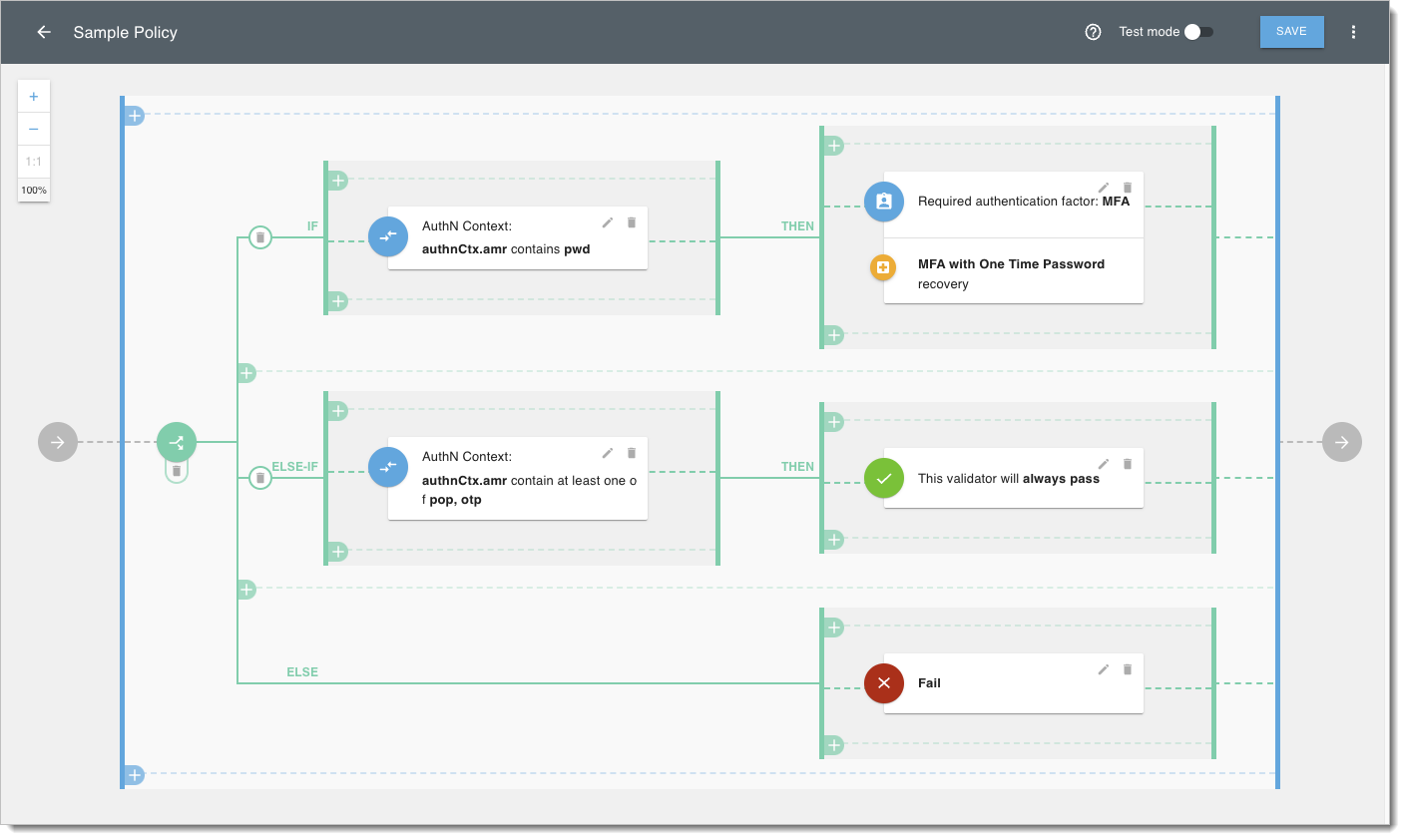
Use the visual editor when the author does not write code, when the policy logic is straightforward, or when you want a non-code review surface.
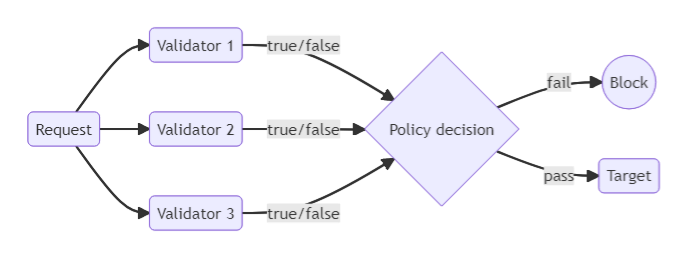
Validators can:
- Check attributes from the request context, including authentication context, ID and access tokens, secrets, and scopes.
- Check request header parameters.
- Check dynamic scopes.
- Embed existing policies into the current policy.
- Add if/else logic to the policy.
- Enforce MFA with OTP recovery.
- Match values with wildcards, for example
admin-*matchingadmin-123.
For the full reference, see Policy validators.
Rego
Open Policy Agent (OPA) is an open-source policy engine with a declarative language called Rego. Rego lets you express policies as code, reuse libraries across policies, and review changes in source control.
SecureAuth includes an embedded Rego editor with code samples. When authoring a Rego policy in SecureAuth, the policy type determines where it can be attached and which inputs it receives.
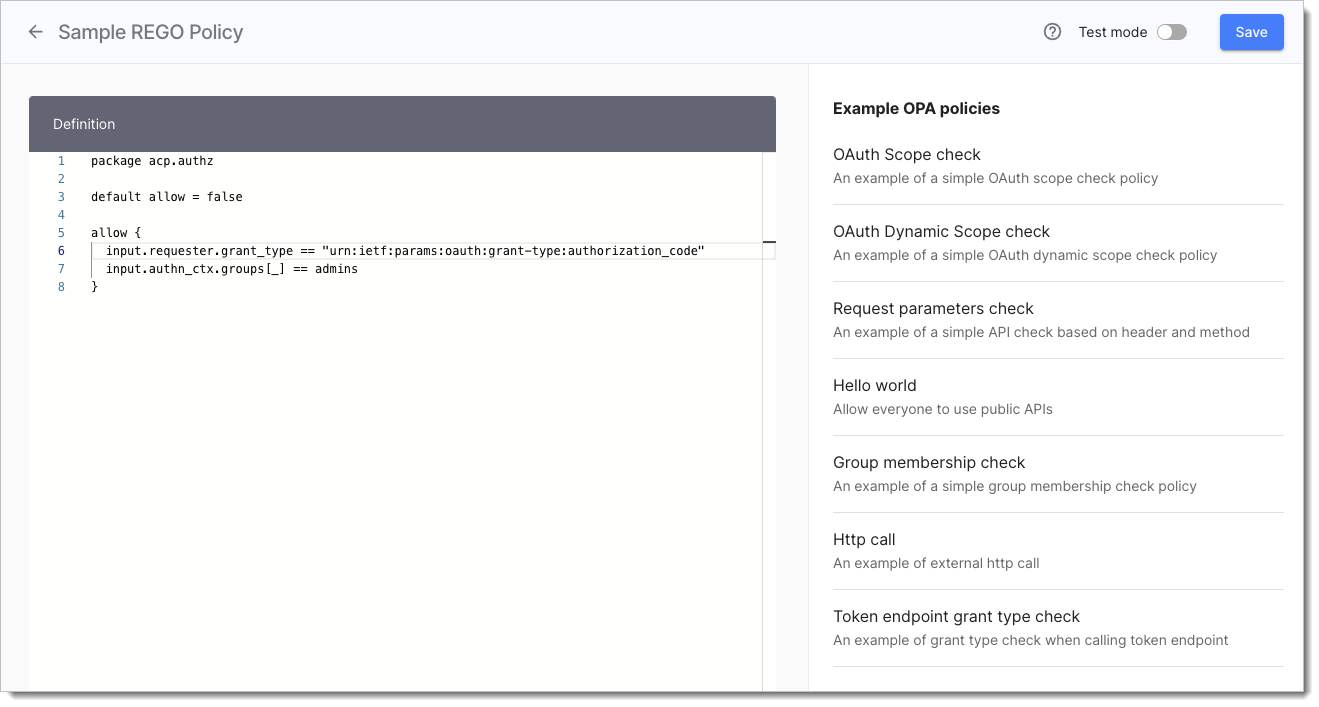
Use Rego when you need loops, set operations, external data lookups, reusable packages, or policies that ship through a GitOps workflow. See Policies as code and GitOps.
Policy types
| Policy type | Description |
|---|---|
| User | User policies validate requests involving user interaction. They can be assigned on a workspace level (Token issue policy), application level (User policy) and service scope level (Consent grant policy). |
| Developer | Developer policies validate client registration and developer subscriptions to a given scope. They can be assigned on a workspace level (Client registration policy) and service scope level (Client assignment policy). |
| Machine to machine | These policies validate a token request coming from a client using the Client credentials OAuth 2.0 flow. They can be assigned on a workspace level (Machine token policy) and service scope level (Machine to Machine policy). |
| Dynamic Client Registration | DCR policies are used to validate Dynamic Client Registration requests. |
| API Request | An API policy validates requests coming to APIs protected by a gateway bound to SecureAuth. |