Data Protection
Redact sensitive data from tool responses before it reaches an agent
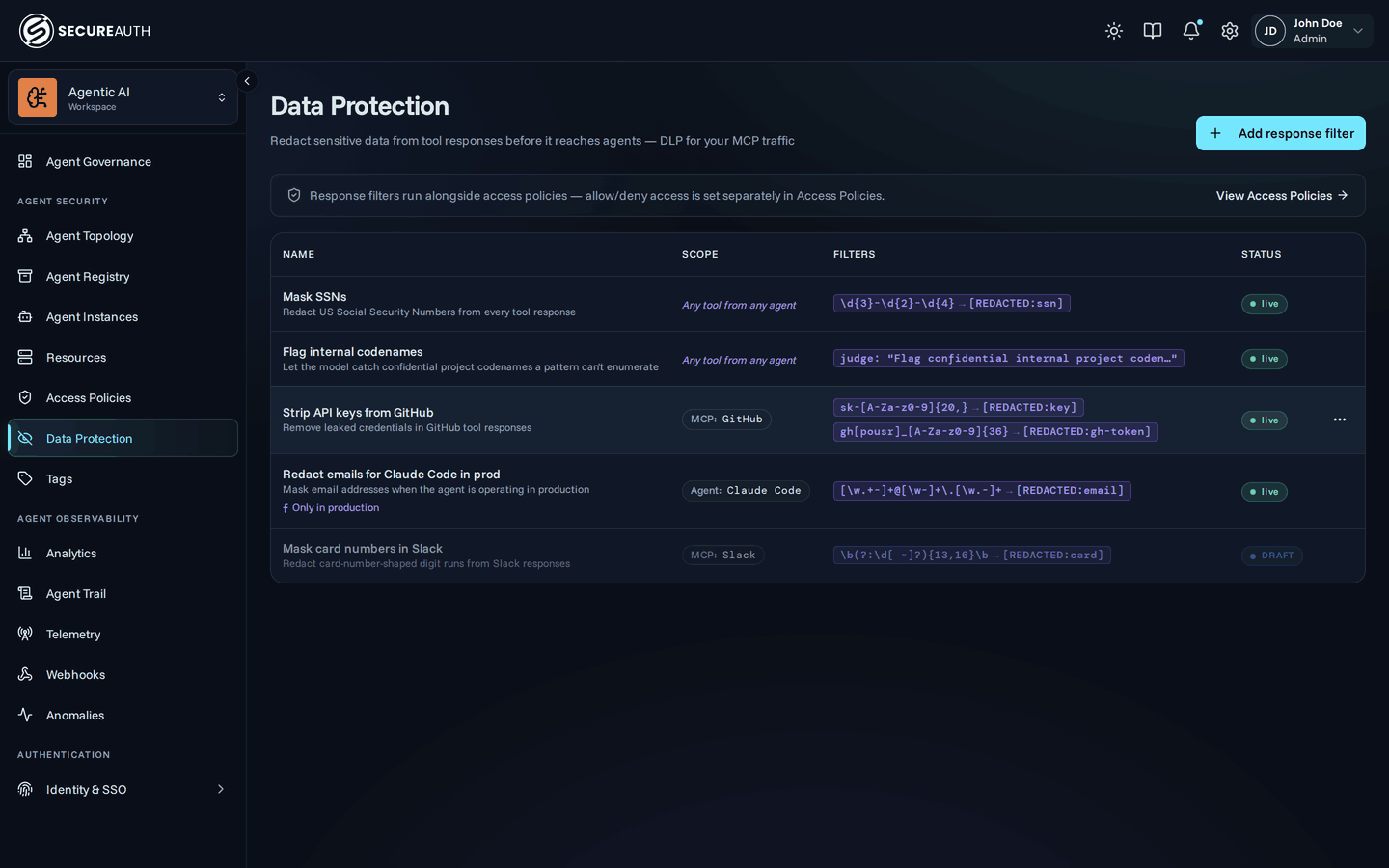
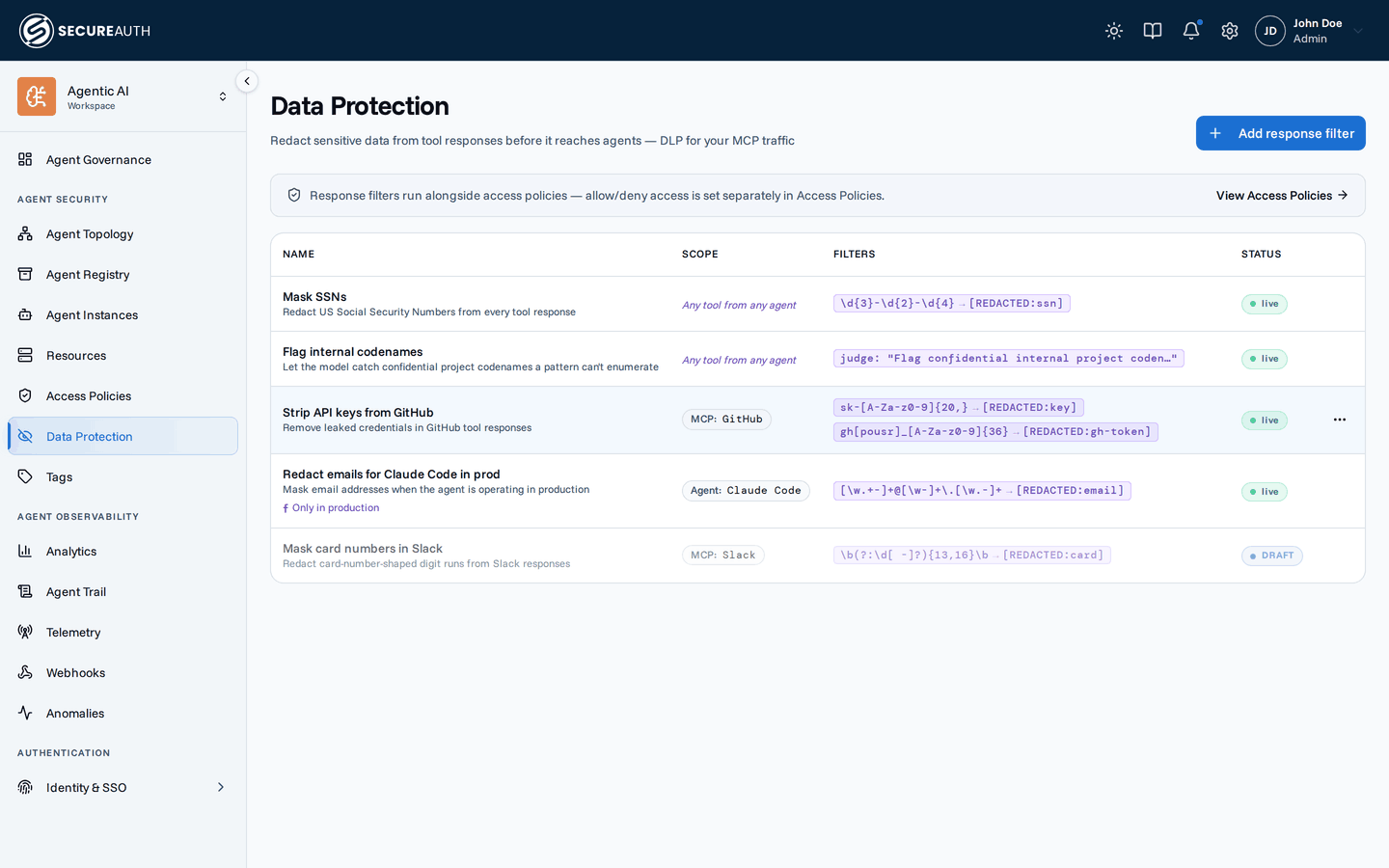
Data Protection is a DLP (data loss prevention) layer for MCP traffic. A response filter rewrites the text of a tool's response (masking things like SSNs, API keys, or email addresses) after the call has already been allowed and before the agent sees the result. It's a separate surface from Access Policies: Access Policies decides whether a tool call runs at all; Data Protection decides what's in the response once it does.
A separate, non-terminal layer
Response filters never grant access. If no policy allows a call, denying it is unaffected by any filter that would otherwise have matched: the filter simply never runs, because there's no response to rewrite. Conversely, an active filter can't be used to unblock a call a policy denies.
Filters also don't participate in the first-match-wins evaluation that Access Policies uses for allow/deny. Every active filter whose scope and condition match a given call applies, regardless of what other filters exist or how they're ordered; there's no priority field and no drag-to-reorder on this page. See Composition for exactly what that means when more than one filter matches.
Creating a response filter
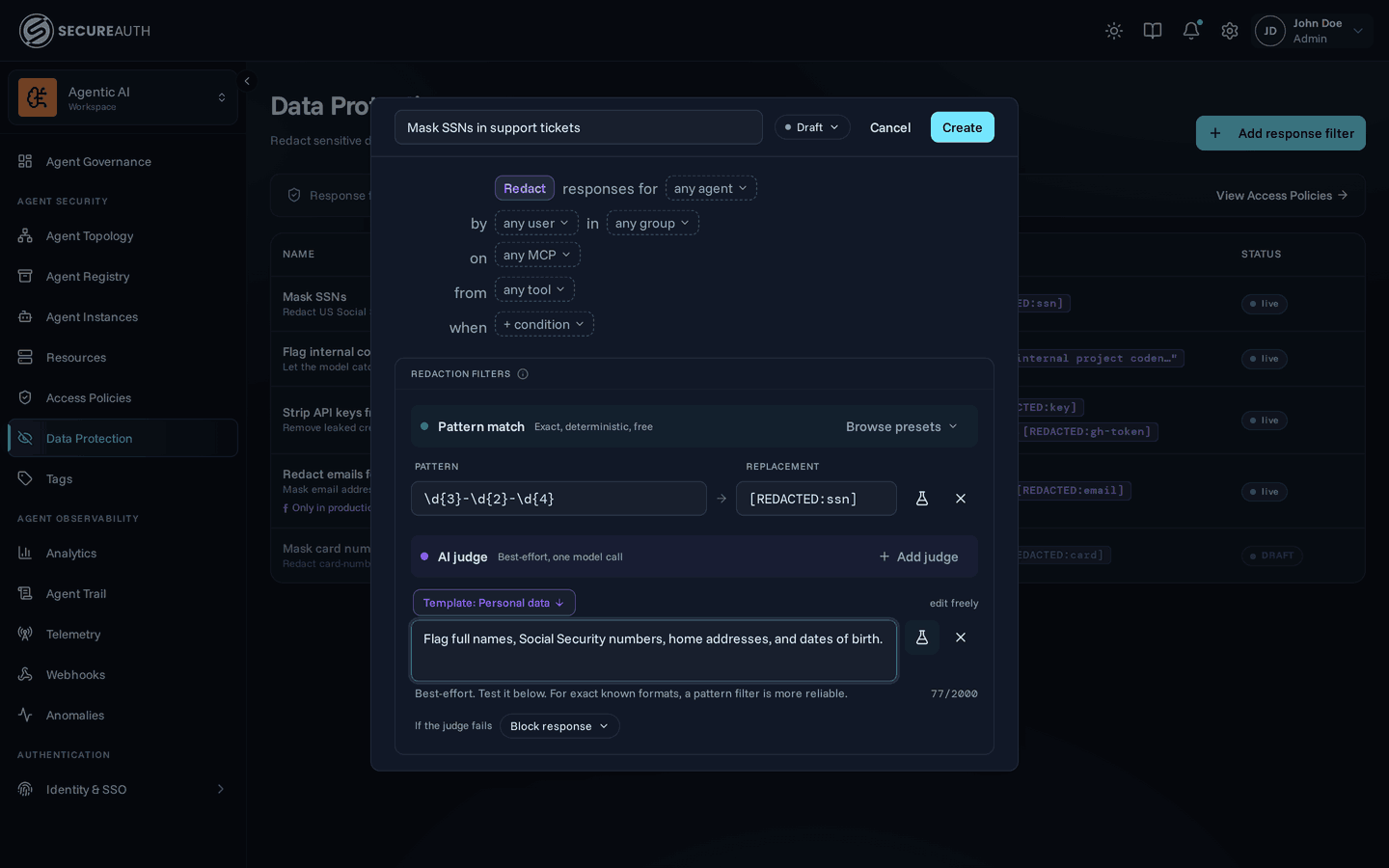
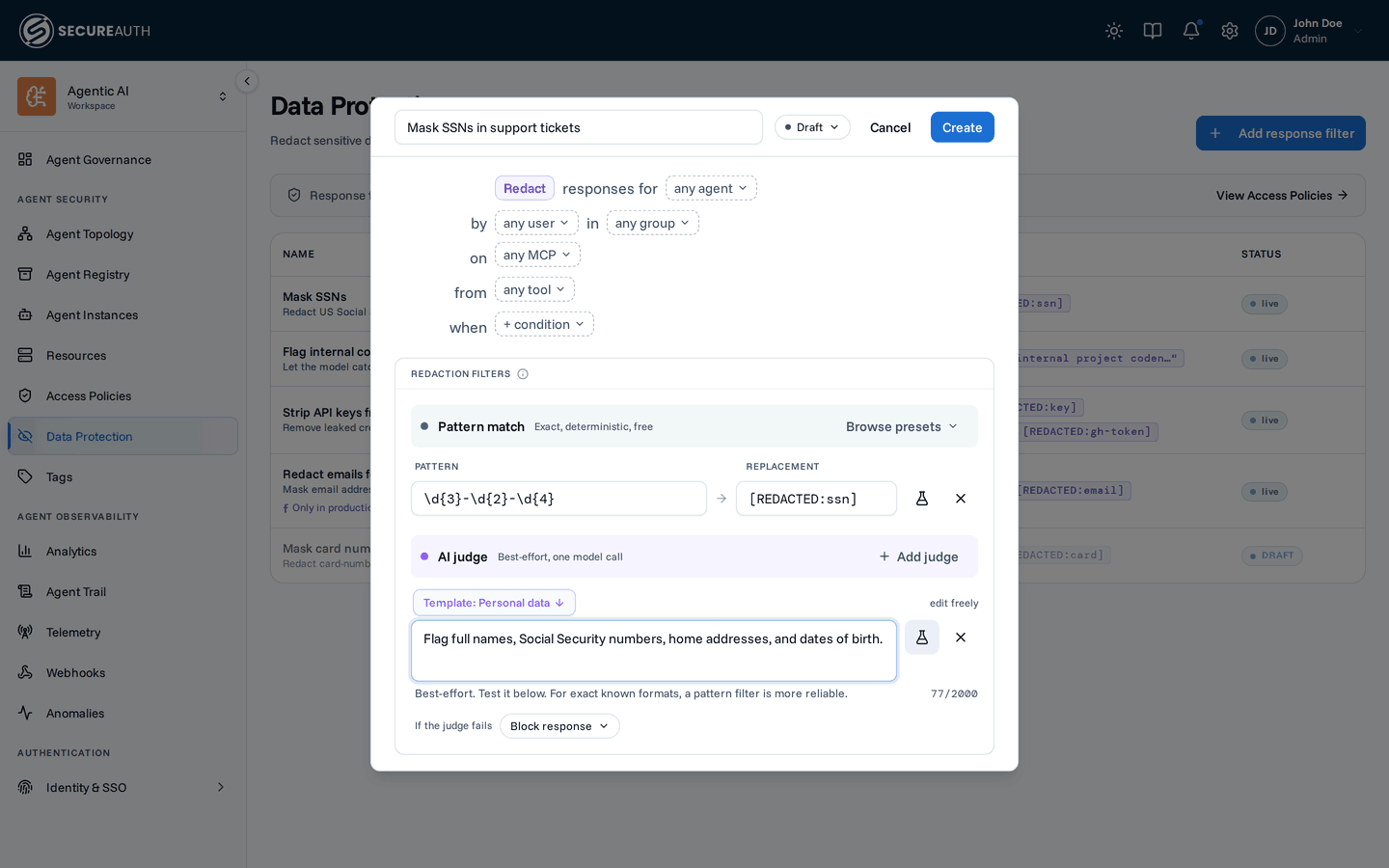
- Navigate to Data Protection and click Add response filter
- Optionally scope it by MCP, agent, user, group, or tool pattern (the same pills and tag matching used on Access Policies); leaving a pill on its placeholder keeps that dimension a wildcard
- Optionally attach a CEL condition the same way Access Policies rules do.
The same variables are available, including
request.ip, so a filter can redact more aggressively off the corporate network. See Network conditions for how farrequest.ipcan be trusted - Add one or more pattern/replacement rows (see Filters)
- Check the name.
It fills in from the scope you chose, for example
Redact responses for any agent from tools tagged pii. Replace it with your own name, such as "Redact SSNs" - Set the status: start with Draft to test, switch to Active to enforce. Disabled pauses a filter without deleting it; only Active filters run.
- Click Create
Filters
The editor groups detection into two families, and the distinction matters. A pattern (regex) is deterministic, free, and can't be evaded by the response content: the right choice for anything with a fixed shape (SSNs, emails, cards), and the recommended default; add one from Browse presets or start a blank row. An AI judge takes a plain-language instruction instead (best-effort, and it costs a model call) for sensitive data a pattern can't express; add one with Add judge. For the common case, the Common PII bundle adds the SSN, email, phone, and card patterns in one click.
Each pattern row pairs a pattern with a replacement:
- Pattern – a regular expression (RE2 syntax) matched against the response text. RE2 rules out catastrophic backtracking; the pattern is capped at 1 KB.
- Replacement – the literal string substituted for each match.
Leave it blank to fall back to
[REDACTED].
A rule is saved with at least one filter (an empty filter list is rejected at save time), but that can be a single judge instruction with no pattern rows at all. A pattern that doesn't compile as valid RE2 is rejected too.
Starter patterns
Browse presets on the pattern family opens curated patterns for common sensitive data (email addresses, SSNs, credit card numbers, phone numbers, IPv4 addresses, AWS access keys, API keys, JWTs, IBANs, and PEM private key blocks), plus bundles like Common PII that add several at once. Picking one appends a new row with its pattern and replacement filled in; both stay fully editable afterward. A live tester on each row lets you paste sample text and see the redaction (and the match count) before saving.
Composition
When more than one active filter matches a call, they apply as a sequential pipeline: each filter's regex runs over the output of the previous one, and within a single filter, rows run in order too. The order in which different filters run is unspecified and carries no meaning; it isn't part of the contract, so don't rely on one filter running before another.
The practical consequence:
a later filter's pattern can match text a previous filter just wrote (including its own replacement string), so what a later filter matches reflects the transformed text, not the original response.
Conventional replacements like [REDACTED] avoid re-triggering unrelated patterns in practice;
a filter that overlaps its own output (matching [REDACTED] itself) would see repeated hits on subsequent calls, so avoid that shape.
An active filter's pattern failing to compile at request time is routed through that rule's on_error setting, described in AI judge filters below.
By default this fails closed, blocking the call rather than forwarding an unredacted response.
A filter's CEL condition failing to evaluate is handled unconditionally, regardless of on_error:
the filter still applies rather than letting the response through unredacted.
Known behavior: filters are compiled when an agent connects, so a new or edited filter takes effect on that agent's next connection rather than retroactively rewriting responses on a session that's already open, the same behavior Access Policies has for rule changes.
AI judge filters
Where a regex filter needs an exact pattern, an AI judge filter takes a plain-language instruction instead, useful for sensitive data that doesn't have a fixed shape, like PII embedded in prose or references to internal project codenames.
Write the instruction (1–2000 characters, for example "Flag any personally identifiable information or internal project codenames");
at request time the judge reads the response and returns the verbatim spans that match, and the gateway replaces every occurrence of each span with [REDACTED].
Two-phase execution
A rule's filters don't all run the same way. Regex filters run first, exactly as described in Composition: sequentially, per rule and row order. Once every regex filter across every matching rule has run, all judge filters across all matching rules run concurrently against that one post-regex snapshot: about one round-trip of added latency regardless of how many are active, though one model call is still made per active judge filter, so cost scales with the number of judge filters.
The judge reads the response's text, including the string values inside a JSON payload.
Identical lines are sent only once:
a tool with an outputSchema returns its payload twice, as structuredContent and as serialized text, and judging each distinct line once is enough because every occurrence of a flagged span is redacted anyway.
A bare JSON number is not sent to it:
an account or card value stored as a numeric literal ("account": 123456789) is invisible to a judge instruction, though a pattern filter's whole-number match still catches it.
Reach for a pattern when the target is numeric.
Which model the judge runs on
The judge runs on a model you provide. Register a connection with its API key on Setup → Model Providers. Then add a candidate for it on Data Protection.
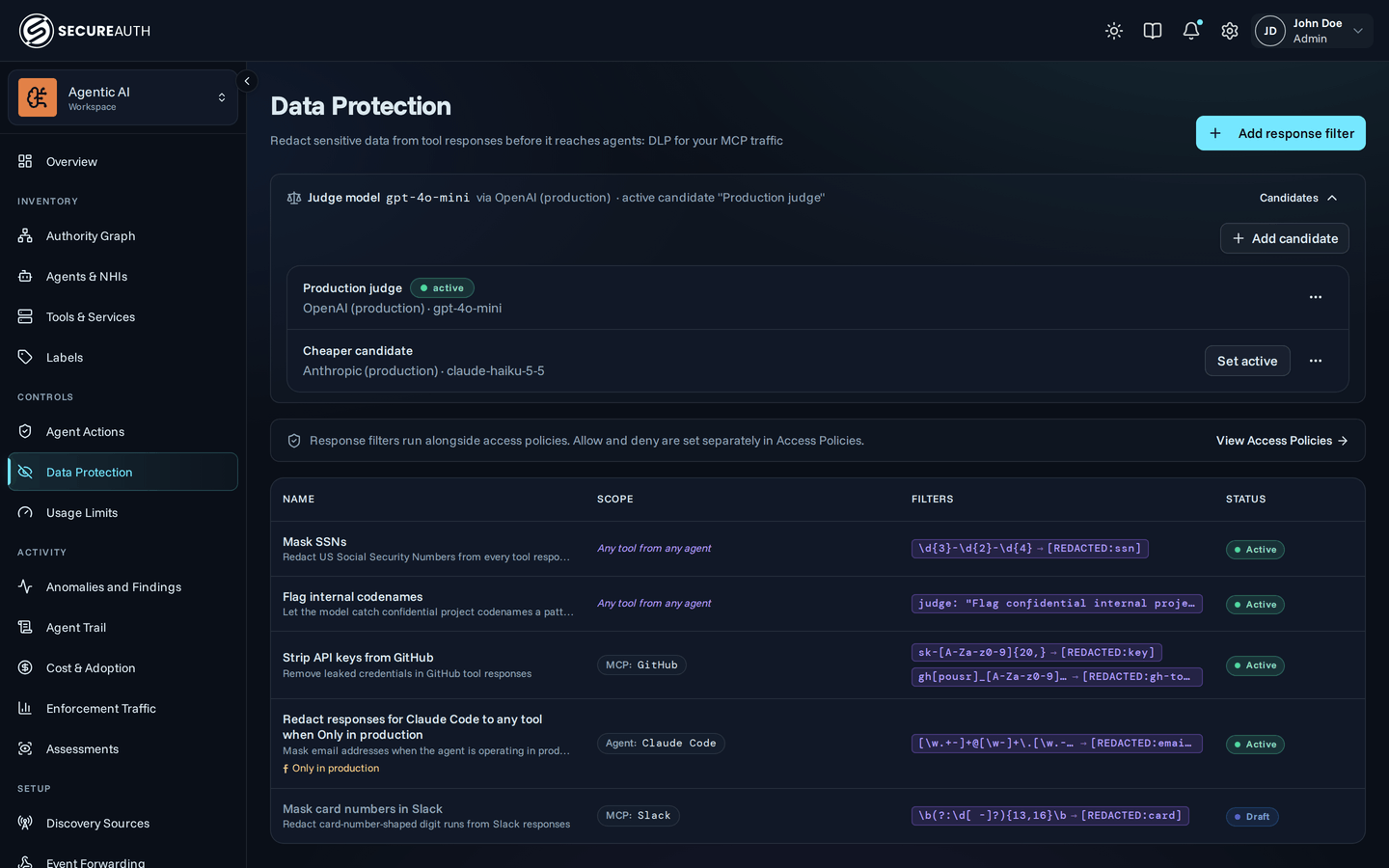
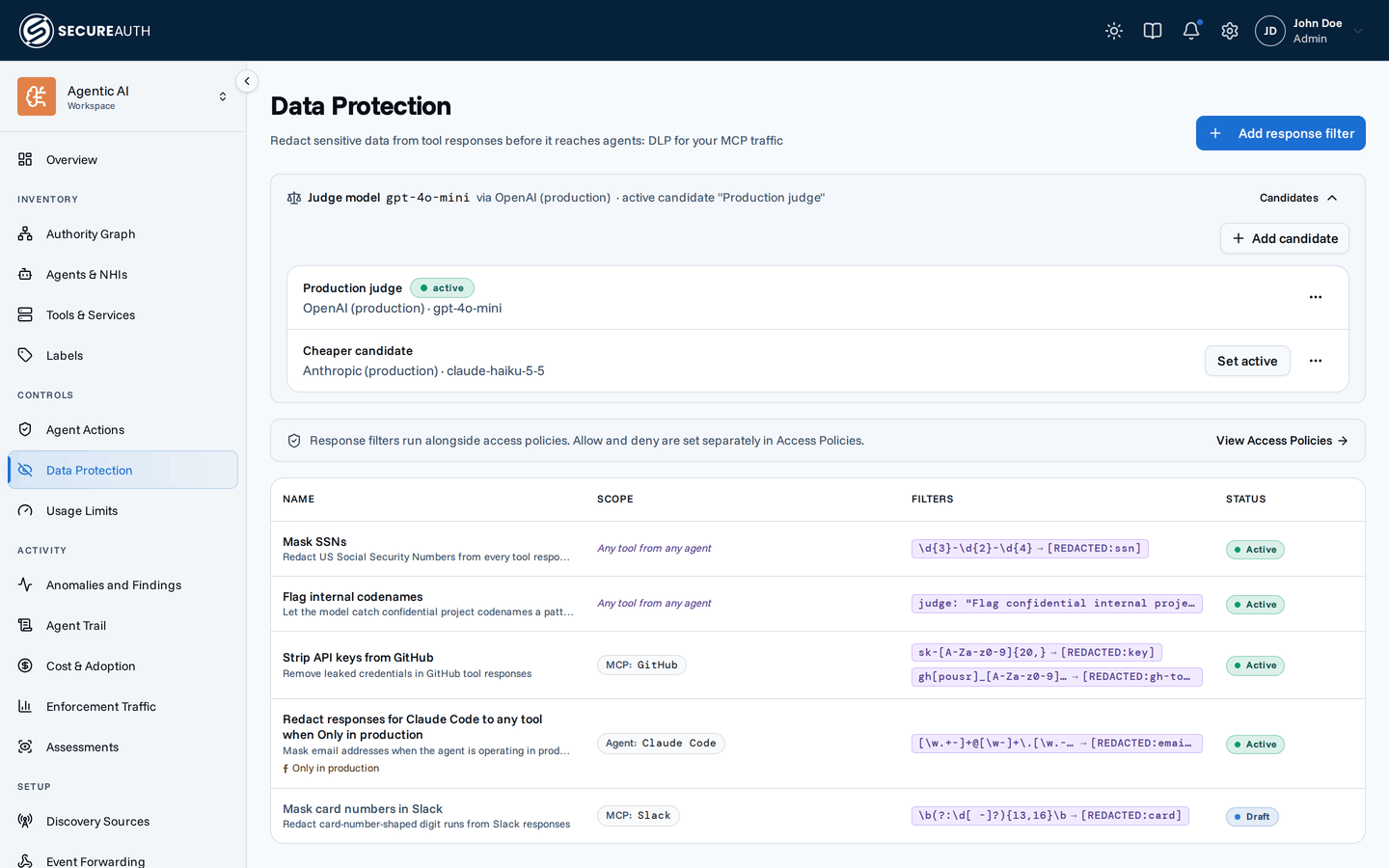
The Judge model strip at the top of Data Protection shows the model your judge filters run on:
- Active candidate. The strip names your active candidate, its model, and the connection that serves it.
- Not configured. No candidate is active. A judge filter can't run. Each rule's If the judge fails setting decides what happens. The default blocks the response.
The strip shows Provider unavailable when the gateway can't use the connection. For example, its base URL no longer passes the egress policy. A judge filter then fails the same way as when no model is configured.
Activating a candidate
Click Candidates on the strip to list them.
Anyone who can open Data Protection sees the list.
Changing it requires manage_data_protection.
You pick from your Model Providers connections without needing access to that page.
Click Add candidate, name it, pick a connection, and pick the model from the Model list.
When the connection allows all models, you can also type one that isn't listed.
For OpenAI and xAI connections that allow all models, the Model list leaves out models that only serve the Responses API, because the judge calls Chat Completions.
The first candidate is created active.
Later ones arrive inactive, and Set active promotes one.
Activating a candidate deactivates the one that was active.
Deleting the active candidate stops the judge. Judge filters then follow each rule's If the judge fails setting until you activate another candidate.
The model must be in the connection's allowed list. The gateway rejects a candidate that names a model the connection doesn't allow.
The gateway resolves the model per organization when an agent connects, not on every call. These changes take effect on the agent's next connection, not mid-session. They include activating a candidate, editing its connection, and rotating the connection's API key. Filter changes follow the same timing.
Egress
With a judge filter active, post-regex response content is sent to the active inference provider to be evaluated against your instruction, the same content the agent would otherwise receive. The judge returns only the spans to redact; the response content itself is never logged or stored.
Failure handling
Each rule has an on_error setting that governs what happens when one of its filters fails:
- Block (default) – a judge error, a timeout, a response over the size cap, or an invalid regex denies the call rather than forwarding a response a filter couldn't apply to.
This generalizes the fail-closed behavior noted in Composition:
previously only a bad regex triggered it, and now any filter failure on a
blockrule does. - Allow – the failing filter contributes nothing (no spans redacted, no block), but every other filter on the call, including other rules, still applies.
The size cap (default 128 KiB) is measured after blank and repeated lines are dropped, so a response that carries its payload twice counts once.
A document still over the cap is treated as a judge failure for every judge filter on that call, routed through on_error the same as any other judge failure.
Testing an instruction
A new judge row starts from a pre-selected template (Personal data, Secrets & credentials, Financial, Confidential business, or Custom) so the instruction is never a blank page; edit it freely, and the picker follows what you type.
Each judge filter row has the same test affordance as a regex row: paste a sample response and run it against the instruction. The tester shows Judge sees, the document built from your sample the same way a tool response is built at runtime (a JSON sample is flattened to its values, then blank and repeated lines are dropped for the prompt), and below it the redaction preview, which keeps your sample's own shape so you can read the result as the response will look.
The Run against selector lists each candidate with its model. Try one against a sample before you activate it.
What gets rewritten
A filter rewrites text wherever it appears in the tool response:
- The text of every text content block
- The text of embedded resources (their binary blobs are left alone)
- The title, name, and description of a resource link (its URI is left alone, so the link still resolves)
- Every string value inside
structuredContent, however deeply nested (object keys included) - The arguments of a
tool_useblock, and the content and structured content nested inside atool_resultblock
Images and other binary content pass through unchanged. Filters apply to error results too: an error message can leak the same data a successful response would.
Keys are redacted deliberately: a map keyed by an email address carries the PII in the key, not the value.
The practical consequence is that a broad pattern can rename keys and change the shape an agent parses, worth keeping in mind when a pattern is loose enough to hit structural names.
If two different keys redact to the same string, the later ones get a (2), (3) suffix so no entry is silently dropped.
JSON inside text
When a text field holds a serialized JSON document, it's decoded before matching and re-encoded if anything changed.
Patterns therefore see real newlines and real values rather than the \n and \uXXXX escapes of the wire form.
That is why the presets that start with \b work at all.
A document nothing matched in is returned byte for byte.
One that did match may come back with different whitespace or key order, since re-encoding doesn't preserve them.
A document that repeats a key always comes back re-encoded.
JSON parsers disagree on which duplicate wins, so the gateway sends only the value it scanned.
Numbers are matched too, but only as a whole: a pattern that matches an entire JSON number literal redacts it and the value becomes a string, so a card number stored as a number is still caught. A pattern that only matches part of a number leaves it alone, so a greedy rule can't mangle a timestamp.
Audit
Creating, updating, or deleting a response filter is recorded in the audit log, the same as any other configuration change.
Individual redactions are recorded too. A tool call whose response was filtered carries a Redacted ×N badge in the audit log, naming the rules that matched and how many spans each one replaced. Only rule names and match counts are stored, never the redacted text.
The rule names and counts are admin-only. In a user's own activity feed the badge is a generic Content redacted pill instead, so a filter's shape isn't inferable from the feed of the person it applied to.
Next steps
- Access Policies – allow/deny access control, the layer that decides whether a call runs before a response filter ever sees it.
- Tags – scope a filter to a class of servers or agents instead of naming each one.
- Audit log – see which filters matched, and how often.