Connect Hermes Agent to Agent Authority
Connect Nous Research's Hermes Agent to SecureAuth Agent Authority so every MCP tool call is checked and audited
When you finish, every MCP tool call Hermes Agent makes is checked against your policies and recorded in the audit log. Nous Research's Hermes Agent reaches your approved tools through one SecureAuth Agent Authority gateway URL, and each person signs in as themselves.
Setup
-
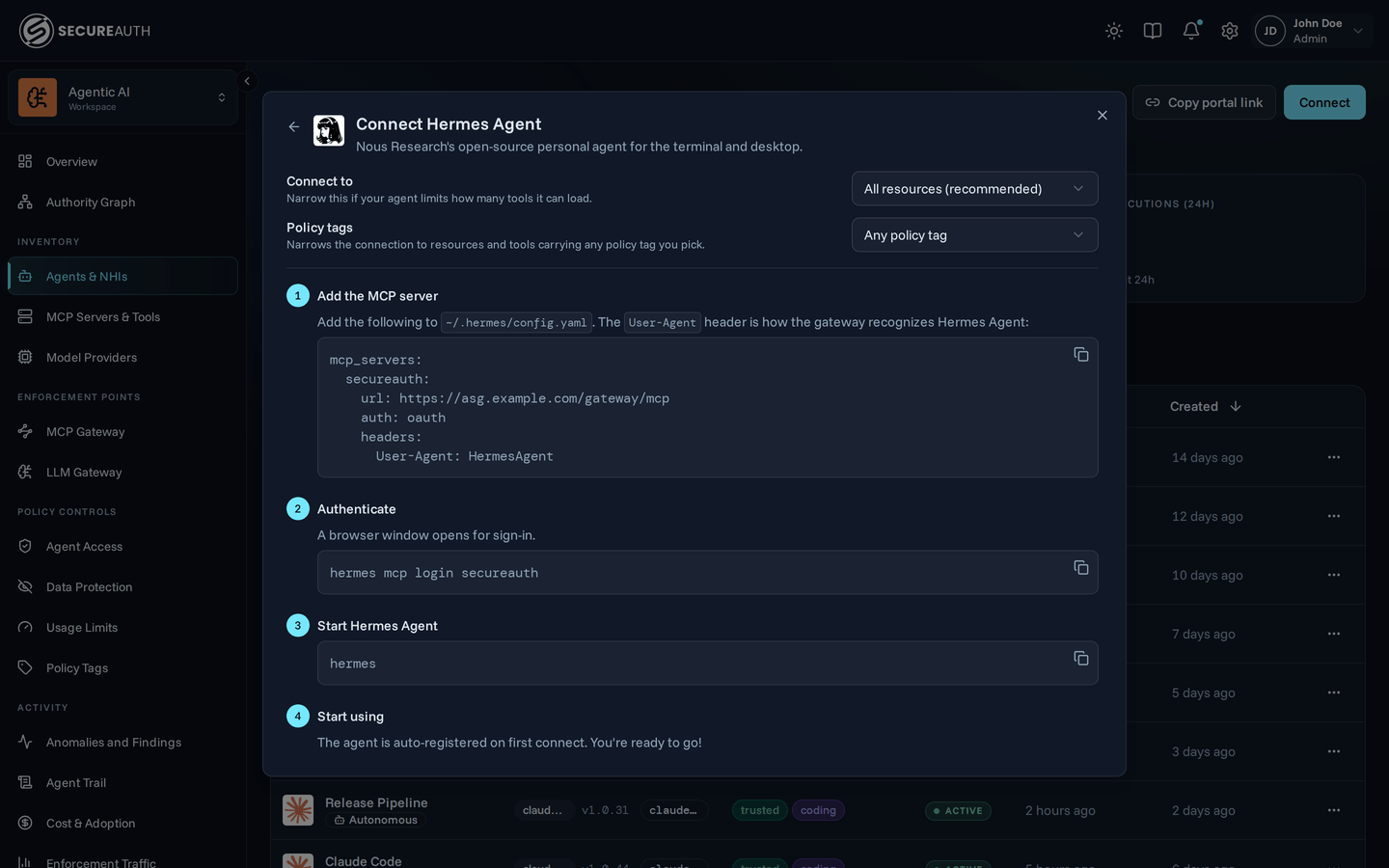
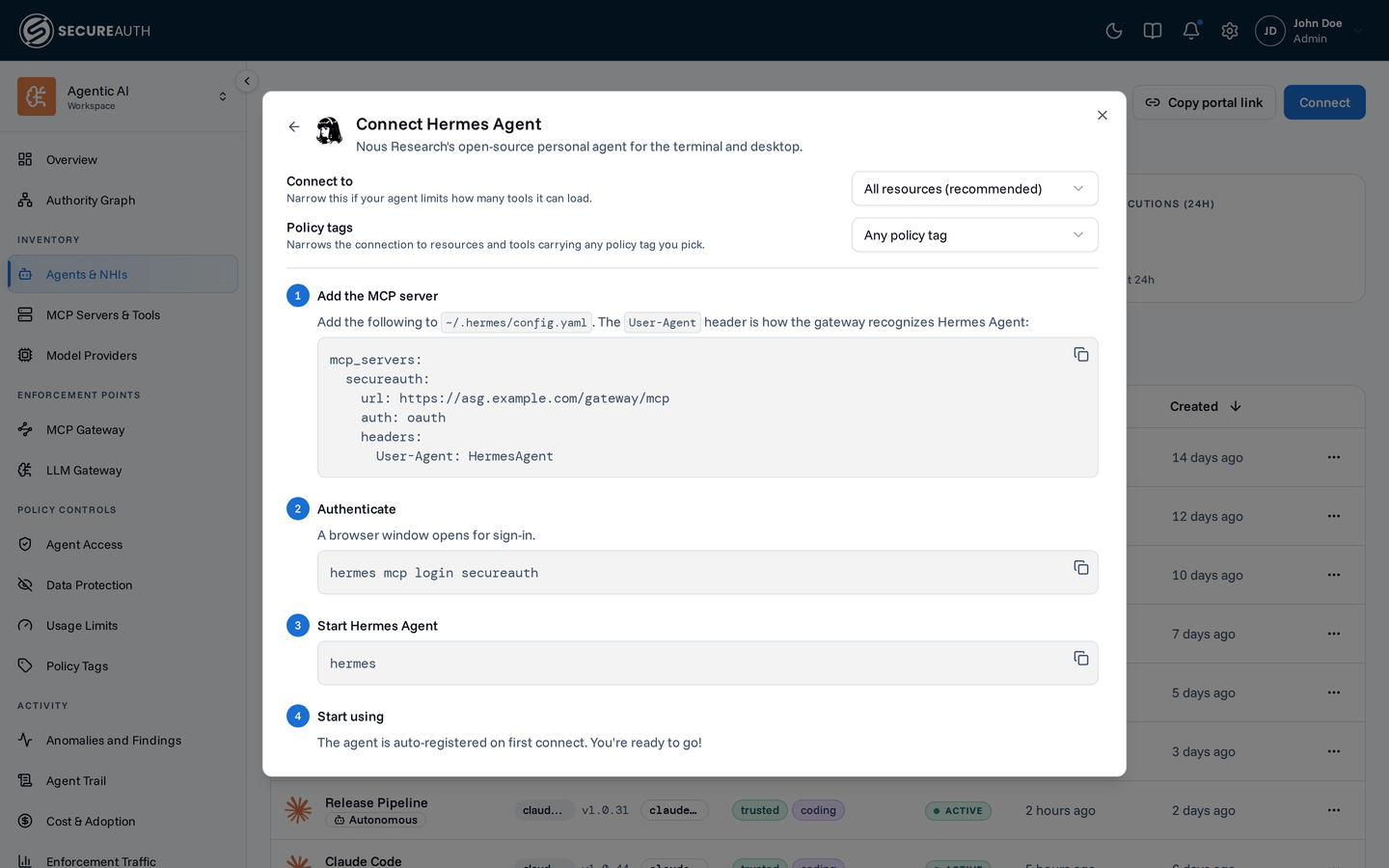
Add the MCP server. Add the following to
~/.hermes/config.yaml:mcp_servers: secureauth: url: https://your-gateway-url/gateway/mcp auth: oauth headers: User-Agent: HermesAgentHermes Agent's MCP client names itself only as a generic
mcpclient. TheUser-Agentheader is how the gateway recognizes it as Hermes Agent on the Agents list. Hermes Agent requests the gateway's OAuth scopes on its own, so the entry needs no scope list. -
Authenticate. Run the command below. A browser window opens for sign-in.
hermes mcp login secureauth -
Start using. Start Hermes Agent (
hermes). The gateway's tools load asmcp__secureauth__….The agent is auto-registered on first connect.
Next steps
Hermes Agent now reaches your tools through the secureauth server in ~/.hermes/config.yaml.
Next, write the policy that decides which tools it can call.
- Create a policy – control which tools Hermes Agent can call.
- Monitor activity – watch its tool calls appear in the dashboard and audit log.
- Audit log – filter and search every tool call Hermes Agent makes.