Keep each customer's agent work separate
Use per-customer agent instances and allow rules to limit each coding agent's gateway calls to one customer's work
Your developers' coding agents work in many customers' repositories, and each customer expects its code and cloud projects kept apart from every other customer's. In SecureAuth Agent Authority, you connect one agent instance per customer and give each instance allow rules that name only that customer's GitHub organization, repositories and cloud projects. When you finish, an agent working for one customer can't reach another customer's repositories or projects through the gateway, provided you removed the default Allow all rule.
How the gateway keeps customers apart
- Each customer gets its own agent instance. A developer connects the agent separately in each customer's folder, and you confirm that each connection shows as its own instance.
- A rule stores the instance's ID, not its name. When you pick an instance in a rule, the rule stores its ID. Renaming the instance later doesn't change which instance the rule covers.
- A call no rule allows is denied. Rules run top to bottom and the first match decides. A call to another customer's repository matches no allow rule, so the gateway denies it.
- A rule that can't be checked doesn't allow.
If a call lacks an argument the condition reads, such as a GitHub search with no
owner, the allow rule is skipped and the call is denied. - Agent Trail records every call. Each entry names the user, the agent instance, the tool and the decision, and the rule that decided it when one matched. It doesn't record the call's arguments.
What you'll need
- The GitHub resource added to your gateway, and any cloud MCP server your developers use added as a custom server
- A naming pattern for each customer:
its GitHub organization, a repository prefix such as
acme-if customers share an organization, and a cloud project prefix - The admin role, or a custom role that can create policy rules, so you can add rules in Policy Controls › Agent Access
Steps
1. Connect one agent instance per customer
Each developer adds the gateway to each customer's folder as a project-level MCP server, with a name for that customer. For Claude Code, run this in the customer's folder:
claude mcp add --transport http --scope project \
  secureauth-acme https://your-gateway-url/gateway/mcp
Then start Claude Code in that folder, type /mcp, select the server and authenticate.
The gateway registers the instance on its first connection.
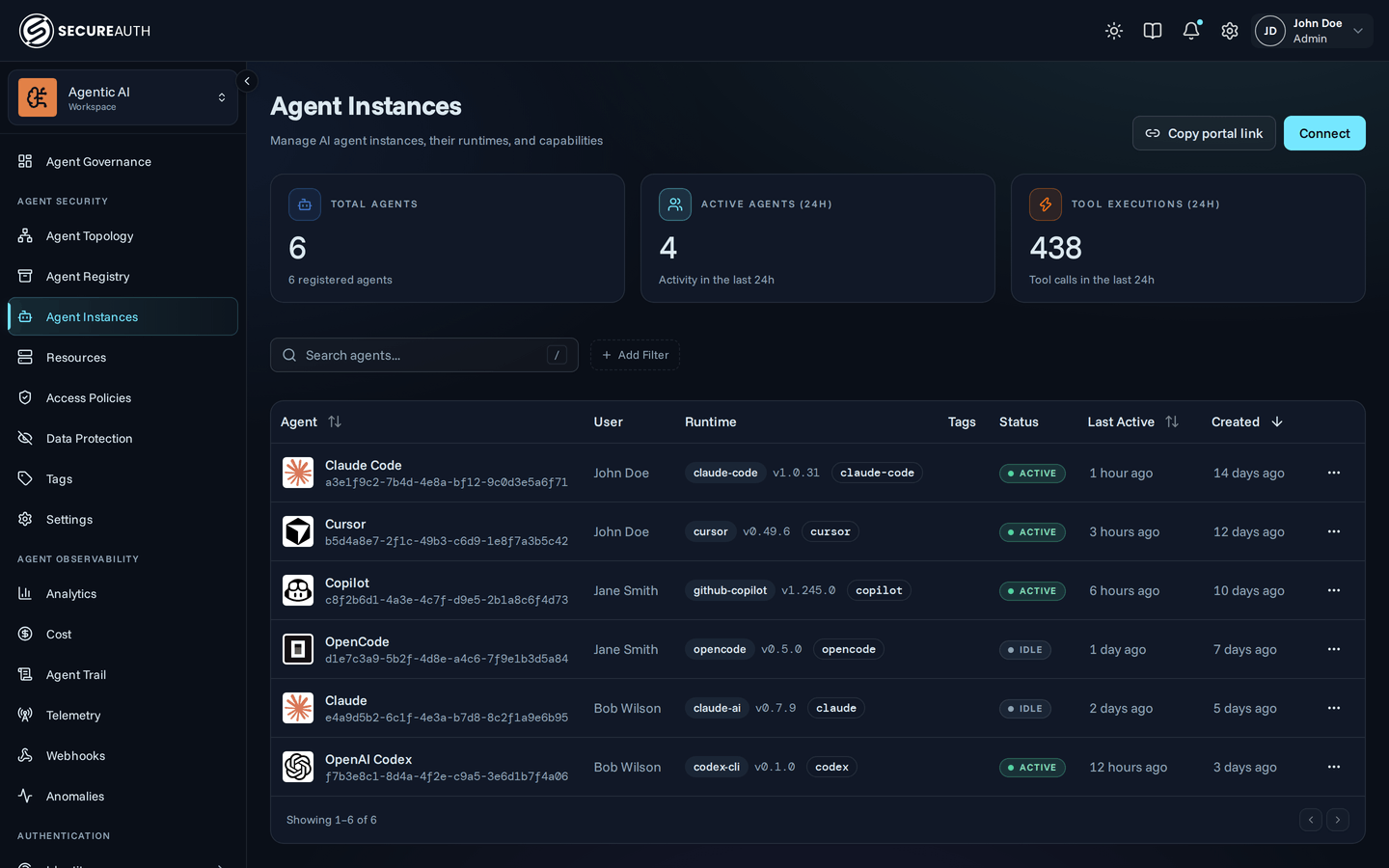
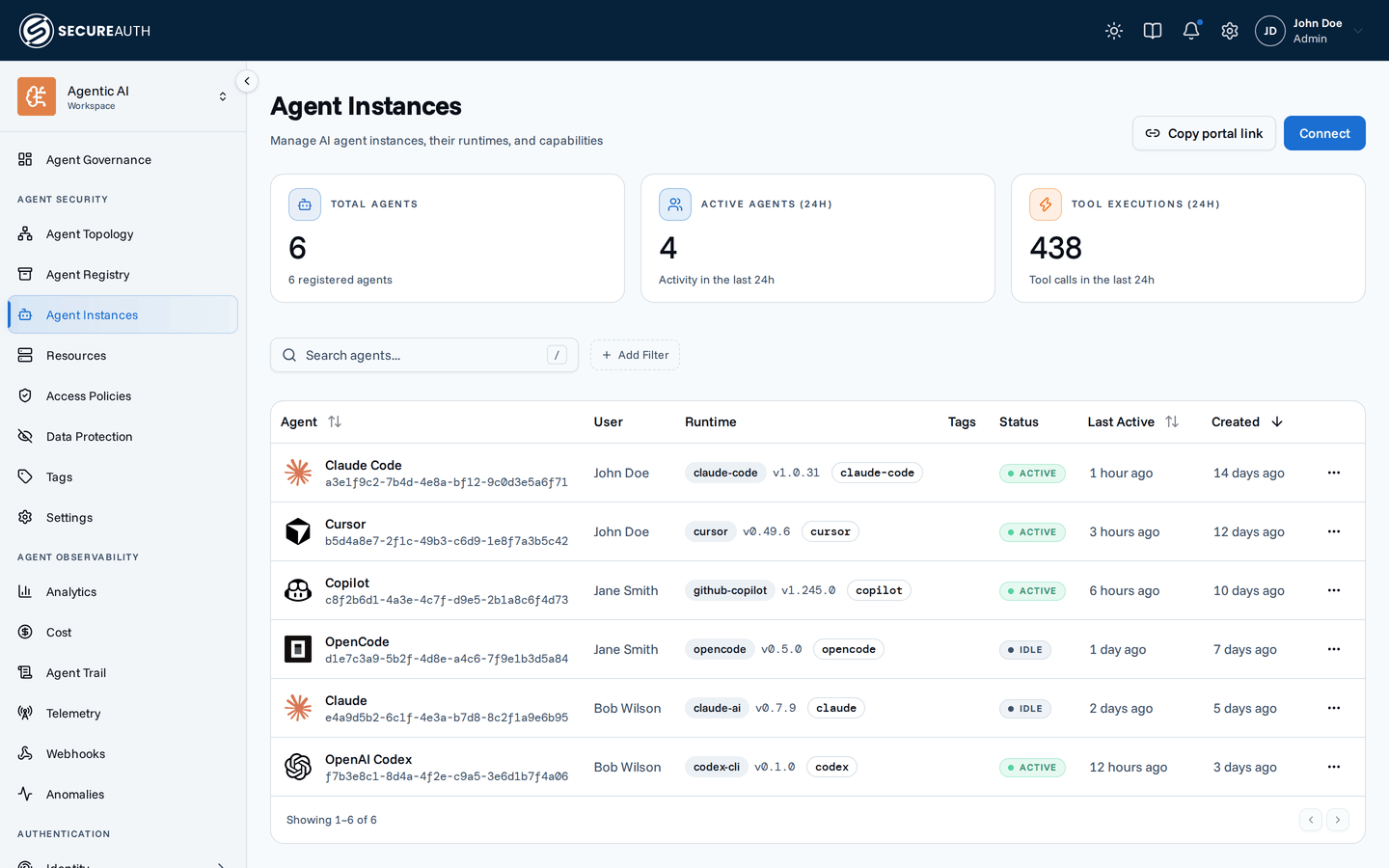
In Inventory › Agents & NHIs, on the Agent Instances tab, confirm that each customer folder shows as its own instance. Ask developers to rename each instance for its customer in the user portal (Agents, Edit), so you can tell them apart when you write rules.
2. Deny destructive tools for every agent
- Navigate to Policy Controls › Agent Access and click Add Rule.
- Set the effect pill to Deny.
- Set the Tools pill to the
destructivepolicy tag. - Set the status to Active, click Create, and keep this rule above the allow rules you add next.
Every catalog tool carries a built-in policy tag.
A custom server's tool is tagged destructive only when the server marks it destructive.
Open the custom server's tools and tag any delete tools yourself.
3. Allow each instance its customer's GitHub repositories
-
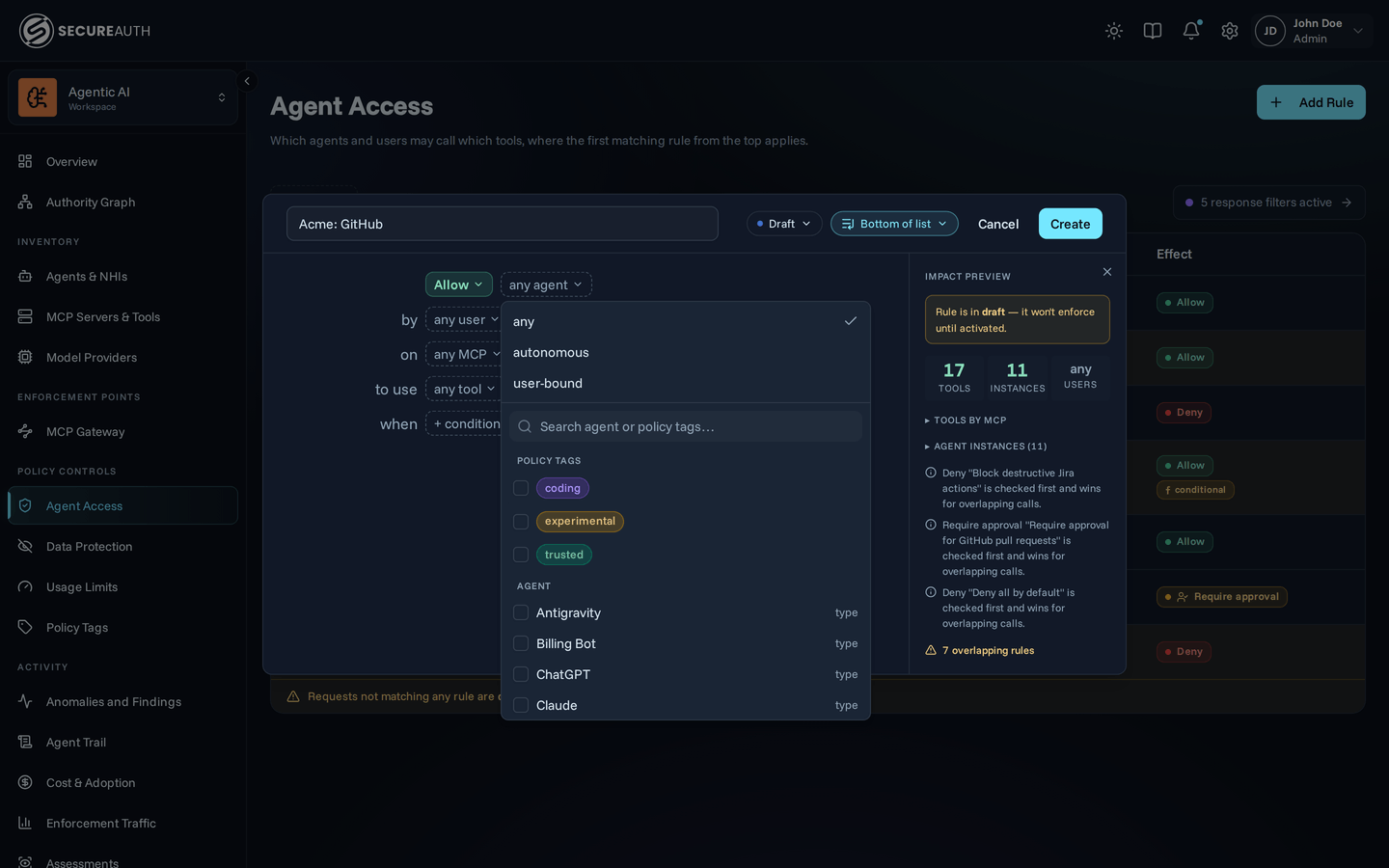
Click Add Rule and name it after the customer, such as Acme: GitHub.
-
Set the effect pill to Allow and the MCP pill to GitHub.
-
In the Agent pill, open Instances and pick every instance connected for this customer.
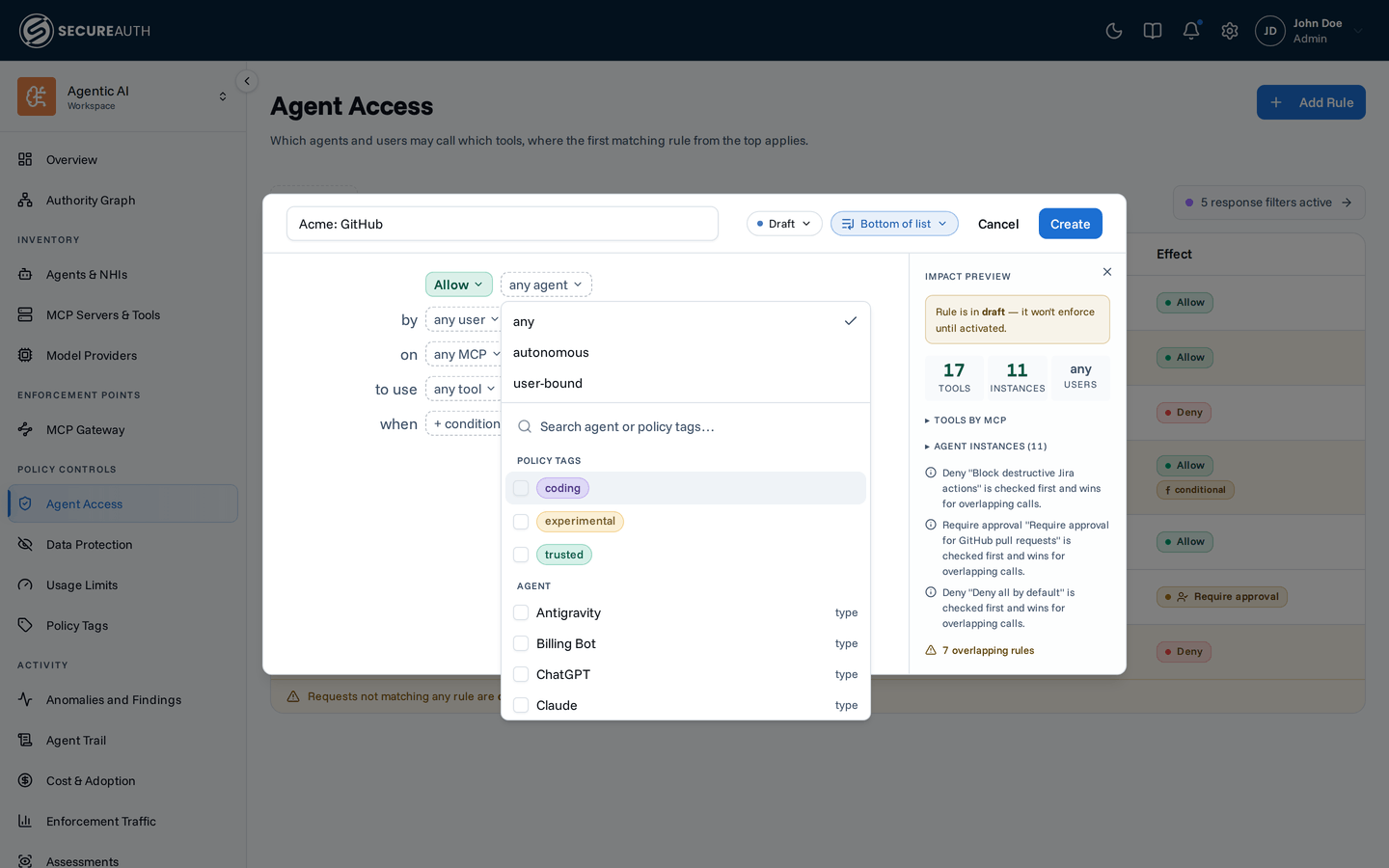
Pick the customer's instances under Instances in the Agent pill -
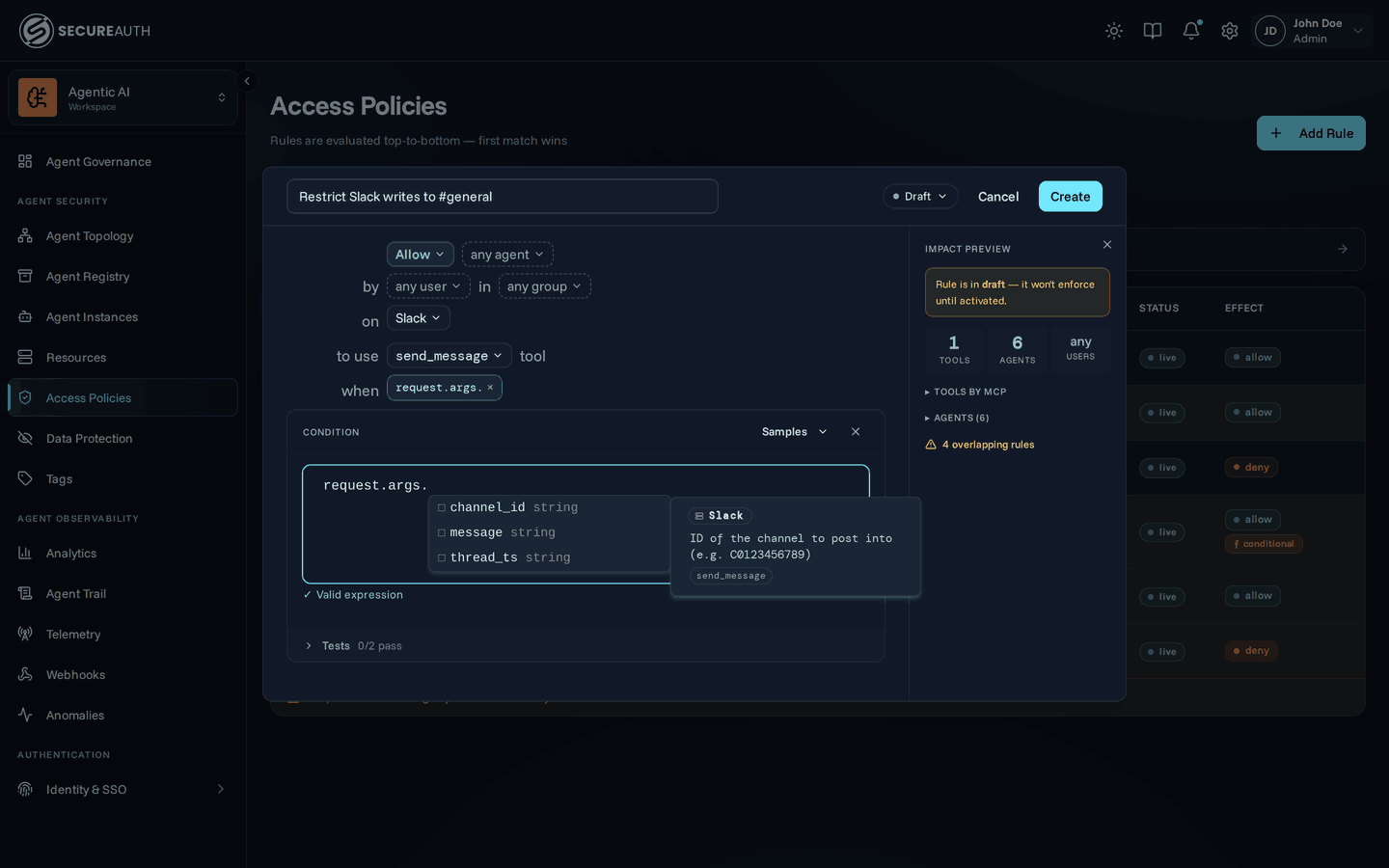
Click + condition and add this CEL expression:
request.args.owner == "acme-org"
  && !(mcp.tool.name in ["search_issues", "search_pull_requests", "semantic_issues_search"])
  && has(request.args.repo) && request.args.repo.startsWith("acme-")
Replace
acme-orgwith the customer's organization andacme-with its repository prefix. If every customer has its own organization, drop the last line.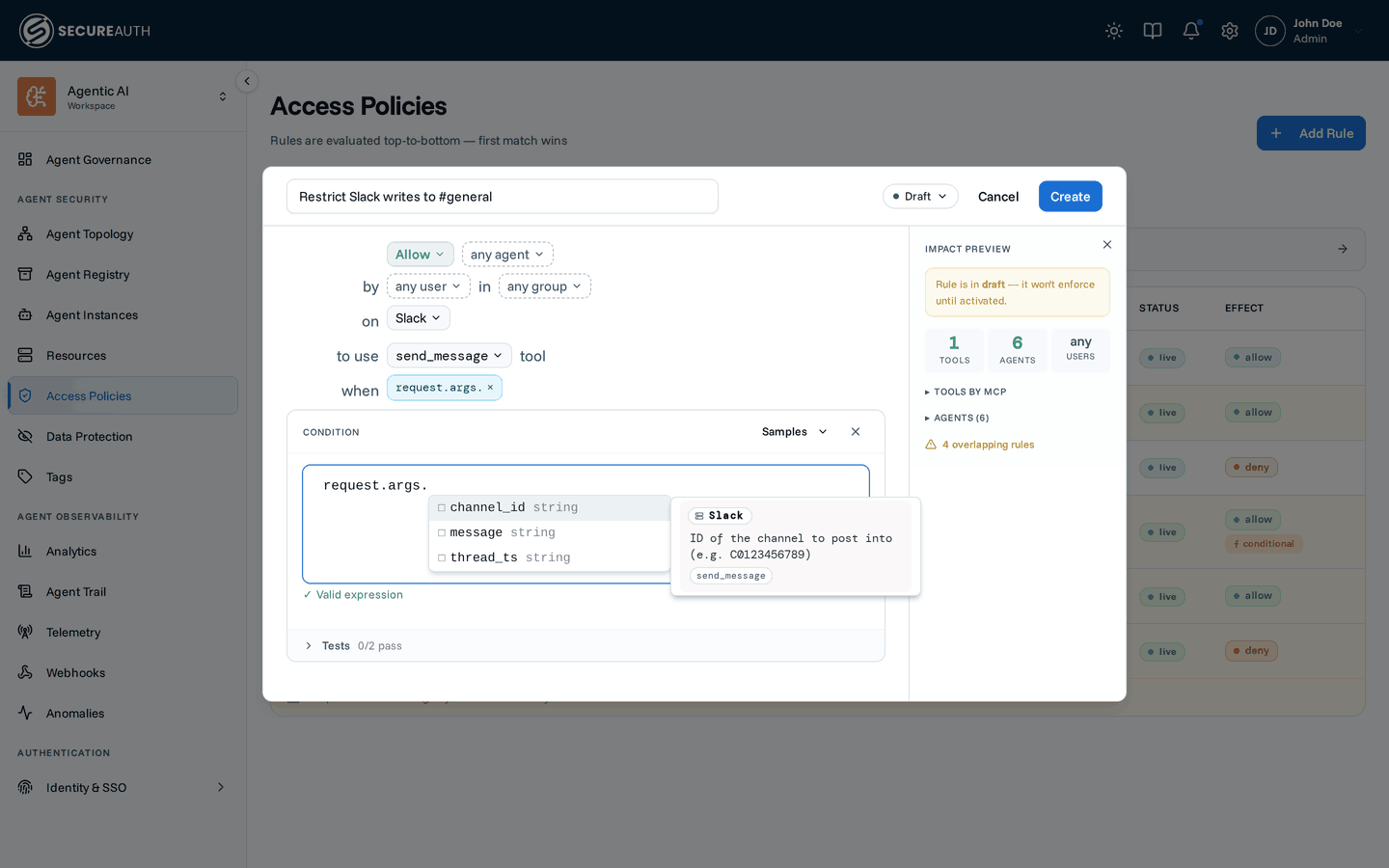
The condition editor suggests the arguments the chosen tools take. This example uses Slack, and the GitHub rule works the same way. -
Set the status to Active and click Create.
These instances can't use GitHub tools that don't name an organization, such as search_code, search_repositories and get_me.
They also can't use search_issues, search_pull_requests or semantic_issues_search, because the search text can name any repository.
If customers share an organization, they also can't make calls that name the organization but no repository.
4. Allow each instance its customer's cloud projects
Add a second allow rule for the same instances on your cloud MCP server, with a condition on the argument that names the project:
has(request.args.project_id) && request.args.project_id.startsWith("acme-")The argument name depends on the server.
When you type request.args., the condition editor suggests the arguments that server's tools take.
Use the one that names the project.
A call with no project ID doesn't match, so the gateway denies it.
Repeat steps 3 and 4 for each customer.
5. Remove the Allow all rule
If your organization still has the default Allow all rule, disable or delete it. Otherwise, calls that match none of your rules fall through to it and succeed, and these rules separate nothing.
Removing Allow all is organization-wide. Every agent that relied on it is denied as soon as you remove it, so add the allow rules other workloads need first.
Verify it works
Start a new agent session in each customer's folder before you test.
- In one customer's folder, ask the agent to read a file from that customer's repository. It should succeed.
- Ask the same agent to read a repository or project that belongs to another customer. It should fail.
- Ask it to delete a cloud resource in its own project. It should fail.
- Open Agent Trail and confirm each outcome.
Denied calls show
gateway.tool.errorwitherror_type: blocked_by_policy. The destructive call names your deny rule. A call to another customer names no rule, because no rule matched it.
What the gateway doesn't cover
The gateway checks MCP tool calls. An agent can also reach a customer's code in two other ways, and you control both in the agent itself:
- Command-line tools.
gh,gcloudand similar tools signed in on the developer's machine call their services directly, not through the gateway. Block the agent from running them, for example with deny rules in the agent's own permission settings. - Local files. An agent can read files on disk outside the folder it was opened in. Limit file access with the agent's own folder permissions.
Next steps
You can now give every customer its own agent instances and rules, and see in Agent Trail which tools each instance called and which calls were denied. Next, redact other customers' identifiers from tool responses for each customer's instances.
- Redact data – a filter scoped to one customer's instances that redacts the others' identifiers
- Argument-level conditions – the other arguments a condition can check
- Limit an agent to one Slack channel – the same pattern on a single channel