Event forwarding
Send audit events by webhook to your SIEM, Slack, or PagerDuty as they happen, and keep a copy outside the gateway
The audit log keeps events for a limited time, and only inside the gateway, where your SIEM and on-call tools can't see them. In SecureAuth Agent Authority, Event Forwarding sends the events you choose to your own systems as they happen, through webhooks: a SIEM such as Splunk, a Slack or Microsoft Teams channel, PagerDuty, or any HTTPS endpoint.
How delivery works
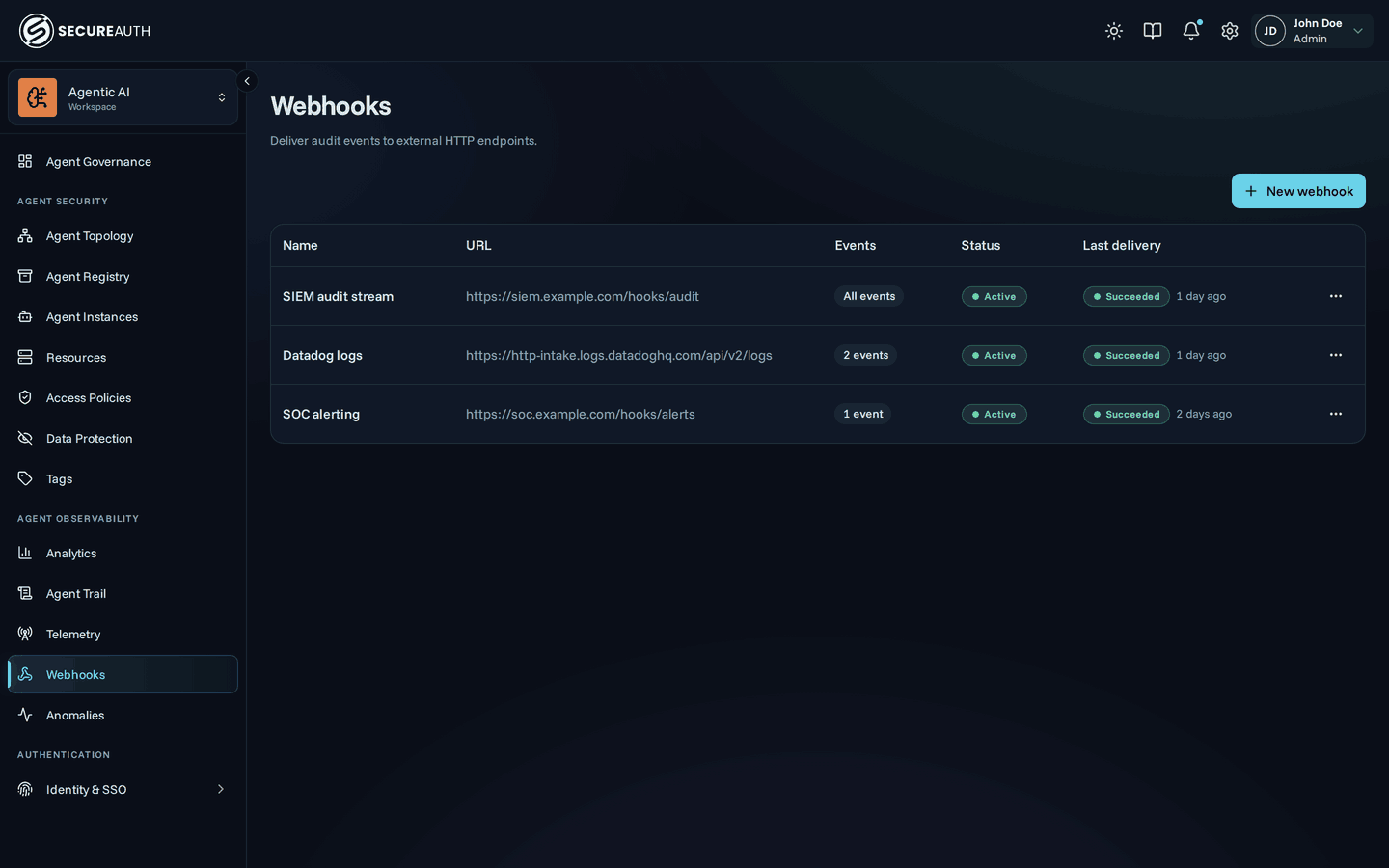
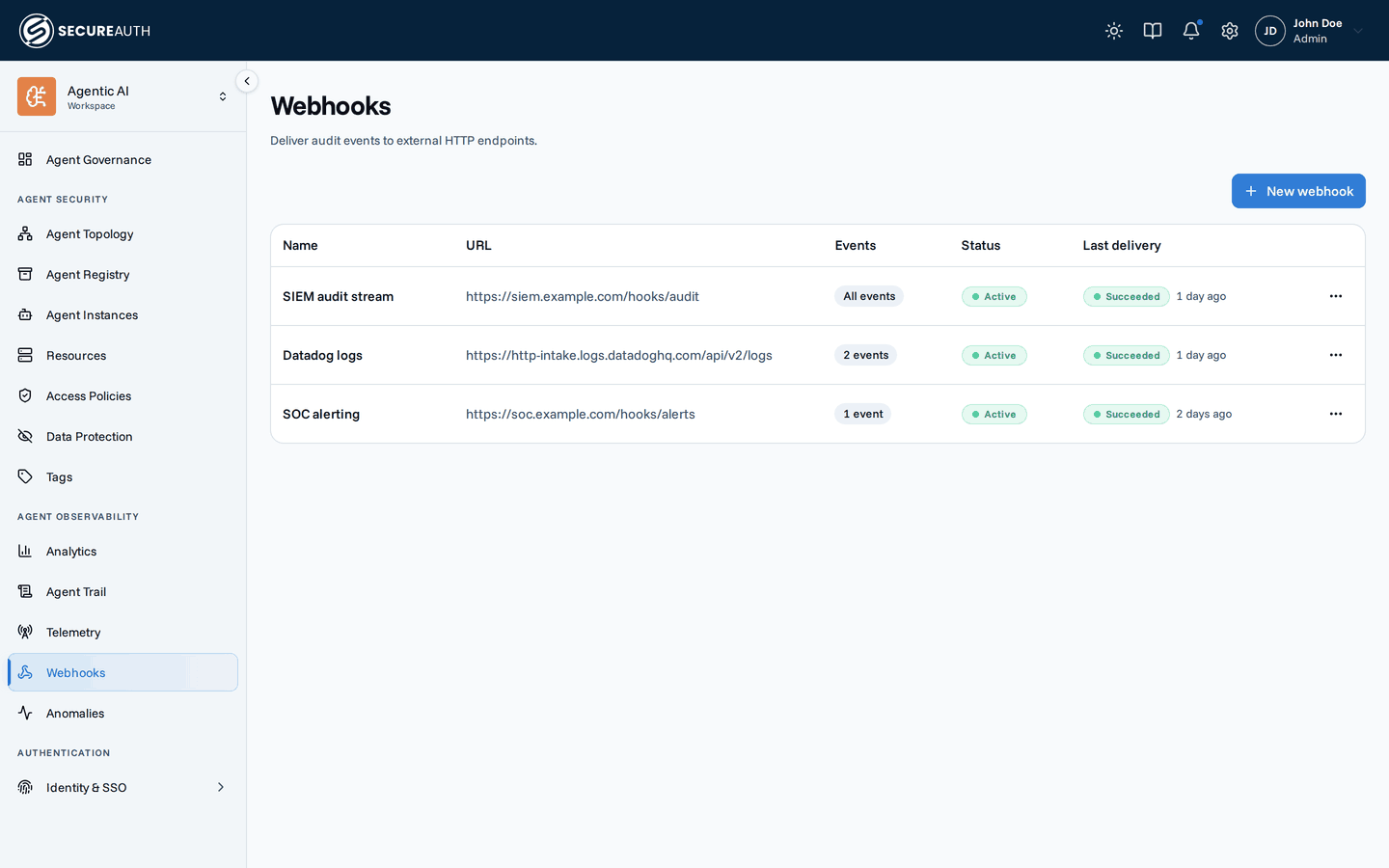
Each webhook subscribes to a set of event types, optionally narrowed by a condition; matching events are delivered as signed HTTPS requests with automatic retries, a per-delivery attempt log, and a circuit breaker that disables endpoints that stay broken. Custom headers and three body formats let one webhook target most receivers without a vendor-specific integration, and a destination with an optional payload template covers the ones that insist on their own body shape, like Slack, Microsoft Teams, and PagerDuty.
Delivery is at-least-once and unordered (the same guarantees Stripe, GitHub, and Svix document).
Consumers should deduplicate on the webhook-id header (stable across retries) or the data.id of each event.
Each webhook's page lists recent deliveries with the full attempt timeline: status codes, latency, and a truncated response snippet. Delivery history is retained for 30 days.
Retries and the circuit breaker
Failed deliveries are retried automatically over roughly a day, so a brief receiver outage recovers on its own.
A rate-limited endpoint (429) is backed off more gently and isn't treated as failing.
An endpoint that's gone (410), one that keeps failing for three days, or a payload template that can't render anything at all is disabled automatically and records a webhook.disabled audit event so you're notified.
Re-enable a disabled webhook from its page (this clears its failure history) or re-run a single failed delivery.
Create a webhook
Creating and managing webhooks requires administrator access.
- Go to Event Forwarding in the sidebar and click New webhook.
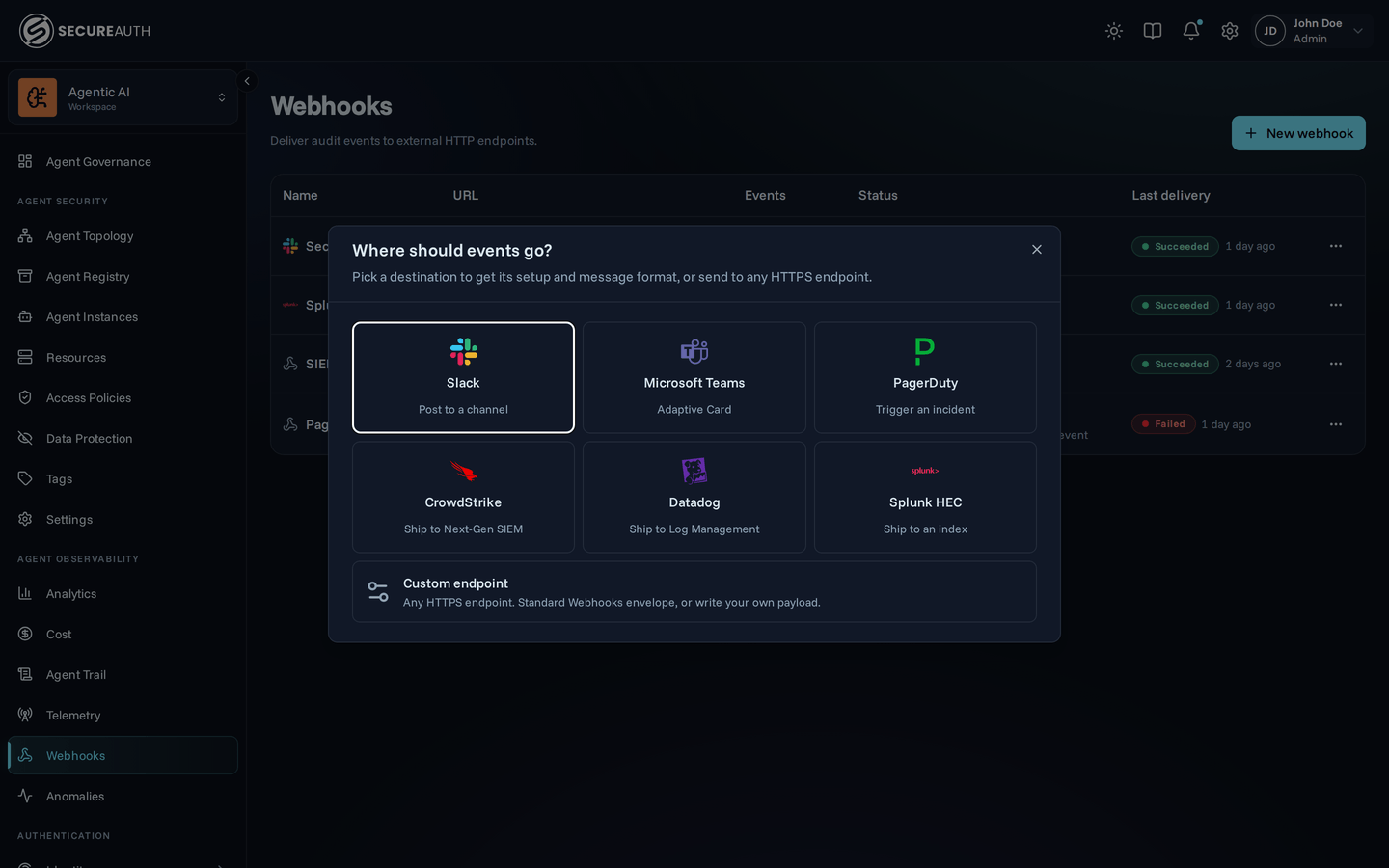
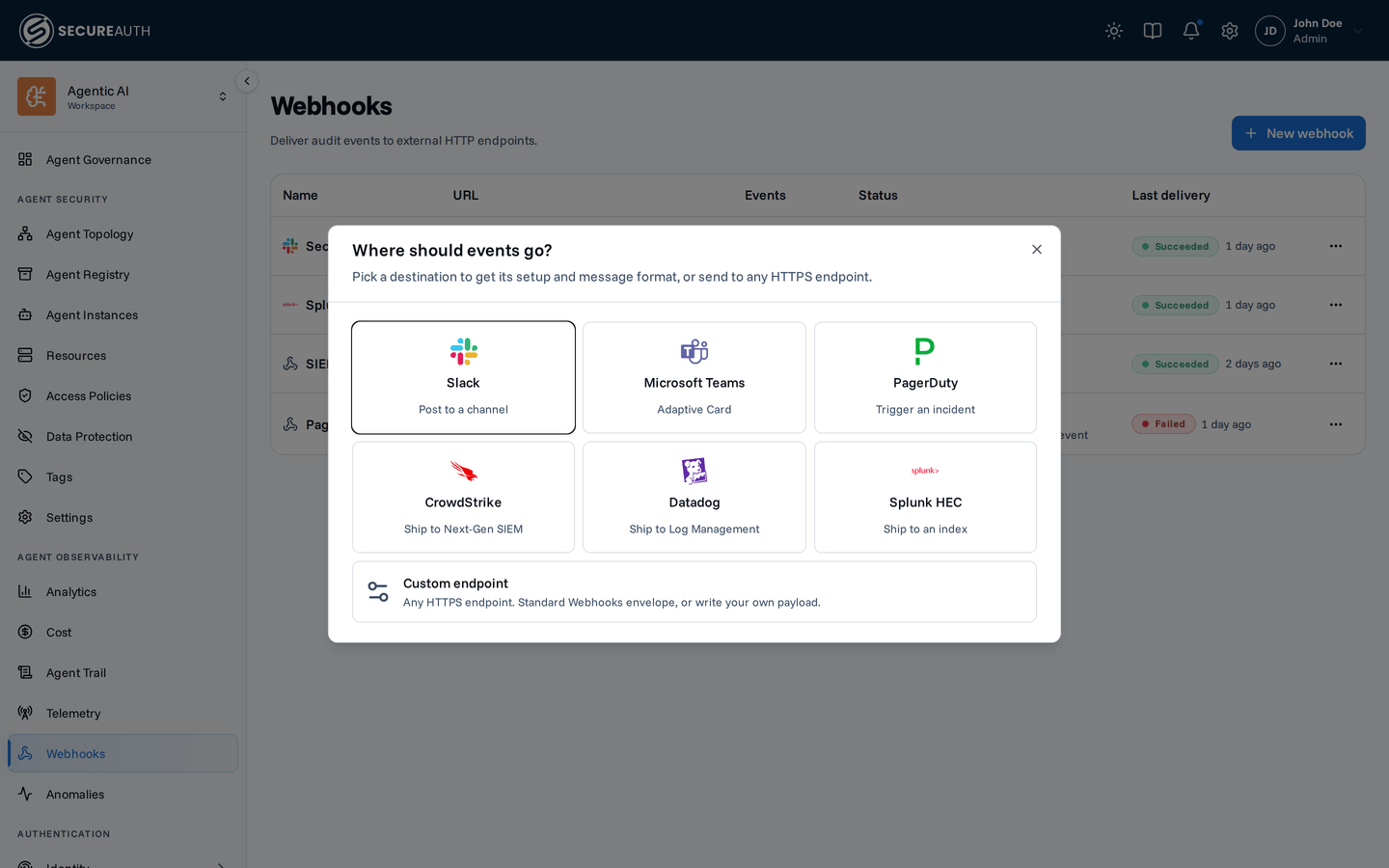
- Pick a destination: Slack, Microsoft Teams, PagerDuty, CrowdStrike, Datadog, Splunk HEC, or Custom endpoint for anything else.
- Set a name and the endpoint URL. Private, loopback, and cloud-metadata addresses are rejected.
- Choose the events to subscribe to:
leave All events on, or pick specific actions such as
gateway.tool.errororpolicy.created. The list mirrors the auditable actions in the audit log. - Optionally add a condition to narrow those events by their contents:
event.payload.severity == "critical"delivers only critical anomalies. - Fill in whatever the destination asks for: PagerDuty needs its integration key, Datadog its API key, Splunk its HEC token. These are stored encrypted and never returned by the API.
- Under Advanced, tune batching, add custom headers (sent with every request; values are stored encrypted), or edit the payload template. A destination fills these in for you.
- Click Create webhook, then copy the
whsec_signing secret from the dialog. It is shown only this once. Use it to verify signatures. - Use Send test event on the webhook to fire a
webhook.testevent at your endpoint and see the response code, latency, and body snippet inline.
Choose a destination
Creating a webhook starts with where events should go.
| Destination | What it does | Where its credential lives |
|---|---|---|
| Slack | Posts a Block Kit message to a channel | the webhook URL |
| Microsoft Teams | Posts an Adaptive Card via a Power Automate workflow | the workflow URL |
| PagerDuty | Triggers an Events API v2 incident | the routing_key variable |
| CrowdStrike | Ships events to Next-Gen SIEM over HEC | the Authorization header |
| Datadog | Ships events to Log Management | the DD-API-KEY header |
| Splunk HEC | Ships events to an index | the Authorization header |
| Custom endpoint | Any HTTPS endpoint | your choice |
Picking a destination sets the payload template, the body format, and batching together, because they have to agree:
Slack rejects a JSON array of messages, so its destination pins the format to single, while Splunk HEC wants newline-delimited objects and batches 100 at a time.
A destination that accepts only one format doesn't offer to change it;
the template, the headers, and the batch size stay editable under Advanced, and Custom endpoint leaves everything open.
Over the API you set all of them yourself.
Custom endpoint is the generic path and needs no template: receivers that accept arbitrary JSON, like Sumo Logic, Elastic, or your own service, take the default envelope as-is.
The destination is a setup convenience and a label. The gateway stores it to show the right logo in the list and to reopen the right form; it does not change how delivery works. Two webhooks with the same URL, headers, template, and format behave identically whatever their destination says.
Conditions
An event subscription is coarse: subscribe to anomaly_finding.created and you get every anomaly, at every severity.
A condition narrows that by the event's contents (one CEL expression, evaluated per event, that has to be true for the webhook to fire):
event.payload.severity == "critical"Paired with the anomaly_finding.created and anomaly_finding.escalated subscriptions, that is "page on critical anomalies, stay quiet otherwise."
The same language backs policy conditions, so an expression reads the same in both places.
The condition sits directly under the event picker in the webhook dialog, and it applies on top of the subscription:
an event has to match the subscribed actions and satisfy the condition.
Leave it empty (the default) and every subscribed event is delivered.
Click Samples for pre-built expressions to insert as a starting point, or to && onto what you already wrote.
What an expression can reference
One variable, event, holding the event being delivered:
| Path | Type | What it is |
|---|---|---|
event.action | string | The audit action, such as "anomaly_finding.created" |
event.actor_type | string | user, agent, or system |
event.actor_id, event.actor_display_name | string | Who caused the event |
event.resource_type, event.resource_id, event.resource_display_name | string | What it happened to |
event.resources.* | string | Related resources: agent_slug, tool_key, mcp_display_name, policy_display_name, … |
event.resources.autonomous | bool | On an event an agent performed, whether it was an autonomous instance |
event.context.* | string | Request context: ip, country, trace_id, … |
event.created_at | timestamp | When it happened |
event.payload.* | varies | The action-specific body |
event.payload is where an action's own detail lives, so its fields differ per action:
anomaly_finding.created carries severity, score, detector, and subject, while gateway.tool.error carries none of them.
The editor autocompletes the fields carried by the events you have selected, and naming one that none of them carries is refused when you save:
a typo like event.payload.sevrity fails at the dialog rather than turning into a webhook that silently never fires.
A condition sees the event delivered in data (see the payload reference), under the same names.
Fields an event doesn't have, in a condition
A field the event's action carries but this event doesn't have is null rather than missing, so event.actor_id == "…" on a system event is false, not an error.
To check whether an optional object such as event.payload.rate_limit is there, compare it with null:
has() is true for any field the action carries, even when its value is null.
More examples
# Everything a policy did, whoever did it
event.action.startsWith("policy.")

# Human-initiated changes only, ignoring agents and the system
event.actor_type == "user"

# One agent's tool errors
event.action == "gateway.tool.error" && event.resources.agent_slug == "claude-code"

# Tool calls by autonomous agent instances
event.action == "gateway.tool.executed" && event.resources.autonomous == true

# Critical anomalies about a specific subject type
event.payload.severity == "critical" && event.payload.subject.type == "agent"
CEL's string helpers (startsWith, endsWith, contains, matches), the in operator, &&/||/!, and comparisons all work.
An expression must evaluate to a boolean and is capped at 1024 characters.
When an expression can't be answered
A condition that errors on an event (most often because it names a payload field that action doesn't carry) skips that event. It never delivers on the doubt:
events:    ["*"]
condition: event.payload.severity == "critical"
That combination delivers critical anomalies and nothing else.
Every other action's payload has no severity, so the expression errors and the event is skipped, which is what the author meant.
Use has() when you'd rather say it outright:
has(event.payload.severity) && event.payload.severity == "critical"The same rule covers the rare case of a condition that stops compiling (say a payload field disappears in a release): the webhook matches nothing and logs a warning, rather than reverting to delivering everything.
Two things ignore conditions. Send test event always fires, since you asked it to explicitly. And a condition is checked against the events the webhook subscribes to, so narrowing the subscription can invalidate an expression that was fine before; the save is rejected with the field that no longer exists.
Payload templates
By default each event is delivered as the envelope above. When a receiver expects a specific JSON shape, set a payload template instead of writing a translation service in between.
A template is a Go text/template that renders one event into the request body.
The event is the template's data, under the same names it has in the delivered data:
.action, .actor_display_name, .resource_type, .resource_display_name, .created_at, .payload.<field>, and the rest.
The editor autocompletes them inside {{ }}.
Pipe every value through the built-in json function.
It marshals any value into a JSON literal, adding quotes and escapes where they are needed;
it is what keeps a resource named say "hi" from breaking the body:
{
  "text": {{ .resource_display_name | json }},
  "action": {{ .action | json }},
  "at": {{ .created_at | json }}
}
{{ . | json }} renders the whole event, which is how the Splunk destination keeps every field searchable.
Three more functions cover what plain templates can't:
| Function | Use it for |
|---|---|
escape | Display names going into a receiver that re-parses text as its own markup. Slack reads text as mrkdwn, so {{ .resource_display_name | escape | json }} keeps a resource named <!channel> from pinging everyone. |
epoch | Fractional Unix seconds: {{ .created_at | epoch }} renders 1783686896.123, unquoted, which is what Splunk HEC wants for time. |
hasSuffix | Branching on an action's verb rather than listing the actions that share it: {{ if hasSuffix .action "deleted" }} also covers actions added later. |
The rendered body must be valid JSON with unique member names (JSON keys).
The template is compiled and test-rendered when you save.
A malformed one is rejected with a validation error rather than failing silently at delivery time.
Templates compose with formats.
Each event renders through the template, then single sends one body per event while array/ndjson pack the rendered objects.
Leave the template blank to send the default envelope.
At delivery, the gateway checks each event's rendered body again.
If an event's body fails this check, only that event fails.
It shows as its own failed delivery, and the gateway doesn't retry it automatically.
The other events in the batch still go out.
If no event in a batch renders, the gateway disables the webhook, as Retries and the circuit breaker describes.
The usual cause is a value interpolated without json.
A quote inside that value ends the string early, and the text after it can add a member.
Pipe every interpolated value through json.
Templates branch.
{{ if }}, {{ with }} and {{ range }} let one template leave out what an event doesn't carry:
the Slack destination adds a Changes block only to updates and a Details block only when the event has a payload.
Two things to get right:
write the comma before an optional element, so skipping it can't leave a trailing comma, and test both ways (the sample event validated at save time takes one branch, so the other first runs at delivery).
Key the branches on shape ({{ with .changes }}) or on a verb ({{ if hasSuffix .action "deleted" }}) rather than on a list of action names, and a new event type renders without a template edit.
Fields an event doesn't have
A field the event's action carries but this event doesn't have is null.
with and if skip it and json renders null, so {{ with .actor_display_name }} is safe on a system event.
A payload field that only another action carries is not there at all, so naming it fails that event's render.
In a webhook subscribed to several actions, guard such a field with the action:
{{ if eq .action "anomaly_finding.created" }}.
Save-time validation accepts any field some action carries, so this case shows up as failed deliveries, not a rejected save.
If none of the events in a batch render, the gateway disables the webhook, as Retries and the circuit breaker describes.
Send test event carries every action's payload fields with no values (null, or an object of null fields), so a template that saves also renders the test event.
{{ . | json }} includes these null fields, which the default envelope leaves out.
Variables
Some receivers want a credential in the request body rather than a header; PagerDuty's routing_key is the common case.
Put it in a variable instead of typing it into the template:
{
  "routing_key": {{ .Vars.routing_key | json }},
  "event_action": "trigger"
}
Variables are encrypted at rest, never returned by the API, and never appear in audit event diffs. Editing a webhook shows their names with blank values; leaving a value blank keeps the stored one. To remove a variable, send the set without it. A template that references a variable you haven't set is rejected when you save it. Custom headers work the same way: their names come back, their values never do, and a blank value keeps the stored one.
The webhook URL often contains the receiver's credential, so the gateway encrypts it at rest.
The API and console show only the URL's origin (scheme, host, and port) and last four characters, such as https://hooks.slack.com/…7cJa.
Leave the URL field blank to keep the current value.
Variables protect your credential in the webhook's configuration, not in its delivery history. The rendered request body is stored with each delivery for 30 days so failed deliveries can be inspected and retried, so a variable interpolated into the body is readable there by anyone who can view deliveries. Prefer a custom header when the receiver accepts one.
Configuring without the UI
Destinations are a convenience of the dialog, not of the API.
Over POST /webhooks you set the same fields yourself (template, vars, headers, format, max_events), and destination is an optional label that only decides which logo the list shows.
A PagerDuty webhook by API:
{
  "name": "Gateway errors",
  "url": "https://events.pagerduty.com/v2/enqueue",
  "events": ["gateway.tool.error"],
  "destination": "pagerduty",
  "format": "single",
  "vars": { "routing_key": "R0ABCDEFGHIJKLMNOPQRSTUVWXYZ" },
  "template": "{\"routing_key\": {{ .Vars.routing_key | json }}, \"event_action\": \"trigger\", \"dedup_key\": {{ .id | json }}, \"payload\": {\"summary\": {{ printf \"%s: %s\" .action (or .resource_display_name .resource_type) | json }}, \"source\": {{ or .actor_display_name .actor_type | json }}, \"severity\": \"error\"}}"
}
Request format
Every generic delivery is an HTTP POST:
POST /hooks/audit HTTP/1.1
content-type: application/json
user-agent: secureauth-ai-gateway/1.0
webhook-id: 01981c30-52a7-7abc-9def-3c4d5e6f7a80
webhook-timestamp: 1783686896
webhook-signature: v1,K5oZfzN95Z9UVu1EsfQmfVNQhnkZ2pCsyVtFe4Z4usM=webhook-id– unique id of the delivery; stable across retries, so it doubles as a deduplication key.webhook-timestamp– Unix seconds at send time, refreshed per attempt.webhook-signature– one or more space-separated signatures (two during a secret rotation window).- Your custom headers are appended after the reserved ones; reserved names can't be overridden.
Any 2xx response marks the delivery as succeeded.
Redirects are not followed.
Payload reference
Each event is wrapped in a Standard Webhooks envelope;
data is the audit event exactly as the audit log API returns it to an administrator:
{
  "type": "tag.created",
  "timestamp": "2026-07-06T12:34:56.789Z",
  "data": {
    "id": "01981c2f-3a4b-7c5d-8e6f-0a1b2c3d4e5f",
    "org_id": "0197f6f4-9d2e-7a3b-b4c5-d6e7f8a9b0c1",
    "action": "tag.created",
    "actor_type": "user",
    "actor_id": "d7a2e4b1-3c9f-4d6e-a518-7f0b2c8e9d34",
    "actor_display_name": "John Doe",
    "resource_type": "tag",
    "resource_id": "b1c2d3e4-0a1b-4c2d-8e3f-1a2b3c4d5e61",
    "resource_display_name": "pii",
    "resources": {
      "tag_id": "b1c2d3e4-0a1b-4c2d-8e3f-1a2b3c4d5e61",
      "tag_display_name": "pii"
    },
    "context": {
      "ip": "203.0.113.7",
      "user_agent": "Mozilla/5.0 (Macintosh; Intel Mac OS X 10_15_7)",
      "trace_id": "6f2c1a0d9b8e7f6a5c4d3b2a1e0f9d8c"
    },
    "payload": {
      "tag_id": "b1c2d3e4-0a1b-4c2d-8e3f-1a2b3c4d5e61",
      "name": "pii",
      "namespace": "resource",
      "color": "red"
    },
    "created_at": "2026-07-06T12:34:56.789Z"
  }
}
Three body formats are available:
| Format | Content type | Body |
|---|---|---|
single | application/json | one envelope object per request (default) |
array | application/json | a JSON array of envelope objects, ordered by event id |
ndjson | application/x-ndjson | newline-delimited envelope objects |
Verify signatures
The signature is HMAC-SHA256 over {webhook-id}.{webhook-timestamp}.{raw body}, keyed with the base64-decoded part of the whsec_ secret, and base64-encoded with a v1, prefix.
Any Standard Webhooks library verifies it out of the box;
doing it by hand takes a few lines.
Reject requests whose timestamp is more than 5 minutes old, and compare signatures with a constant-time function.
In Node.js:
import { createHmac, timingSafeEqual } from "node:crypto";

export function verify(secret, headers, body) {
  const id = headers["webhook-id"];
  const timestamp = headers["webhook-timestamp"];
  if (Math.abs(Date.now() / 1000 - Number(timestamp)) > 300) return false;

  const key = Buffer.from(secret.slice("whsec_".length), "base64");
  const expected = createHmac("sha256", key)
    .update(`${id}.${timestamp}.${body}`)
    .digest("base64");

  return headers["webhook-signature"].split(" ").some((versioned) => {
    const [version, signature] = versioned.split(",", 2);
    return (
      version === "v1" &&
      signature.length === expected.length &&
      timingSafeEqual(Buffer.from(signature), Buffer.from(expected))
    );
  });
}
In Python:
import base64
import hashlib
import hmac
import time


def verify(secret: str, headers: dict, body: bytes) -> bool:
    msg_id = headers["webhook-id"]
    timestamp = headers["webhook-timestamp"]
    if abs(time.time() - int(timestamp)) > 300:
        return False

    key = base64.b64decode(secret.removeprefix("whsec_"))
    expected = base64.b64encode(
        hmac.new(key, f"{msg_id}.{timestamp}.".encode() + body, hashlib.sha256).digest()
    ).decode()

    return any(
        hmac.compare_digest(sig.split(",", 1)[1], expected)
        for sig in headers["webhook-signature"].split(" ")
        if sig.startswith("v1,")
    )
Batching
One knob controls how many events a delivery carries:
| Setting | Range | Default | Meaning |
|---|---|---|---|
| Max events | 1–100 | 1 | pack up to this many matched events per delivery |
With the default Max events = 1, every event ships in its own request.
With batching on, events matched together are packed up to Max events per delivery:
array and ndjson send the whole batch in one request;
single sends one request per event.
Payloads are capped at 1 MB; oversized batches are split automatically.
A failed batch is retried whole, which can re-deliver events that already arrived once:
another reason to deduplicate on data.id.
Retries and the circuit breaker
Failed deliveries retry on a fixed schedule (each delay gets ±20% jitter), 8 attempts per delivery:
| Attempt | Delay after previous failure | Elapsed (approximate) |
|---|---|---|
| 1 | none | immediate |
| 2 | 5 seconds | 5 s |
| 3 | 5 minutes | 5 m |
| 4 | 30 minutes | 35 m |
| 5 | 2 hours | 2.6 h |
| 6 | 5 hours | 7.6 h |
| 7 | 10 hours | 17.6 h |
| 8 | 10 hours | 27.6 h |
Responses are handled per status:
| Response | Behavior |
|---|---|
2xx | delivery succeeds |
410 Gone | delivery fails immediately and the webhook is disabled (reason gone) |
429 | waits for Retry-After (capped at 1 hour) without consuming an attempt |
other 4xx/5xx, timeout, connection error | retried on the schedule above |
Each webhook's page lists recent deliveries with the full attempt timeline: status codes, latency, and a truncated response snippet. Failed deliveries on an active webhook can be retried manually, which starts a fresh 8-attempt cycle; a delivery whose body never rendered has nothing to re-send, so it offers no retry. Delivery history is retained for 30 days.
Broken templates:
a template is only fully exercised against real events, so one can render most of them and fail on the rest:
a field that only some actions carry, or a body that outgrows the size cap.
When that happens the events that rendered are delivered normally and each event that didn't is recorded as its own failed delivery carrying the template error.
When a template renders nothing (it no longer parses, or it fails for every event in the batch), the webhook is disabled straight away (reason template_error) instead of waiting out the breaker window, because a template that renders nothing will go on rendering nothing.
Fix the template and re-enable.
The webhook itself only records that it stopped; the template error lives on the individual deliveries.
Circuit breaker:
a webhook that has been failing continuously for 72 hours is automatically disabled (reason circuit_breaker).
You get an in-app notification and a webhook.disabled audit event;
the list shows a failing indicator as soon as a failure streak starts, well before the breaker trips.
Re-enabling the webhook (or pausing and resuming it) resets the streak.
Pausing a webhook drops its queued events; resuming delivers new events only.
Security
- Transport – endpoints must be HTTPS with TLS 1.2 or newer; redirects are refused.
- Egress protection – the delivery client rejects any non-public destination, using a block list kept in sync with the IANA special-purpose address registries: private, loopback, link-local, cloud-metadata, CGNAT, NAT64, and reserved ranges. Such URLs are refused at creation, and at connection time the client validates the exact resolved IP before connecting, so a DNS record that later flips to an internal address can't redirect traffic (DNS-rebinding protection).
- Signing secrets – per-endpoint
whsec_secrets, displayed once at creation. Verify every request and enforce the 5-minute timestamp tolerance to block replays. - Rotation – Rotate secret issues a new
whsec_secret and keeps signing with the previous one for 24 hours; during the windowwebhook-signaturecarries both signatures, so you can roll the new secret out without dropping verification. - Custom headers – values (often API keys) are stored encrypted and never returned by the API.
- Webhook URL: Slack and Microsoft Teams put their credential in the webhook URL. The gateway treats every webhook URL as a credential. The API, the console, audit events, and delivery errors show only its origin and last four characters. To change the URL, paste a new one.