Configure voice provider (Twilio)
Configure Twilio Programmable Voice as the voice provider to deliver one-time password (OTP) verification codes to your users via phone call. When a user selects Voice OTP during authentication, SecureAuth Connect calls their phone number and reads the verification code aloud using text-to-speech.
Prerequisites
- Tenant administrator access
- A Twilio account with Programmable Voice enabled
- A Twilio phone number capable of making outbound voice calls
Set up Twilio as voice provider
-
Go to Tenant Settings > Message Providers.
-
Select the Voice tab.
-
Select Twilio as the voice provider.
-
Enter the required Twilio settings:
Setting Description Twilio SID Your Twilio Account SID from the Twilio console. Twilio Auth Token The corresponding authentication token. For security, keep this token protected. From The sender phone number registered with Twilio. Format must follow E.164 standard (for example, +16175551212). The number must be enabled for voice calls.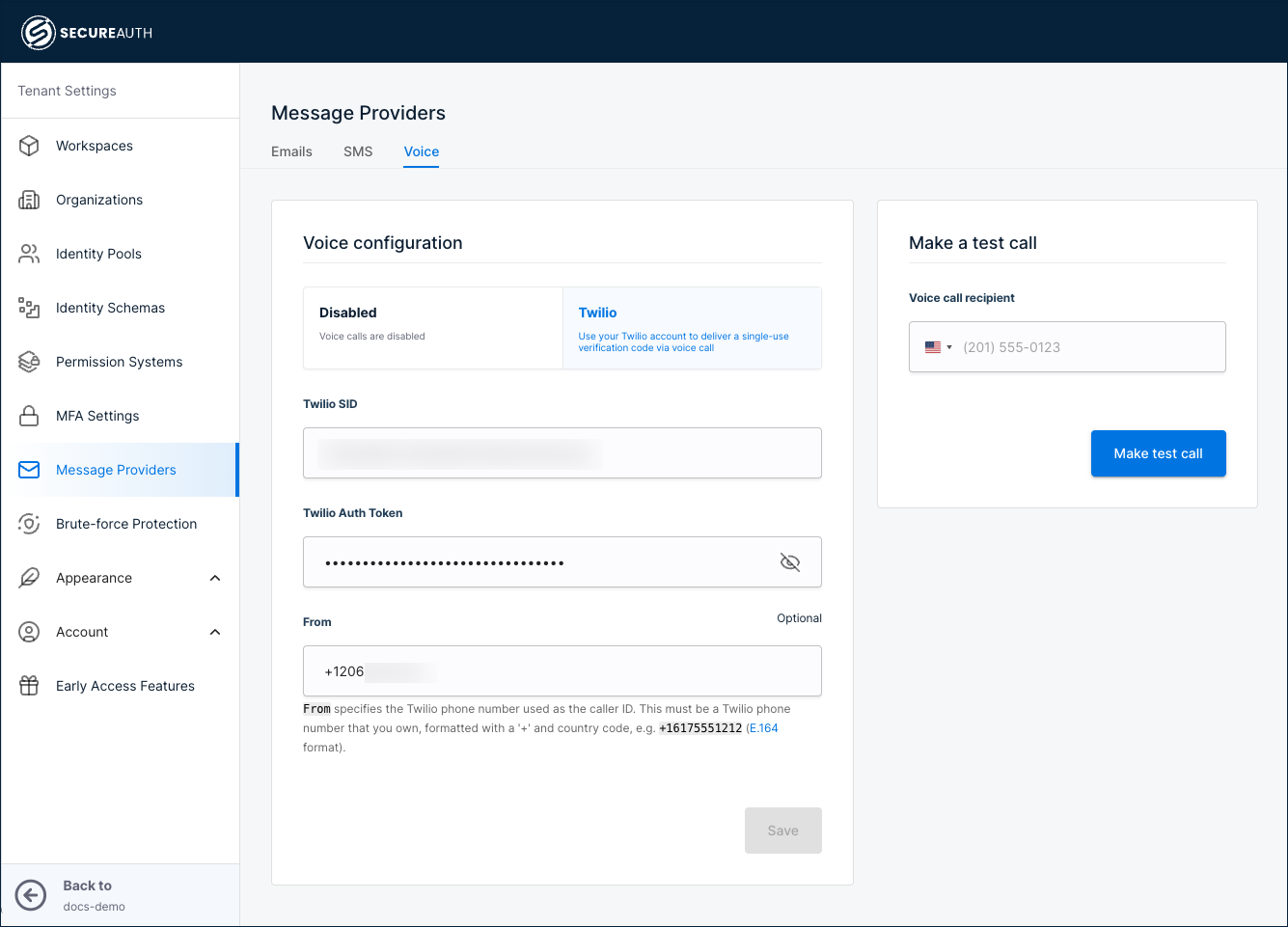
-
Click Save.
The SMS and Voice provider configurations are independent. You can configure a voice provider without changing your existing SMS provider settings, and each channel validates its own Twilio configuration separately.
Test your configuration
Use the built-in test option to verify voice call delivery:
-
Go to the Make a test call section.
-
Enter a recipient phone number in E.164 format.
-
Click Make test call.
You should receive an automated phone call that reads a test OTP code aloud. Verify that the call connects successfully and the code is clearly audible.
How voice OTP delivery works
When a user selects voice call as their OTP delivery method, SecureAuth Connect places an automated phone call to the user's registered phone number. During the call, the OTP code is read aloud one digit at a time with pauses for clarity. The user then enters the code on the verification screen in their browser.
Voice OTP uses the same phone number that is registered for SMS OTP. Users do not need to configure a separate phone number for voice delivery.
Use a Twilio phone number that is verified and enabled for outbound voice calls in your target regions. Check Twilio's geographic permissions to ensure calls can be placed to the countries where your users are located.
Enable voice OTP as an authentication method
After configuring the voice provider, you need to enable Voice OTP as an authentication method:
-
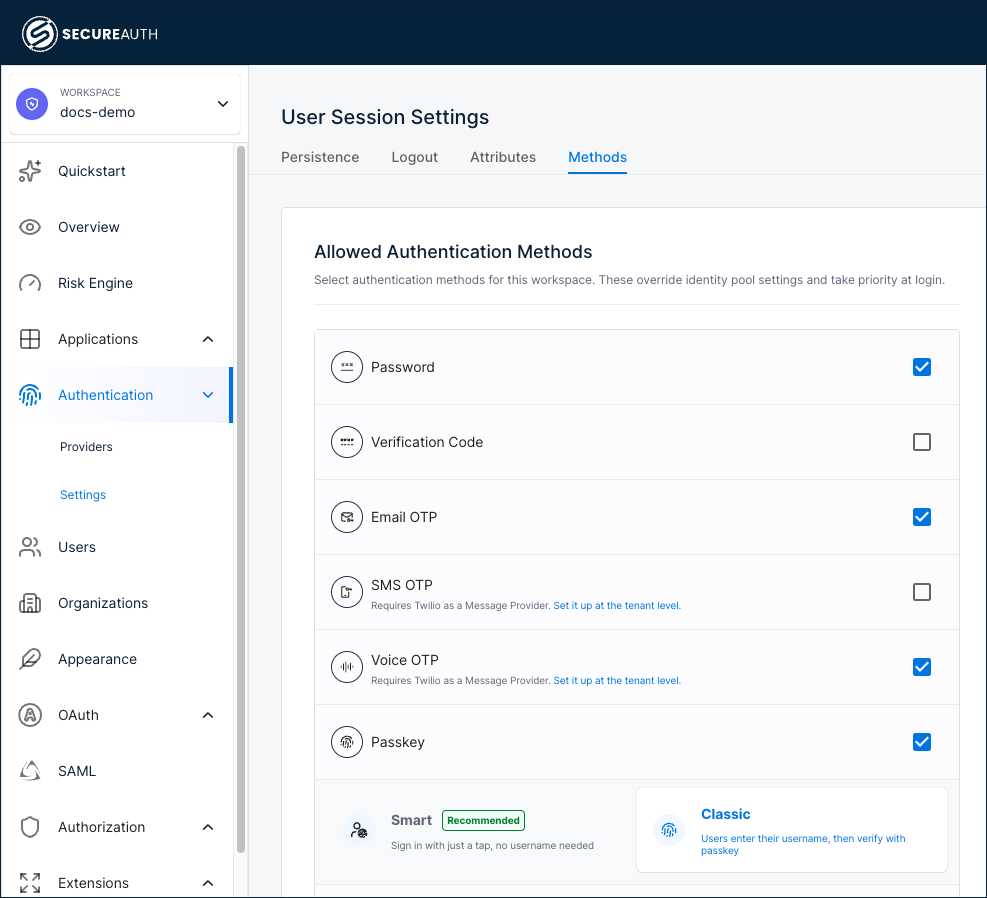
In your workspace, go to Authentication > Settings.
-
Select the Methods tab.
-
Select the Voice OTP check box.
-
Click Save.
A link under Voice OTP on the Allowed Authentication Methods page directs you to configure the voice provider if it has not been set up yet.
Best practices
- Use verified Twilio phone numbers for reliability and compliance.
- Format all phone numbers using the E.164 standard (for example,
+14155552671). - Configure OTP expiration based on your security policy. Voice calls may take a few seconds longer than SMS to connect, so allow adequate time (commonly 3 to 5 minutes).
- Monitor Twilio usage and delivery rates through the Twilio console to track voice call success rates.
- Ensure your Twilio account has sufficient balance for voice calls, which typically cost more per delivery than SMS messages.