Creating OAuth Authorization Servers
Create a free OAuth authorization server to secure a way for client applications to access resources.
What is FAPI?
The Financial-grade API (FAPI) working group, hosted by the OpenID Foundation, publishes hardened profiles of OAuth 2.0 and OpenID Connect for high-value API security. FAPI tightens the base specs with stricter client authentication, sender-constrained tokens, signed request objects, and audit-grade traceability.
Two profiles are in wide use:
- FAPI 1.0 Advanced. Adopted by UK Open Banking, Brazil Open Finance, Australia CDR, and most regional open-finance regimes. Mandates mTLS or
private_key_jwtclient authentication, signed request objects (JAR), and JWS-signed authorization responses (JARM). - FAPI 2.0 Security Profile. Simplified, PKCE-only flow with mandatory Pushed Authorization Requests (PAR) and sender-constrained tokens via mTLS or DPoP. Increasingly referenced by newer regulations and reference implementations.
SecureAuth is certified by the OpenID Foundation against the FAPI 2.0 Security Profile and FAPI 2.0 Message Signing final specifications. The FAPI 1.0 Advanced certification in the OpenID Foundation directory was earned by Cloudentity before SecureAuth acquired it. You can configure the same authorization server you stand up for a regular app to the FAPI profile you need, so there is no separate "FAPI build" to provision. Ecosystem specific requirements and certification are assessed separately.
FAPI is not fintech-only. Teams building APIs that handle healthcare records, partner B2B integrations, machine-to-machine calls, and other high-value data increasingly use FAPI-grade hardening as their baseline, because the alternative is rebuilding the same protections one-off per product.
FAPI 2.0 authorization flow
Spin up your authorization server
Every SecureAuth workspace ships with its own FAPI-ready authorization server. There is no separate AS to provision: create a workspace and the endpoints are live.
1. Register and log in
Register for a free tenant, then log in to the admin console.
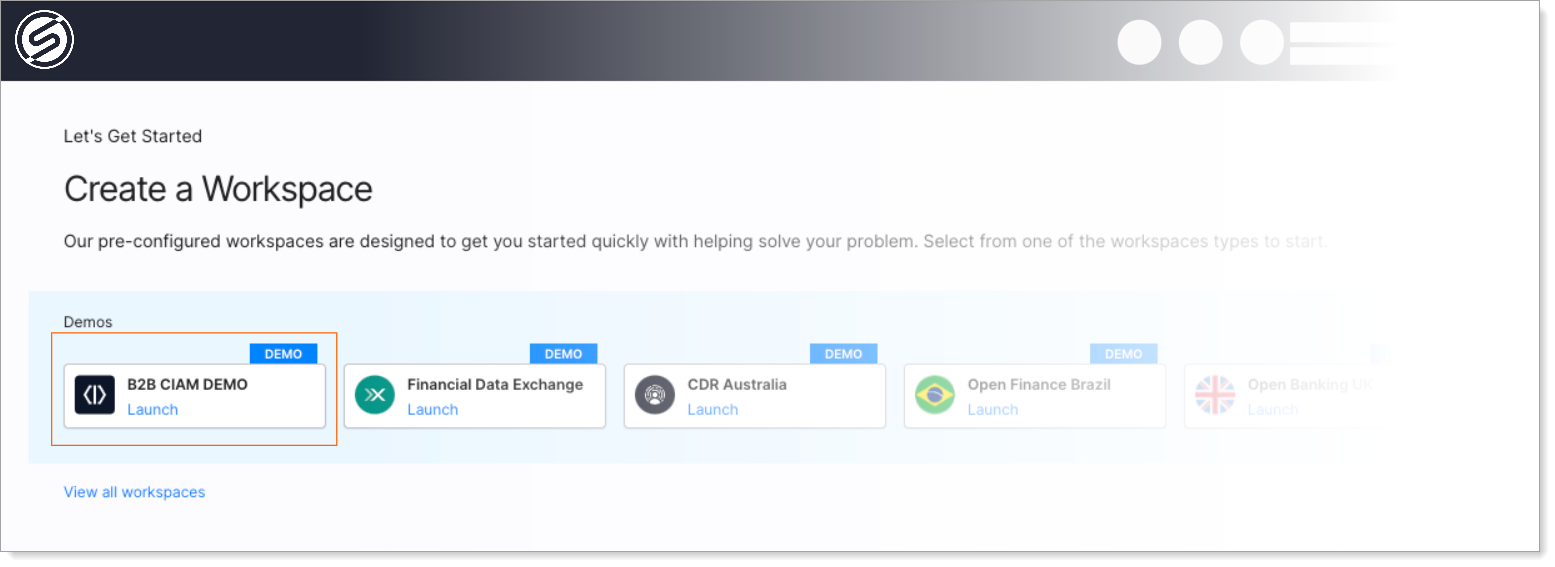
2. Launch a workspace
Pick any workspace profile (B2C, B2B, Workforce, Agentic AI). Each profile ships with a pre-configured authorization server matching that use case. Grant types, token settings, and security policies are already tuned.
3. Copy your authorization server URL
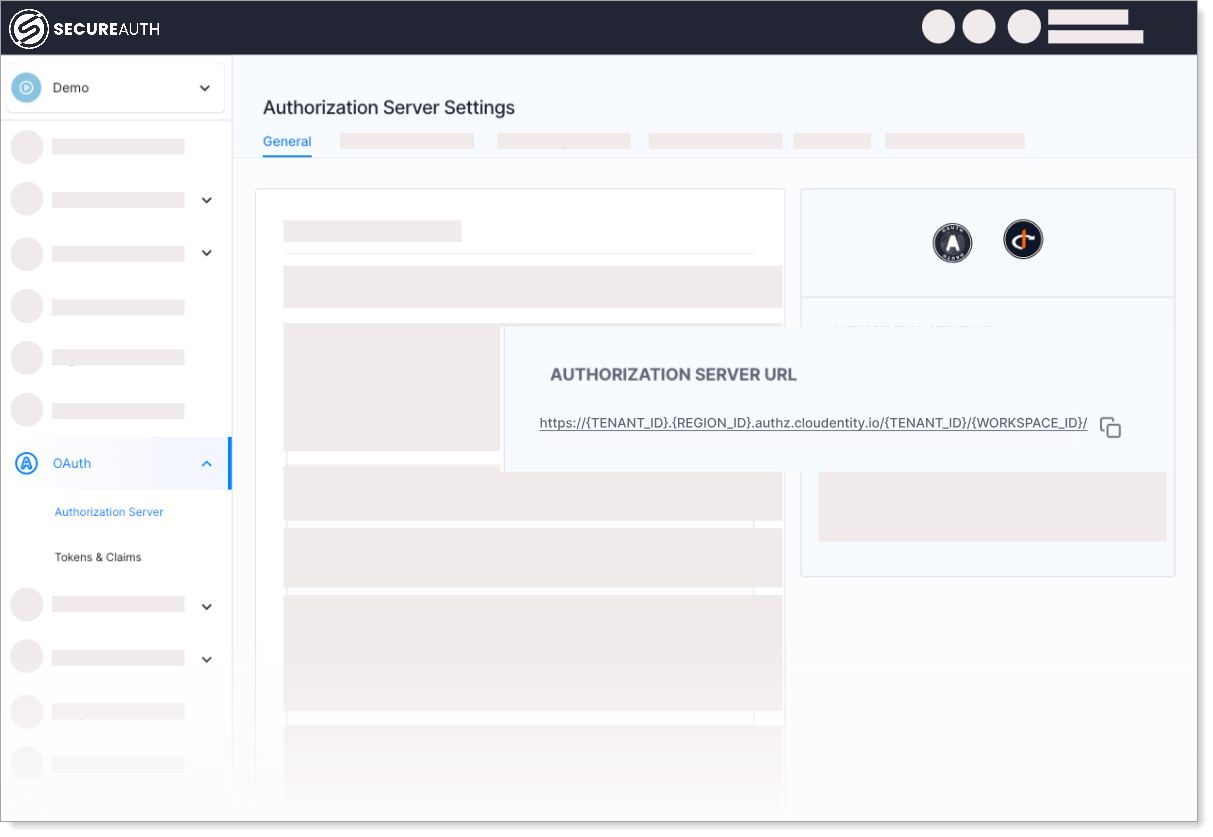
Your tenant is live. Copy the authorization server URL from the workspace overview. This is the base for every OAuth endpoint (/authorize, /token, /.well-known/openid-configuration, /par, etc.).
Try it with the demo portal
The B2B CIAM Demo workspace ships with a sample application so you can see the FAPI flow end-to-end without writing any code.
-
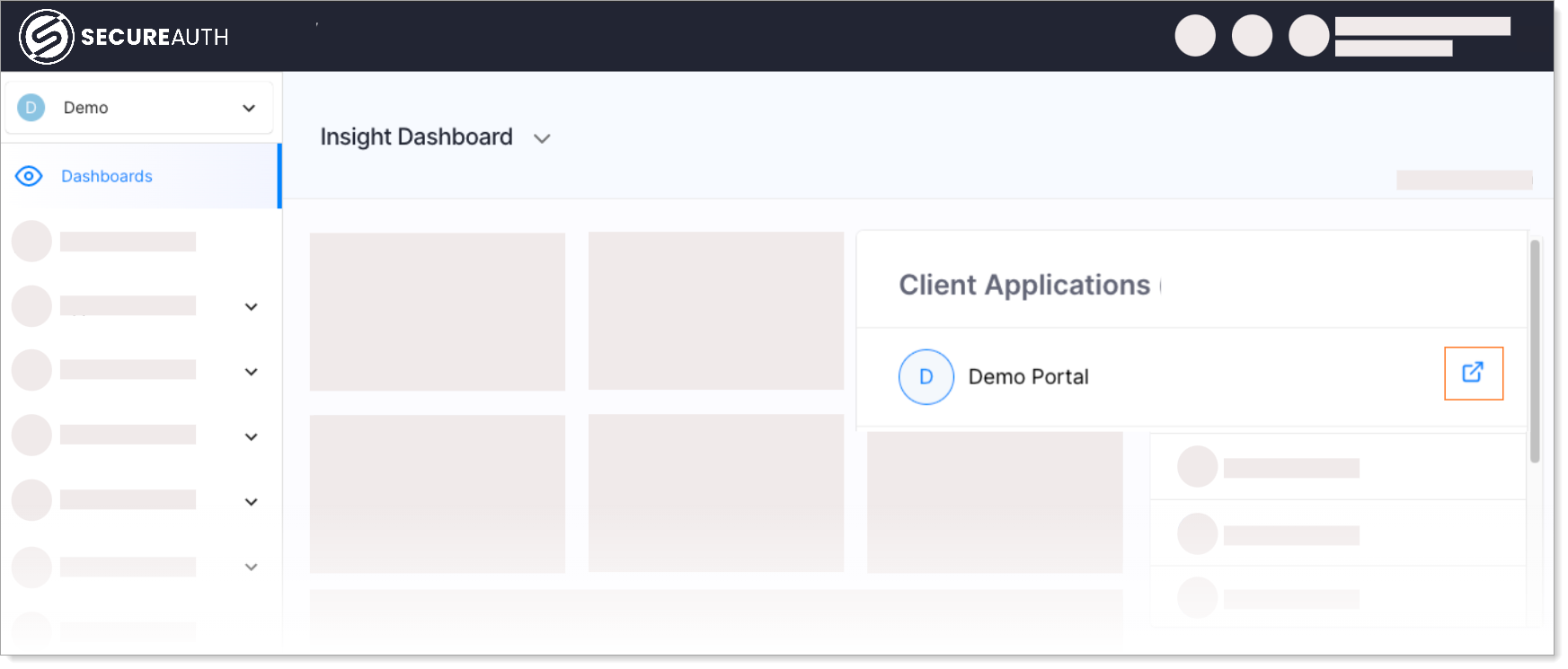
In the demo workspace, open Dashboards → Demo Portal and run through the sign-in.
-
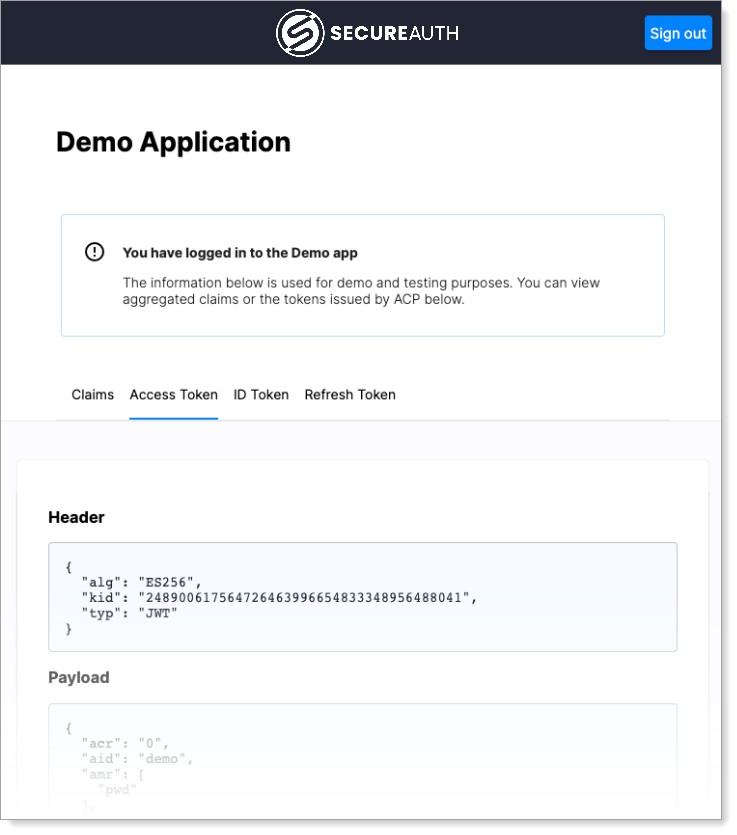
Inspect the tokens issued by your authorization server: ID Token, Access Token, and claims.
Next steps
Applications and clients
- Add server-side or SPA applications for user-facing authentication.
- Add M2M clients for service-to-service API calls.
- Enable OAuth Dynamic Client Registration so partner clients can self-register.
Grants and client authentication
- Configure grant types (Authorization Code, Client Credentials, Token Exchange, etc.).
- Choose client authentication methods (mTLS,
private_key_jwt, client secret).
Tokens, consent, and policies
- Configure tokens: lifetimes, formats, and claim mappings.
- Customize the consent screen users see when granting access.
- Apply authorization policies to validate user attributes before issuing tokens.
- Set up the authentication context schema to normalize user data across identity sources.
Workspaces
- Create additional workspaces for other use cases or environments (dev, staging, prod).