Connect Oh My Pi to Agent Authority
Connect the Oh My Pi terminal agent to SecureAuth Agent Authority so every MCP tool call is checked and audited
When you finish, every MCP tool call Oh My Pi (omp) makes is checked against your policies and recorded in the audit log.
Oh My Pi, the open-source fork of the Pi coding agent, reaches your approved tools through one SecureAuth Agent Authority gateway URL, and each developer signs in as themselves.
Setup
-
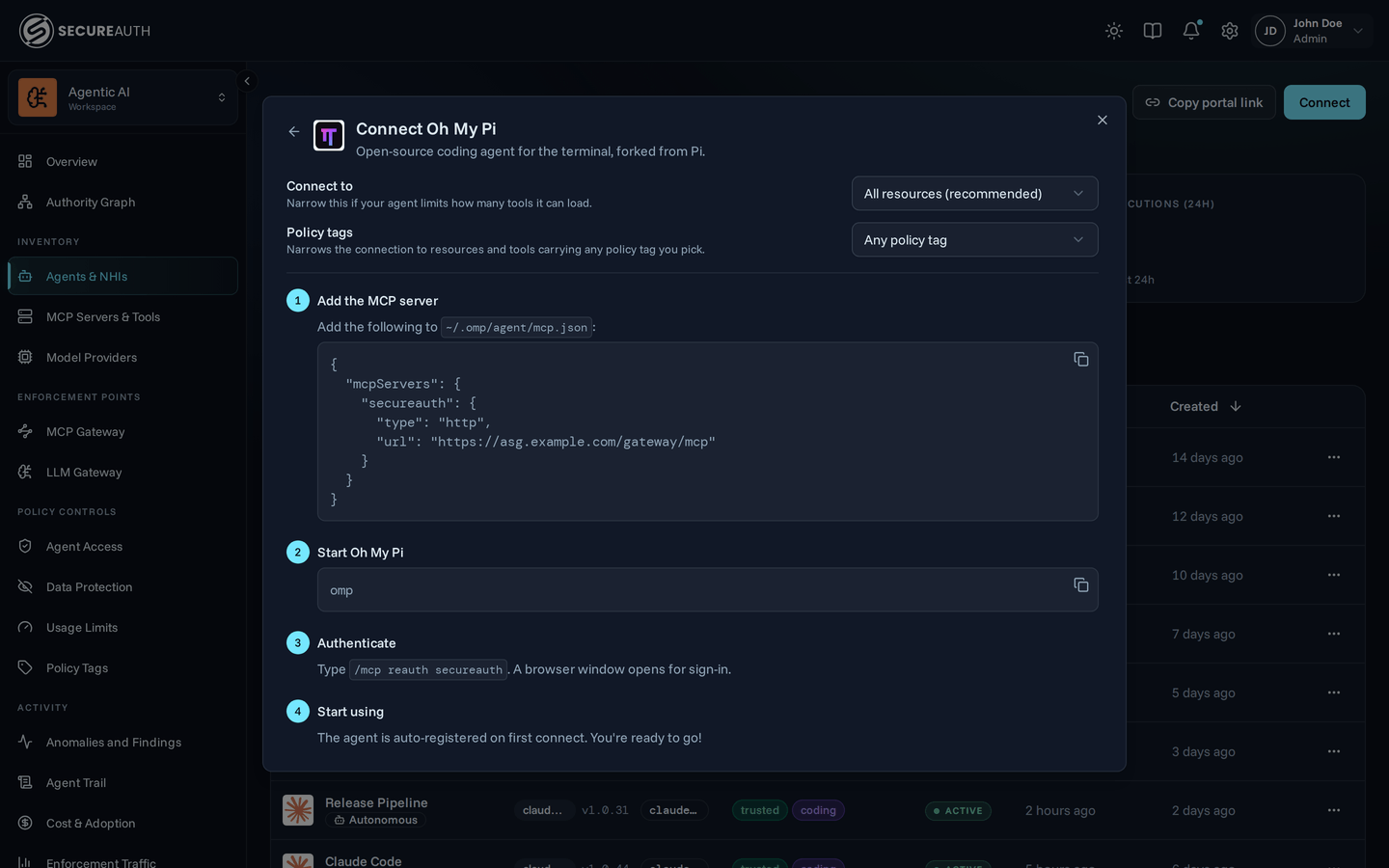
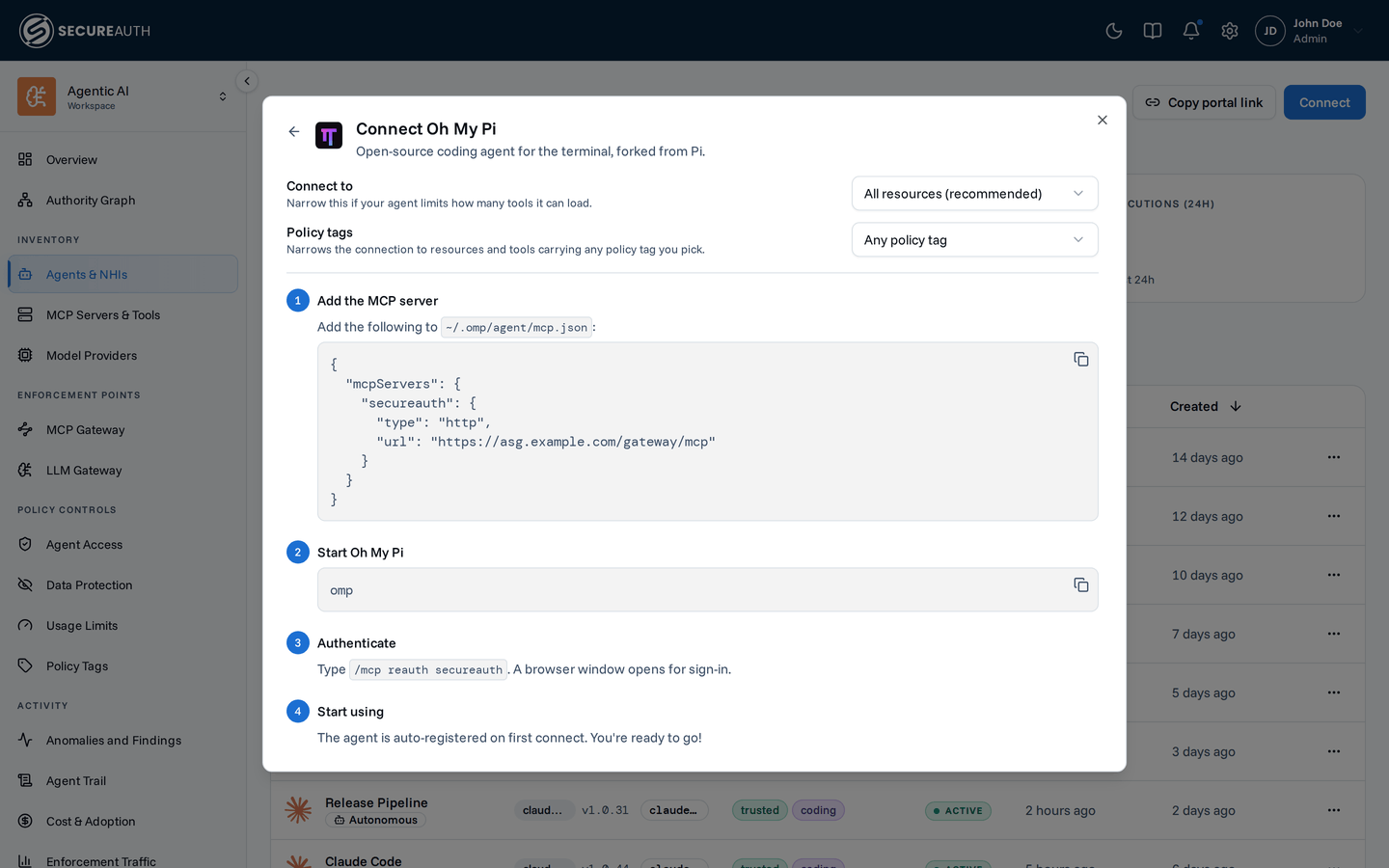
Add the MCP server. Add the following to
~/.omp/agent/mcp.json:{ "mcpServers": { "secureauth": { "type": "http", "url": "https://your-gateway-url/gateway/mcp" } } }"type": "http"selects streamable HTTP."sse"means the older SSE transport, which the gateway doesn't serve. -
Start Oh My Pi. Run
omp. Until you sign in, it reports that thesecureauthserver failed to connect with HTTP 401. -
Authenticate. Type
/mcp reauth secureauth. A browser window opens for sign-in, and Oh My Pi reports Connected to "secureauth" when it's done. -
Start using. Oh My Pi mounts your approved tools as
mcp__secureauth_…tools, and the model can call them on the next turn.The agent is auto-registered on first connect and shows up on the Agents page as Oh My Pi.
Connecting to just one MCP? To stay under an agent's tool limit, point the URL at a single MCP —
/gateway/mcp/{slug}instead of/gateway/mcp. Grab the exact URL from the resource's detail page; see Scope a connection.
Next steps
Oh My Pi now reaches your tools through the secureauth server in ~/.omp/agent/mcp.json.
Next, write the policy that decides which tools it can call.
- Create a policy – control which tools Oh My Pi can call.
- Monitor activity – watch its tool calls appear in the dashboard and audit log.
- Audit log – filter and search every tool call Oh My Pi makes.