Authority Graph
See which agents reach which MCP servers through which policy, and which paths went unused in the last 7 days
You can read every policy rule and still not know which agents reach which MCP servers, because policies apply in order and the first match wins. In SecureAuth Agent Authority, Authority Graph evaluates every rule for your organization and draws the result: groups, agents, policy gates, and MCP servers on one canvas, with the last 7 days of tool calls moving across it. A path with no calls is access nobody used in those 7 days.
Where to find it
Authority Graph is the first item under Inventory in the sidebar.
The sidebar item appears with organization-wide permission to view agent instances, resources, and policies.
The map itself also needs the view_topology permission.
How to read the map
The canvas reads left to right, in four columns:
- GROUPS – who the traffic starts from. Each node is sized by how many users it holds. The header reads USERS when your directory has no groups, and USER on a single person's graph.
- AGENTS – the agent types in your org (Claude Code, Cursor, …), each sized by how many instances are currently connected.
- POLICY MEMBRANE – one gate per policy, colored by its effect: green for allow, amber for conditional, red for deny. A gate picks up a dashed amber outline when at least one path through it is CEL-gated.
- MCPs – the resources being reached.
The left column adapts to what your directory actually gives the gateway. With real groups, you get your groups plus an Ungrouped bucket for anyone who has an agent instance but no group membership. With no groups at all, it falls back to users directly: one node per user, or a single Users bucket once there are more than twenty of them.
Grey rails are what policy allows
The static grey lines are reachability, not traffic: they're the answer to "is this allowed right now?" A rail runs agent → policy gate → MCP, and it's the same evaluation behind the Effective Access tab on an agent's Registry detail page, rolled up per server: if any tool on that MCP is allowed, the rail reads allow; otherwise conditional if any tool is CEL-gated; otherwise deny. Conditional rails are drawn dashed, and a deny rail stops at the gate rather than continuing to the MCP.
An absence is meaningful here. If no rule matches any tool on a server for a given agent, there is no rail at all: that's the default-deny fall-through, showing up as empty space rather than a red line.
Comets are what actually happened
Moving dots are executed traffic from the last 7 days, attributed back to the subject it came from:
- allowed traffic – a round green comet running all the way through the gate to the MCP: successful tool calls.
- blocked – a red diamond that stops at the gate it bounced off, which pulses: tool calls a policy actually refused.
Busier paths emit more comets. The two shapes differ as well as the colors, so the verdict stays readable without relying on hue, and the whole animation stands still if you've asked your system for reduced motion.
Put together, that's the point of the page: the grey rails are what you permitted, the comets are what's being used. A rail with no comets on it is access nobody used in the last 7 days. A rail covers a whole server, so it can carry calls while one of that server's tools goes unused. A cluster of red diamonds is a policy doing its job, or a team fighting a rule that's too tight.
Hovering and banding
Hover any node to trace it. The gateway lights every path through it in both directions (upstream to the groups that reach it, downstream to the MCPs it reaches) and dims everything else, which is the fastest way to answer "what does this one group actually touch?"
Once the agent or MCP column passes twenty nodes, it collapses into bands by tag, each labeled with its tag name and a count. Click a band to expand it; one band per column stays open at a time. Nodes carrying no tags land in an Untagged band, and a node with several tags appears under each of them.
If the map is empty, there's nothing to draw yet: you need at least one MCP connected and a policy in place before there are paths to map.
One user's authority
To see the map for a single person, open them under Human Identities and select the Authority Graph tab.
It needs only the view_topology permission.
The left column holds only that person. The gateway evaluates every policy with their groups and their own agent instances, so group-scoped and user-scoped rules resolve to allow or deny instead of conditional. A policy aimed at one agent instance shows up too. CEL conditions still read as conditional, because they depend on each call.
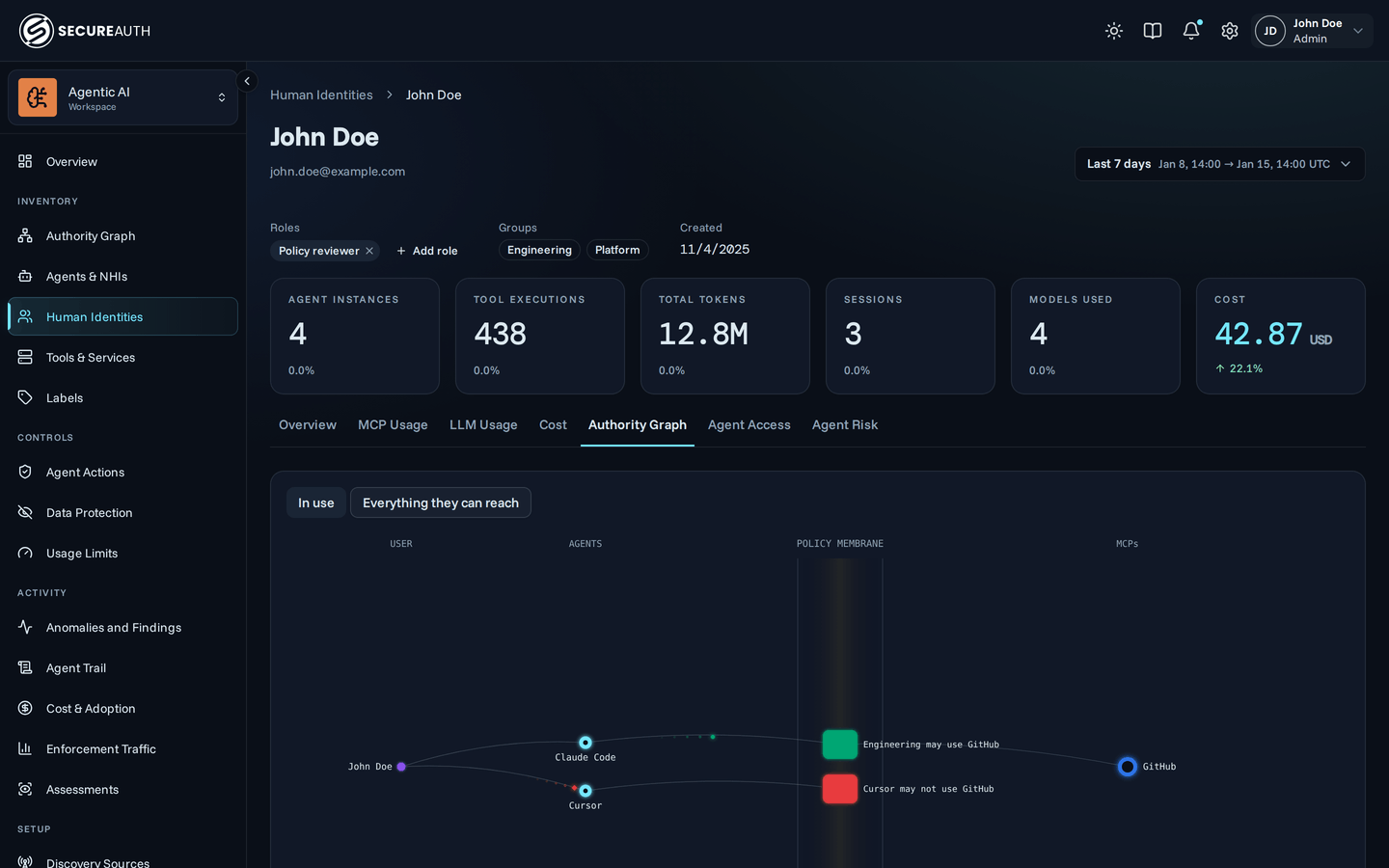
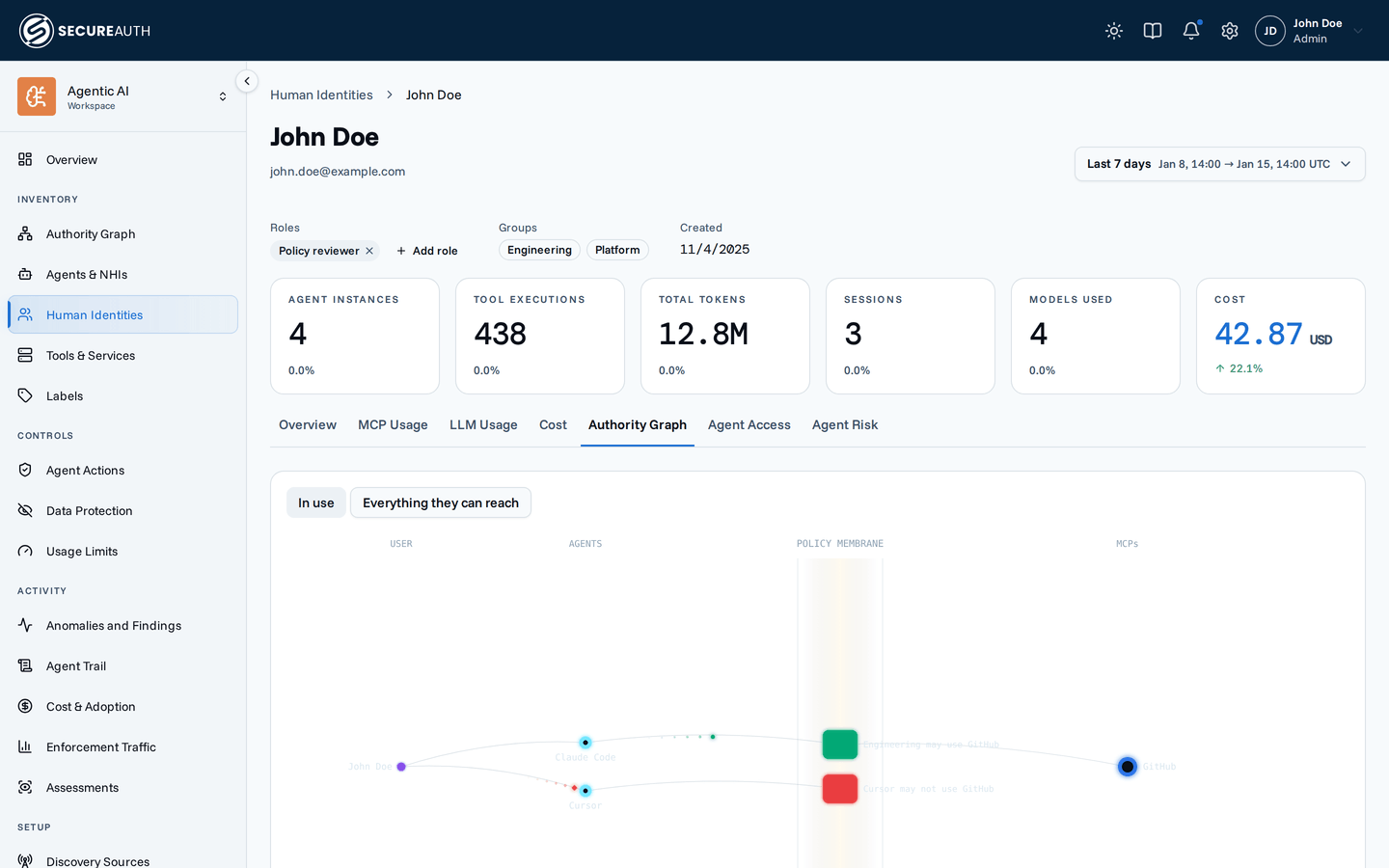
The tab has two views:
- In use is the default. It keeps only the agents, policies, and MCPs that carried this person's traffic in the date range at the top of the page.
- Everything they can reach adds every agent they own that isn't revoked, including ones they never used, and every MCP a policy decides for them.
A person with no agent instances sees a short message instead of a map.
When to use it
Reach for Authority Graph when the question is about relationships across the org:
- Which teams can reach our production database MCP, and through which policy?
- Is anything reaching this server that shouldn't be?
- We have a rule that denies X: is it actually catching traffic, or is nothing hitting it?
- Where are we granting access nobody uses?
Reach for Agent Registry instead when the question is about one agent type ("which tools can any Cursor instance call?"), and Agent Instances when it's about one connected client ("why did this session get denied?"). Authority Graph tells you the shape of access; those two tell you the detail behind one node in it.
Next steps
- Policies – the rules behind every gate on the canvas, and the ordering that decides which one wins.
- Agent Registry – per-agent effective access, one column of this map in full detail.
- Audit log – the individual tool calls the comets are aggregated from.
- Tags – how the agent and MCP columns band once your org outgrows a flat map.