Human identities
Start an investigation from a person, with their agents, tool calls, spend, and reach on one page
Most investigations start with a person, not an event: someone's Claude Code uses more tokens than you expected, someone's agent trips a policy, or someone leaves and you need to know what their agents still reach. In SecureAuth Agent Authority, Human Identities lists everyone in your organization and gives each person a page that scopes every chart to them. It's under Inventory in the sidebar.
The Users tab
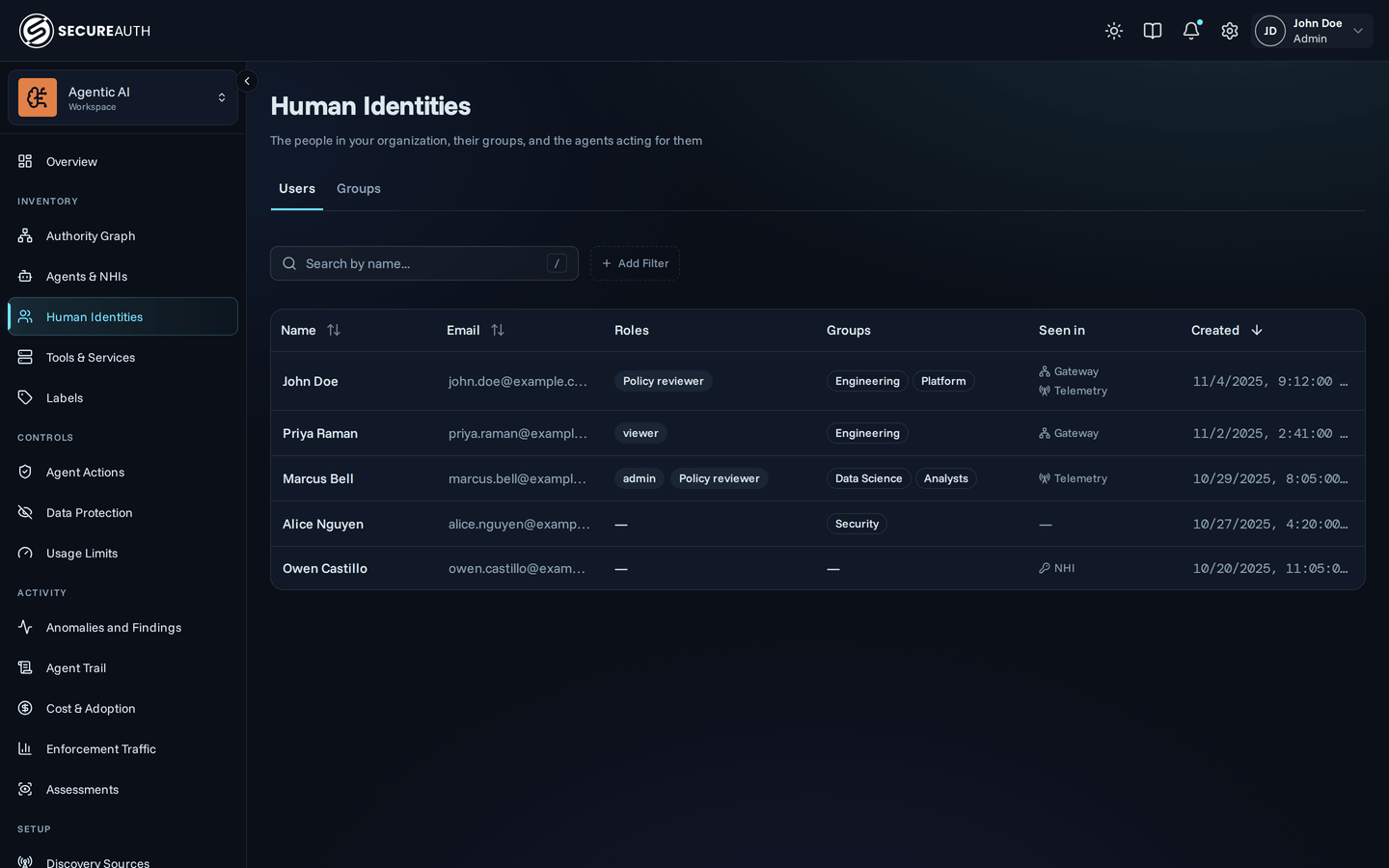
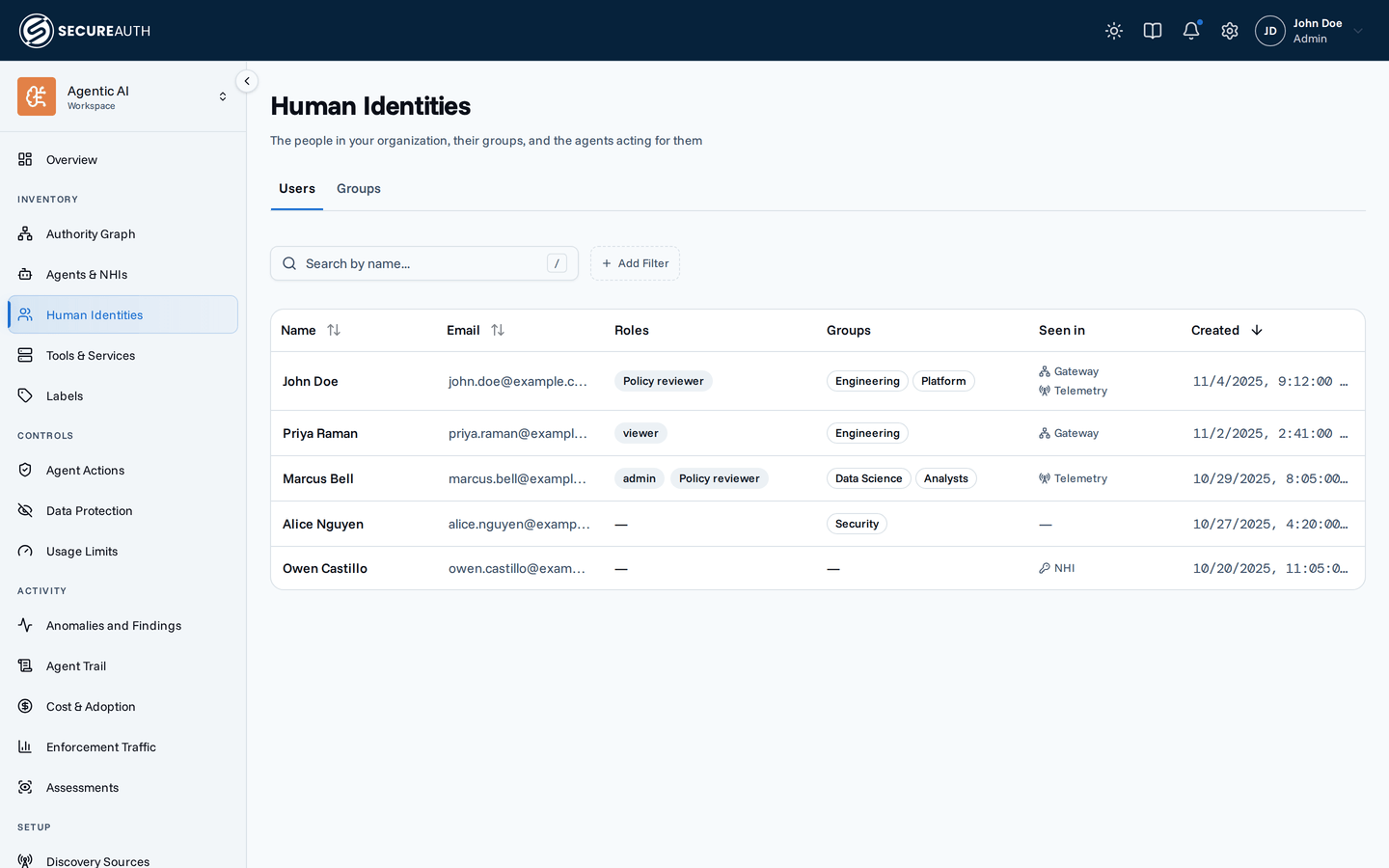
The list shows every user the gateway knows about, with Name, Email, Roles, Groups, Seen in, and Created. Sort by name, email, or creation date, and search by name. Filter by Role to see everyone holding one role, by Group to see one team, or by Seen in to see only the people the gateway has observed. Role, Group and Seen in can also exclude values and require all of them. See Seen in. Clicking a row opens that user's page. The list only reads: assign roles from a person's own page. Group badges are outlined rather than filled, because groups come from your identity provider and you cannot change them here.
You'll also arrive here from elsewhere: the Top Users table in Enforcement traffic, and any user's name in Agent Trail, Agent Instances, or an Agent Registry detail page, all link to the same per-user page.
The per-user page
The header carries the person's display name and email, then their roles, groups, and creation date, each under its own label. The date-range picker sits to the right and drives everything below it. Five stat cards summarize the selected period, each with a comparison against the previous one:
- Agent Instances – how many of their clients were active
- Tool Executions – how many calls those clients made
- Total Tokens and Total Cost (USD) – what their LLM usage cost, from agent telemetry
- Models Used – how many distinct models they touched
These tabs go deeper:
- Overview. A Recent Activity feed of that user's audit events, plus their agent instances (agent, runtime, and when each was created). Click through to any instance for its identity and history.
- MCP Usage. Tool executions over time against the previous period, an hourly distribution, and their Top Tools, Top MCPs, and Top Agent Instances.
- LLM Usage. Tokens and cost over time, a token breakdown, session metrics, Top Models by Tokens and Top Models by Cost (USD), and the individual sessions behind the totals.
- Authority Graph. The Authority Graph map, scoped to this person's groups and agent instances.
- Agent Access and Agent Risk. Which systems and tools their agents reached, graded by data class, and what those tools can change. See Assessments.
How this differs from Agent Trail
Agent Trail is the org-wide event stream: every action, newest first, with chips to narrow it down. It answers what happened. The per-user page answers who: it starts from one person and pre-scopes the analytics, the instance list, and the activity feed to them, so you don't rebuild the same filter every time. When a per-user chart raises a question, Agent Trail is where you read the underlying events, including the policy decision on each call.
Where users come from
Users appear on their own. Someone's account is created the first time they sign in through your identity provider, so there is nothing to invite or import. Each person has one account, matched by email address, however they sign in. Their name and groups stay in sync with your directory on every sign-in.
You can delete a user from the Users list. Deleting a user removes their agent instances and MCP connections, so their agents must re-enroll. Their audit history stays, attributed to their name. If the gateway sees that email address or identity provider account again, it creates a new account for them. Deleting an account does not stop the person from returning.
An account also appears for someone who uses a coding agent but never signs in. The gateway reads the email address in the agent telemetry you send it. The gateway creates an account, so their usage carries a name in the Users list and in Enforcement traffic. Without it, you see only a bare email. That account holds no groups, and nobody can sign in as it. When the person signs in later, the gateway matches them by email. They keep the same account, now with their display name and groups.
An account also appears for someone listed in a directory you connected as a non-human identity (NHI) source. It appears before they ever use the gateway. When the gateway reads that directory, it matches each person to an existing account by email address. If none exists, it creates an account and gives it the name of the person from the directory.
Newly created accounts hold no groups. Nobody can sign in as one until that person signs in. Their display name then replaces the directory name.
The gateway skips people with no email address in the directory, and skips people the directory has disabled.
Seen in
The Seen in column records where the gateway has observed someone. The Seen in chip filters the list by those places. Pick more than one to see everyone observed in any of them. Click a place to include it. Click again to exclude it, and once more to clear it. The include and exclude buttons on each row set a place directly. Turn on Match all included to require every selected place instead of any.
To find people who appear only in a connected directory, include NHI and exclude Gateway and Telemetry.
- Gateway – this person connected an agent through the gateway.
- Telemetry – the gateway holds agent telemetry for this person.
- NHI – a directory you connected as an NHI source lists this person.
The gateway marks each place as it sees someone. You cannot edit these marks, and the gateway does not clear them on its own. One telemetry record in the last 90 days earns the Telemetry mark. The mark stays after that record ages out. Deleting the user removes the account, marks included. Seen in tells you whether the gateway has ever observed this person, not whether they are active now. For activity in a date range, open the per-user page or Enforcement traffic.
A person seen nowhere has an account but no observed traffic. Usually that means they signed in, but their agents do not reach the gateway yet.
Groups
Groups arrive the same way, straight from the IdP claims on each user, and the gateway records the names it sees. They do two jobs:
- Policy scoping – scope a rule to a group so it applies to everyone in it, current and future members alike.
See Policies for the Group subject and the
user.groupsCEL condition. - Filtering – the Group chip narrows the Users list, Enforcement traffic, and Agent Trail to one team. On the Users list, click a group to include it and click again to exclude it. Turn on Match all included to require every selected group.
Because membership comes from the IdP, a group-scoped policy follows your directory: move someone into the contractors group there and the contractor rules apply to them. The gateway has no group editor of its own.
When a group change takes effect
The gateway reads groups from the groups claim your identity provider returns on its /userinfo endpoint.
A change you make in your directory reaches your policies once that provider starts returning the new value there, which is specific to the identity provider and how it handles its own sessions.
If a rule scoped to the new group does not match, check what /userinfo returns for that person.
Next steps
You can now start from a person and read the agents, tool calls, and spend behind their name, and see where the gateway has observed them. The decision this page sets up is whether to scope a rule to one of their groups instead of naming people individually.
- Policies – scope rules to a group instead of naming people one by one. A group-scoped rule matches only once group membership is arriving from your IdP.
- Agent Trail – the org-wide event stream behind every per-user chart.
- Identity and sign-in – where users and groups come from.
- User portal – what those same people see when they sign in.