User portal
Give your users a place to connect their own agents and see only their own activity
Your users need a place to connect their own agents and see what those agents did, without seeing anyone else's activity. In SecureAuth Agent Authority, that place is the user portal, an AI Gateway menu whose pages show each person only their own agents, connections, and activity.
How the portal differs from the admin console
The user portal and the admin console are one application, not two. When someone signs in, the gateway looks at their permissions and picks a navigation to match: an admin gets Inventory, Controls, Activity and Setup, and everyone else gets a single AI Gateway group, the user portal. Same URL, different sidebar. That matters when you follow the steps in these docs and can't find a page: Quickstart exists only in the portal, so an admin reading a user's instructions won't find it.
Users are never asked to do anything but connect their own agents and see what those agents did. Everything governing them stays on the admin side: policies, data protection, and the org-wide Agent Trail.
The portal limits every page to the signed-in user, whatever their permissions. The org-wide view stays in the admin console.
Share the portal link
Open Agents & NHIs and click Copy portal link in the header, then send that link to your users.
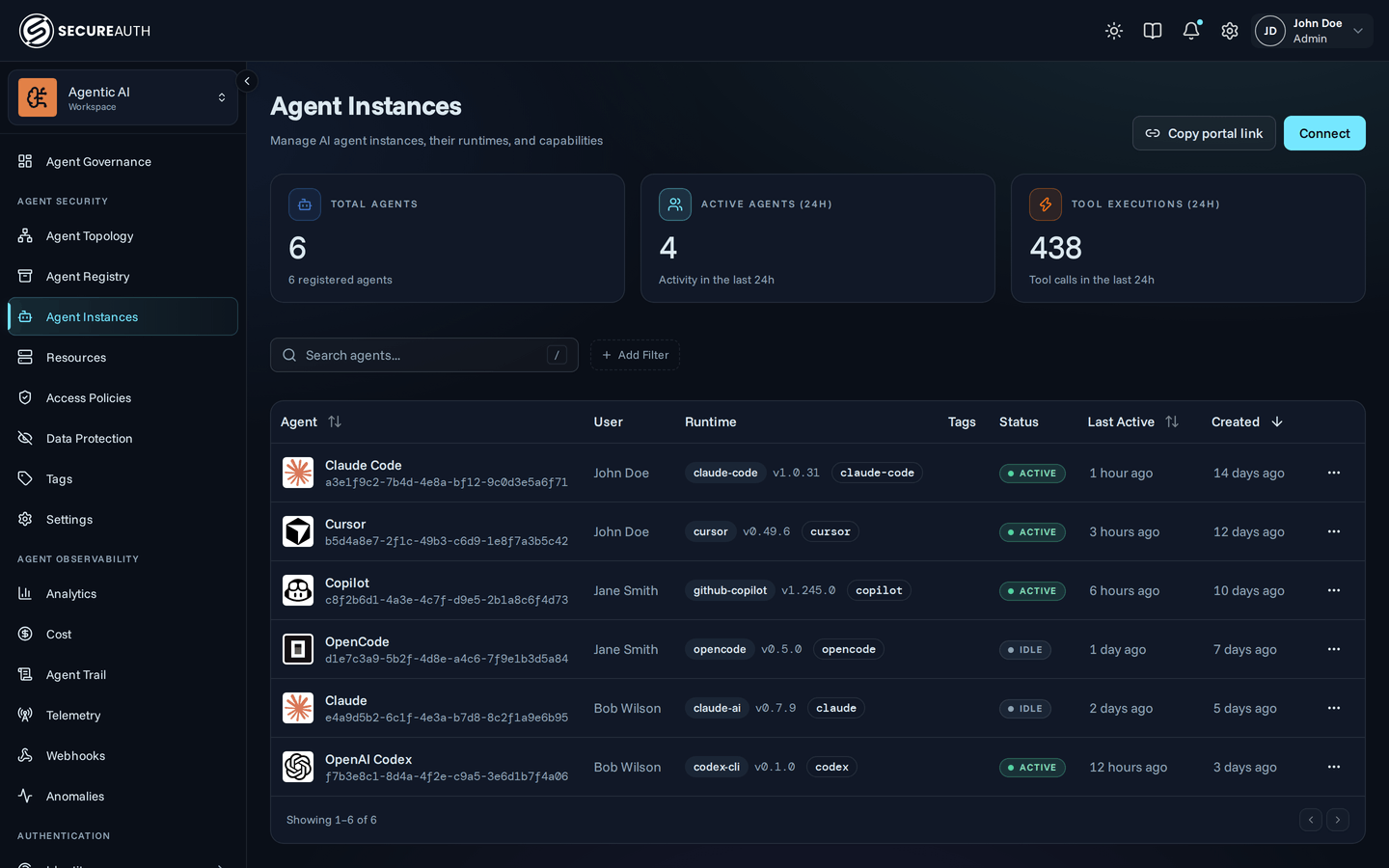
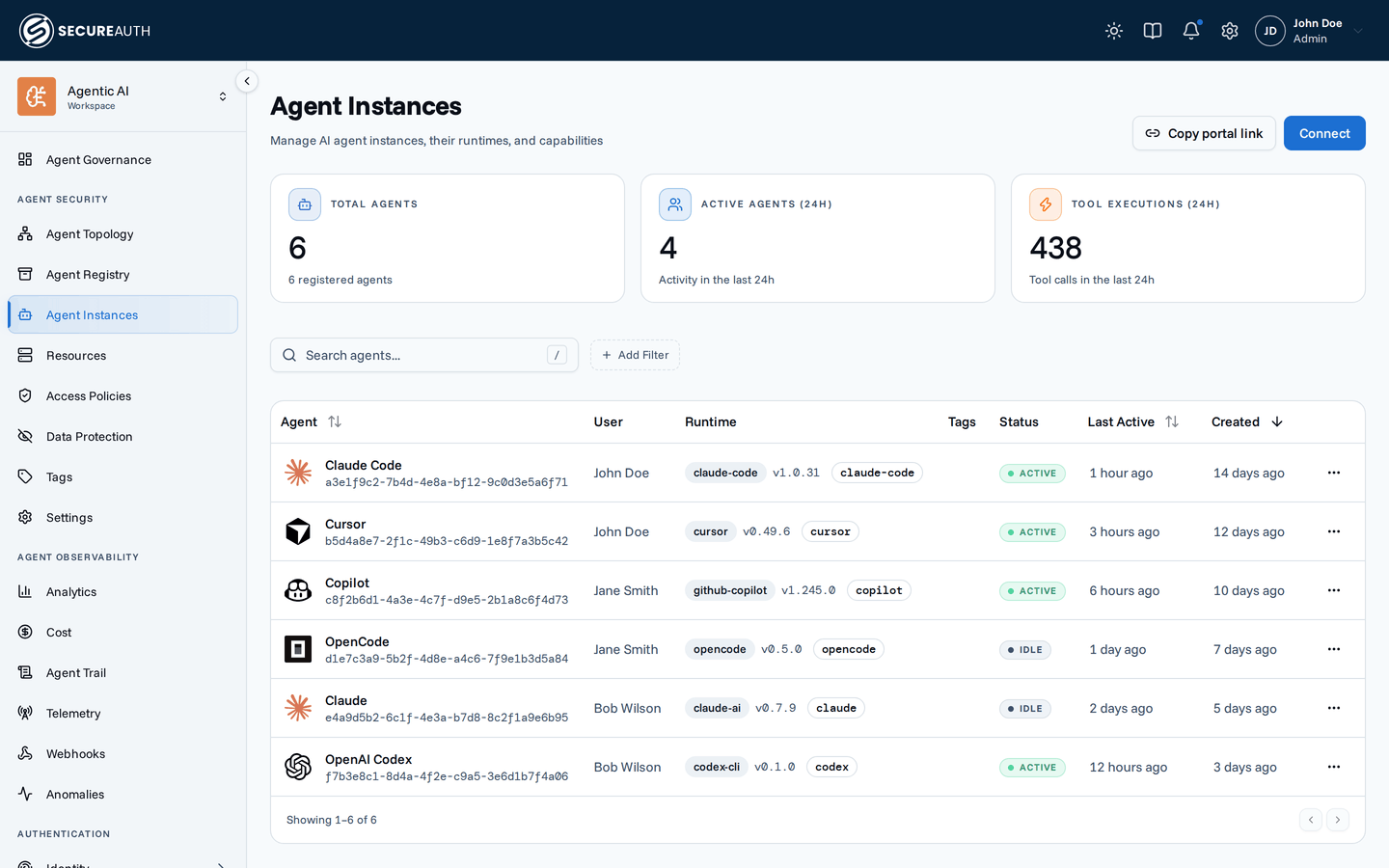
The link opens the portal's Quickstart page, where each person picks the agent they use and follows the setup steps for it. For a walkthrough written for the people receiving that link, point them at Using SecureAuth Agent Authority.
The five portal pages
Dashboard. The user's own activity at a glance. Every element is limited to the signed-in user. That covers the four stat cards and the execution, hourly, and spend charts. It also covers the token section and the top-tools and top-agent tables. The cards are Active Agent Instances, Unique Tools Used, Blocked Tool Calls, and a cost card covered below. The gateway runs the same queries as the admin Enforcement traffic view but limits them to one person, which is why a user can see their own blocked calls without seeing anyone else's.
The Cost card appears only once that user's agents report LLM usage. It shows one figure: the list-price value of that user's usage, the same API-equivalent estimate the Cost and adoption page reports. It does not change with seat pricing, because one person's seat cost is the same for everyone on their plan; the seat and API-key split stays on the user's profile Cost tab in the console. A user with no reported usage gets a No LLM usage yet card pointing at Quickstart instead. The token section also appears only once that user's agents report LLM usage. For the wording those users read, see What your dashboard is telling you.
Quickstart. The onboarding page, and the one place a user connects an agent. It shows a grid of supported agents, and picking one opens the setup instructions for that agent. Admins have no Quickstart item; they connect from the Agent Catalog tab instead, which opens the same dialog. See Connect an agent for the steps, and Share the portal link for how to get the portal address to your users.
Agents. The user's own agent instances. It's the same table as the admin Agent Instances page, limited by the gateway to the instances they own, so people can see their own clients without seeing everyone else's.
Connections. Connect personal accounts to third-party services. See Connections for how the OAuth flow works and why each user authenticates separately.
Activity. A record of the user's own agent and connection activity, covered in detail below.
The Activity feed is a restricted view of the audit log
It's the same audit log, run through two restrictions before anything reaches the page:
- Limited to the signed-in user. The feed only ever returns that user's own events. The admin Agent Trail filter bar isn't shown here: with nothing left to narrow by, the feed has no filter chips.
- Limited to a fixed list of actions. A user sees only the actions that carry their own user ID: tool executions and tool errors, agent created / updated / deleted / revoked / connected, and connection created / removed / revoked. Admin-only actions never appear, even though they're in the same log: policy edits, resource installs, and data-protection changes.
Payloads are stripped the same way. Any field not marked as the user's own is removed before the event is sent. Where an admin sees which redaction rules fired and how many matches each made, a user sees a single generic Content redacted pill. They learn that something in the response was redacted; they don't learn what your rules look for.
An empty feed offers a Connect an agent button pointing at Quickstart.
Why a user might see less than you expect
The portal is permission-driven throughout, so what a user sees depends on what your identity provider grants them.
If Connections is missing, they lack manage_connections.
If Activity is missing, they lack view_audit.
If the Dashboard reports "You do not have permission to view this dashboard." then they lack the analytics permissions behind it.
Check the grants coming from identity before assuming the page is broken.
Next steps
- Using SecureAuth Agent Authority. The guide written for the people you send the portal link to.
- Connect an agent. The Quickstart flow your users will follow.
- Connections. The per-user OAuth model behind the Connections page.
- Human identities. The admin view of the same person, with their agents, resources, and spend.
- Agent Trail. The full log the Activity feed draws from.