Connect Kiro to Agent Authority
Connect Kiro to SecureAuth Agent Authority with OAuth sign-in so every MCP tool call is checked and audited
When you finish, every MCP tool call Kiro makes is checked against your policies and recorded in the audit log. Kiro, AWS's agentic IDE, reaches your approved tools through one SecureAuth Agent Authority gateway URL, and each developer signs in as themselves.
Setup
-
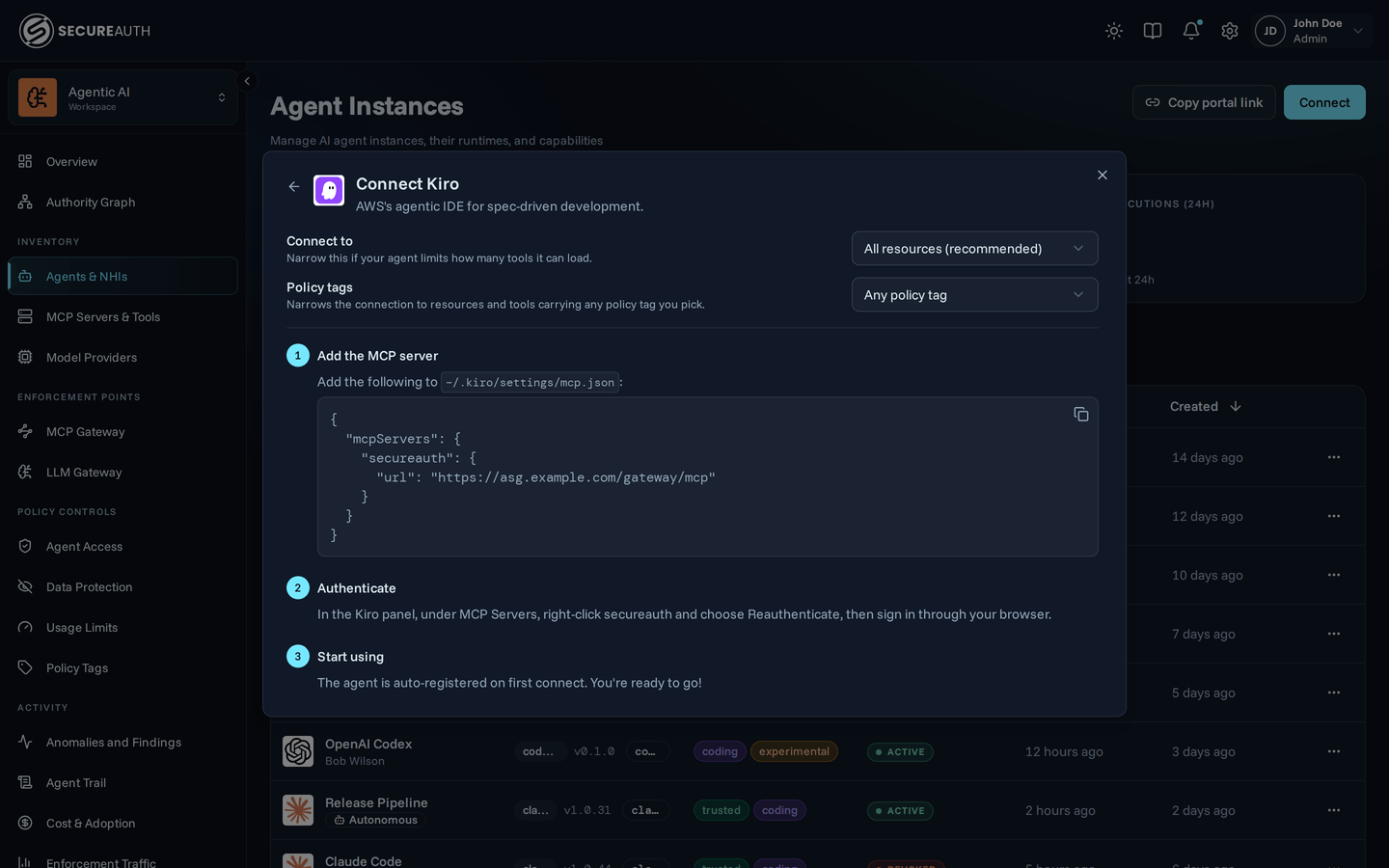
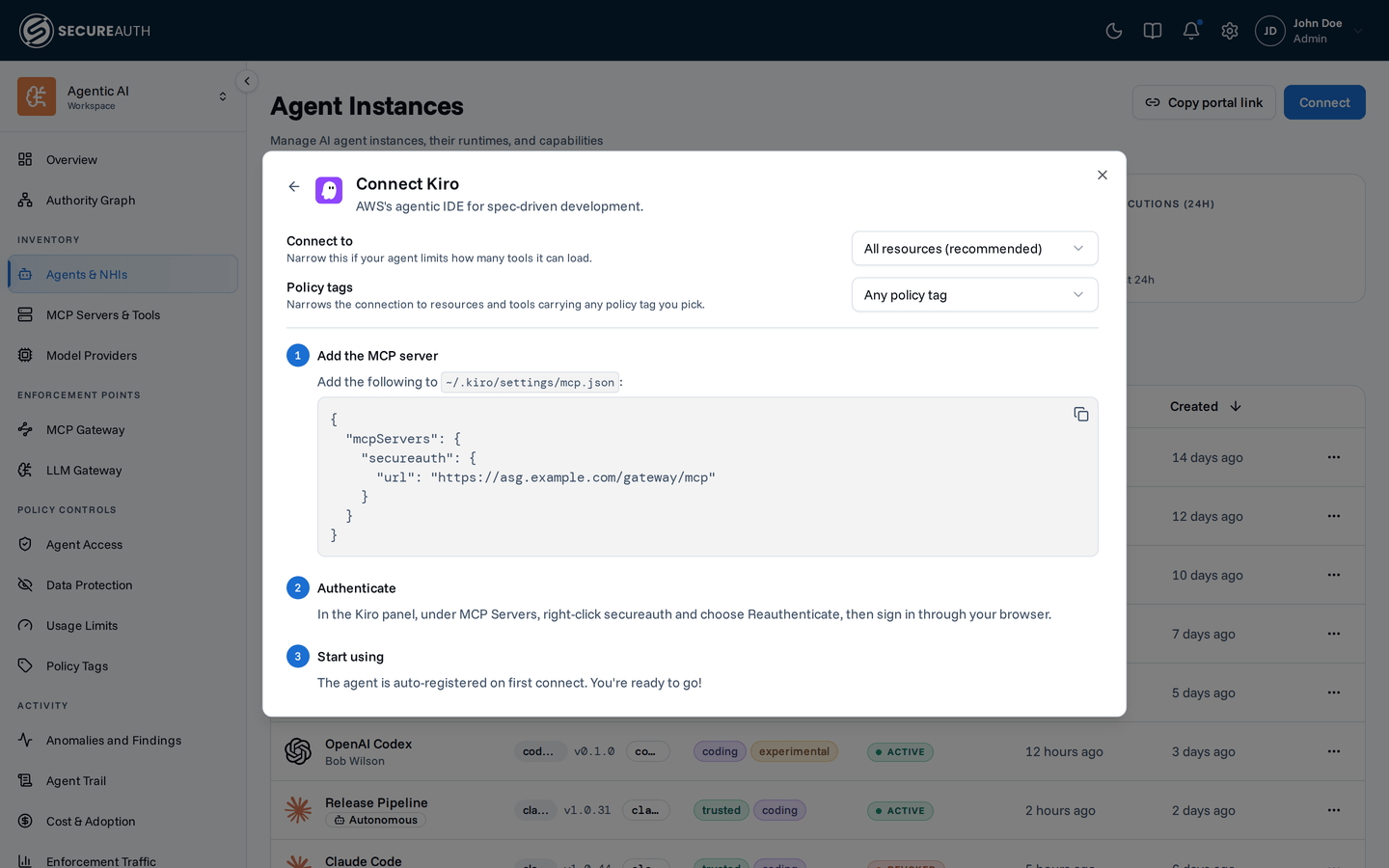
Add the MCP server. Add the following to
~/.kiro/settings/mcp.json:{ "mcpServers": { "secureauth": { "url": "https://your-gateway-url/gateway/mcp" } } }Kiro CLI reads the same file, so if you use both, they share this server and both show up as Kiro on the Agents list.
-
Authenticate. Open the Kiro panel from the activity bar. Under MCP Servers,
secureauthshows Connection Failed until you sign in: right-click it, choose Reauthenticate, and sign in through the browser window that opens. Kiro saves the token, so you sign in once. -
Start using.
secureauthturns green, and Kiro asks before each tool call as usual.The agent is auto-registered on first connect.
Connecting to just one MCP? To stay under an agent's tool limit, point the URL at a single MCP —
/gateway/mcp/{slug}instead of/gateway/mcp. Grab the exact URL from the resource's detail page; see Scope a connection.
Next steps
Kiro now reaches your tools through the secureauth server in ~/.kiro/settings/mcp.json.
Next, write the policy that decides which tools it can call.
- Create a policy – control which tools Kiro can call.
- Monitor activity – watch its tool calls appear in the dashboard and audit log.
- Audit log – filter and search every tool call Kiro makes.