Client secrets management
Rotate client secrets in SecureAuth to limit exposure when a secret is compromised. For background on what client secrets are and best practices, see Client secrets.
Client Secret Rotation
With SecureAuth you can rotate client secrets by using one of the following ways:
-
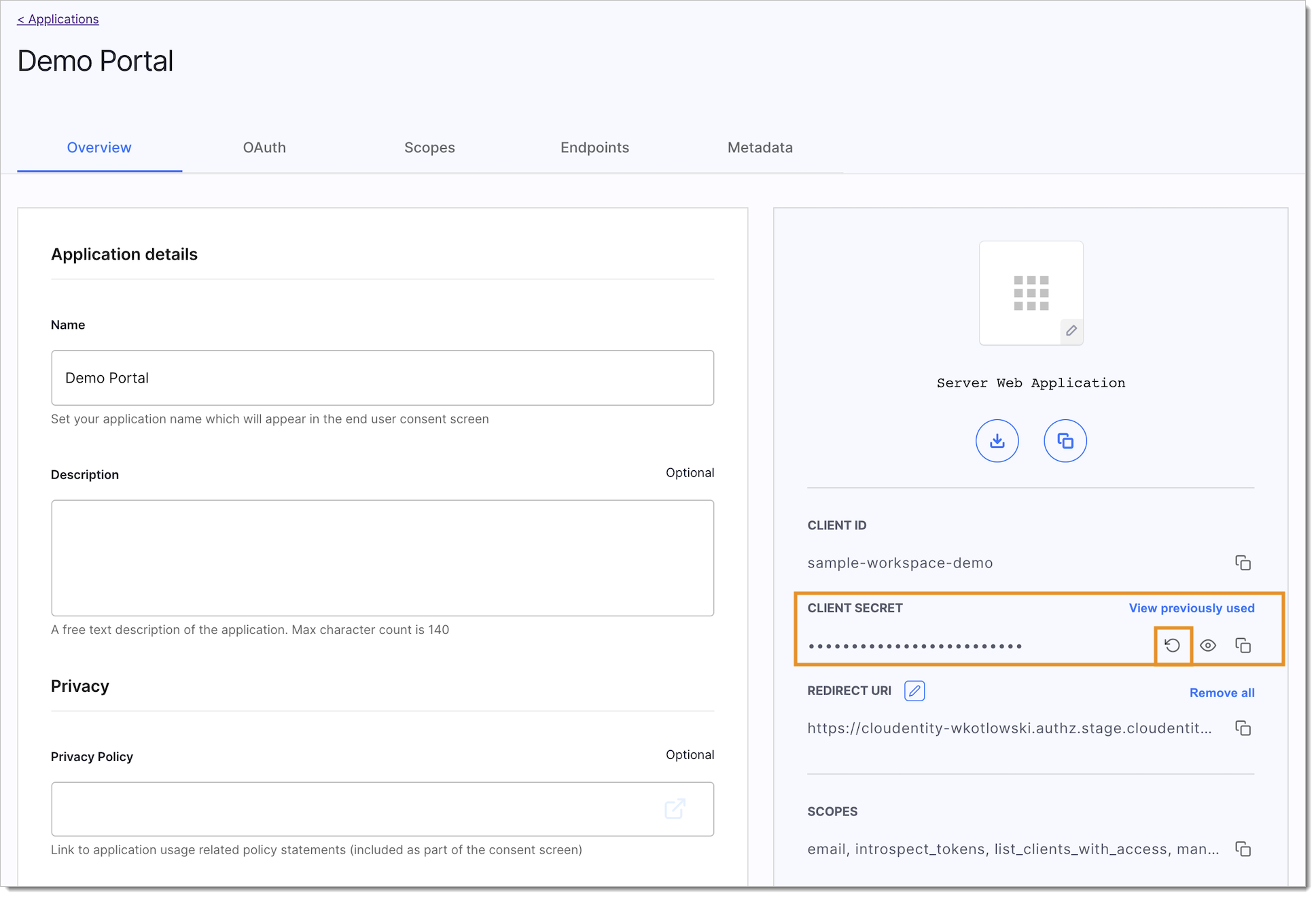
In SecureAuth admin panel, go to Applications > Clients > Your App > Rotate client secret
Remember
Rotating and revoking client secrets is permanent and it cannot be undone.
Rotate Client Secrets Using API
Prerequisites
- You have an admin access token that allows you to make requests to Admin APIs.
Use SecureAuth API to Rotate Secret
-
In your terminal, enter the request to the rotate client secret endpoint with the parameters and the headers properly configured. Execute it.
curl --location --request POST 'https://{tid}.connect.secureauth.com/api/admin/{tid}/clients/{cid}/rotateSecret' \--header "Authorization: Bearer $AT"tipThe
{tid}parameter is for your tenant identifier. You can find it right at the beginning of your SecureAuth URL.The
{cid}parameter is for your client application identifier. You can find it in your application settings.Replace the
$ATenvironment variable with your access token.As the result of your request:
-
A new secret is generated for your application.
-
Previous secret is moved to the rotated client secrets list. If there is an already rotated client secret stored in the list, it is revoked.
-
New secret is added to your application.
-
You receive the new secret as the response in the terminal.
-