Configure custom token time-to-live
Token time-to-live (TTL) settings control how long tokens remain valid after they are issued. Shorter lifetimes reduce the window of exposure if a token is compromised. Longer lifetimes reduce how often users are asked to re-authenticate.
You can configure TTL at two levels:
- Workspace defaults – apply to all applications in the workspace unless overridden.
- Per-application override – apply to a specific application and take precedence over the workspace defaults.
Token types
| Token | Purpose | Default (consumer workspace) |
|---|---|---|
| Access token | Authorizes API requests on behalf of the user. | 1 hour |
| Refresh token | Issues new access tokens without requiring sign-in. | 7 days |
| ID token | Carries identity claims about the authenticated user. | 1 hour |
Configure workspace token TTL defaults
These settings apply to all applications in the workspace.
-
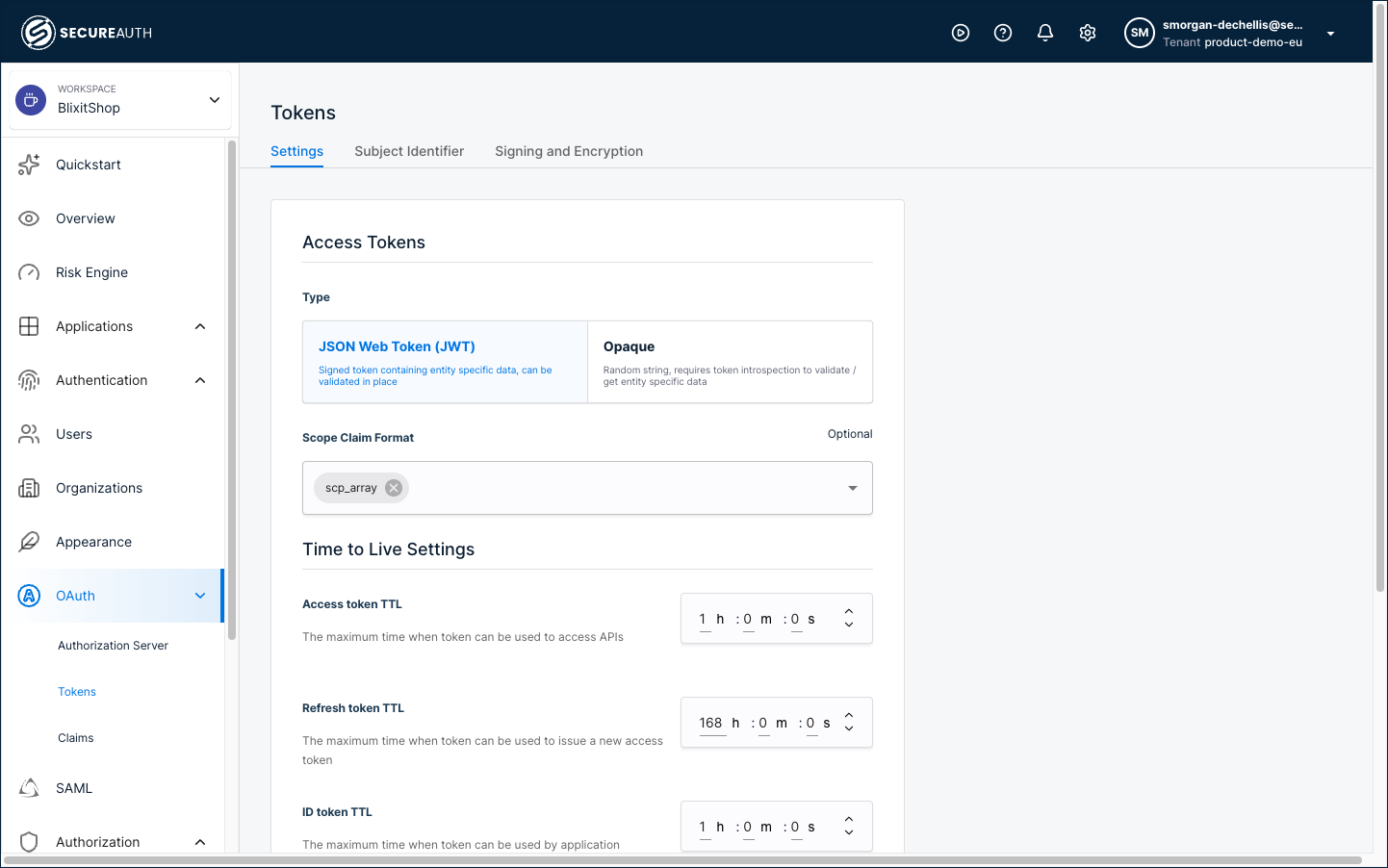
In your workspace, go to Settings in the left navigation, then expand OAuth and select Tokens.
-
Select the Settings tab.
-
Under Time to Live Settings, adjust the values for each token type.
-
Save your changes.
Override token TTL for a specific application
Use this when a single application needs different token lifetimes than the workspace defaults, for example, a shorter access token for a high-security application, or a longer refresh token for a mobile app.
-
In your workspace, go to Applications > Clients and open the application.
-
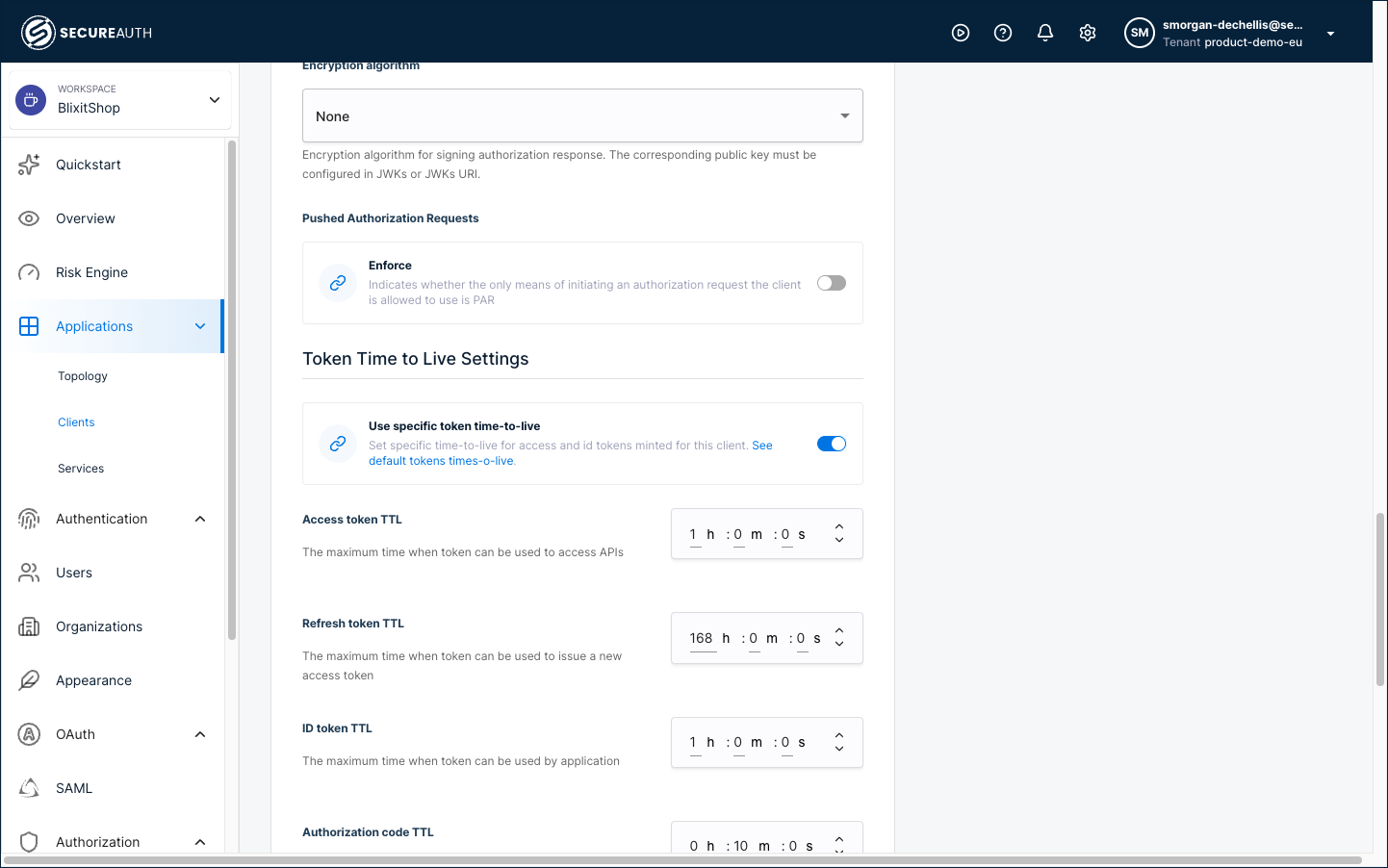
Select the OAuth tab and scroll down to Token Time to Live Settings.
-
Enable the Use specific token time-to-live toggle.
-
Set the token lifetimes for this application.
-
Save your changes.