Unique User ID mapping
The Unique User ID (also referred to as UniqueUserId in code and APIs) is the immutable identifier the SecureAuth® Identity Platform uses to recognize a returning user across logins. It does not change when a user's username, email address, or other profile attributes are renamed.
Each LDAP-based and Microsoft Entra ID data store has a default property mapped to the Unique User ID. You can view and change this mapping in the data store properties UI.
Prerequisites
Identity Platform release 26.2.0 or later
Default mapping by data store type
The Identity Platform sets a default Unique User ID property based on the data store connection type.
Data store type | Default property |
|---|---|
Active Directory |
|
AD LDS |
|
Generic LDAP |
|
OpenLDAP |
|
NetIQ eDirectory |
|
Microsoft Entra ID |
|
When to change the default
Two configurations are common.
Microsoft Entra ID: Id or onPremiseImmutableId
For Microsoft Entra ID data stores, choose between Id and onPremiseImmutableId based on which system is the source of truth for user identities.
Id– The cloud-native Microsoft Entra ID object identifier.onPremiseImmutableId– The identifier synced from on-premises Active Directory.
Split Profile: which member data store provides the value
In a Split Profile, the Unique User ID can come from any member data store. Choose the source based on which member is the most durable for your environment.
For example, a Split Profile that combines Active Directory with a SQL Server data store can use either as the Unique User ID source. Choosing the SQL data store anchors the identifier to the database record. Choose the source that is the most stable identifier for your environment.
Effect on existing users
Warning
Changing the Unique User ID mapping on an existing data store can prevent the Identity Platform from recognizing current users. Existing users may be locked out or have duplicate identity records created.
Plan for this impact before changing the mapping on a production data store. When you save a change, the Identity Platform shows a confirmation modal that you must accept before the change takes effect.
Configure Unique User ID for a data store
On the left side of the Identity Platform page, click Identity Sources.
Select the Data Stores tab.
For the data store you want to edit, click Actions > View Properties.
In the property mappings table, locate the Unique User ID row.
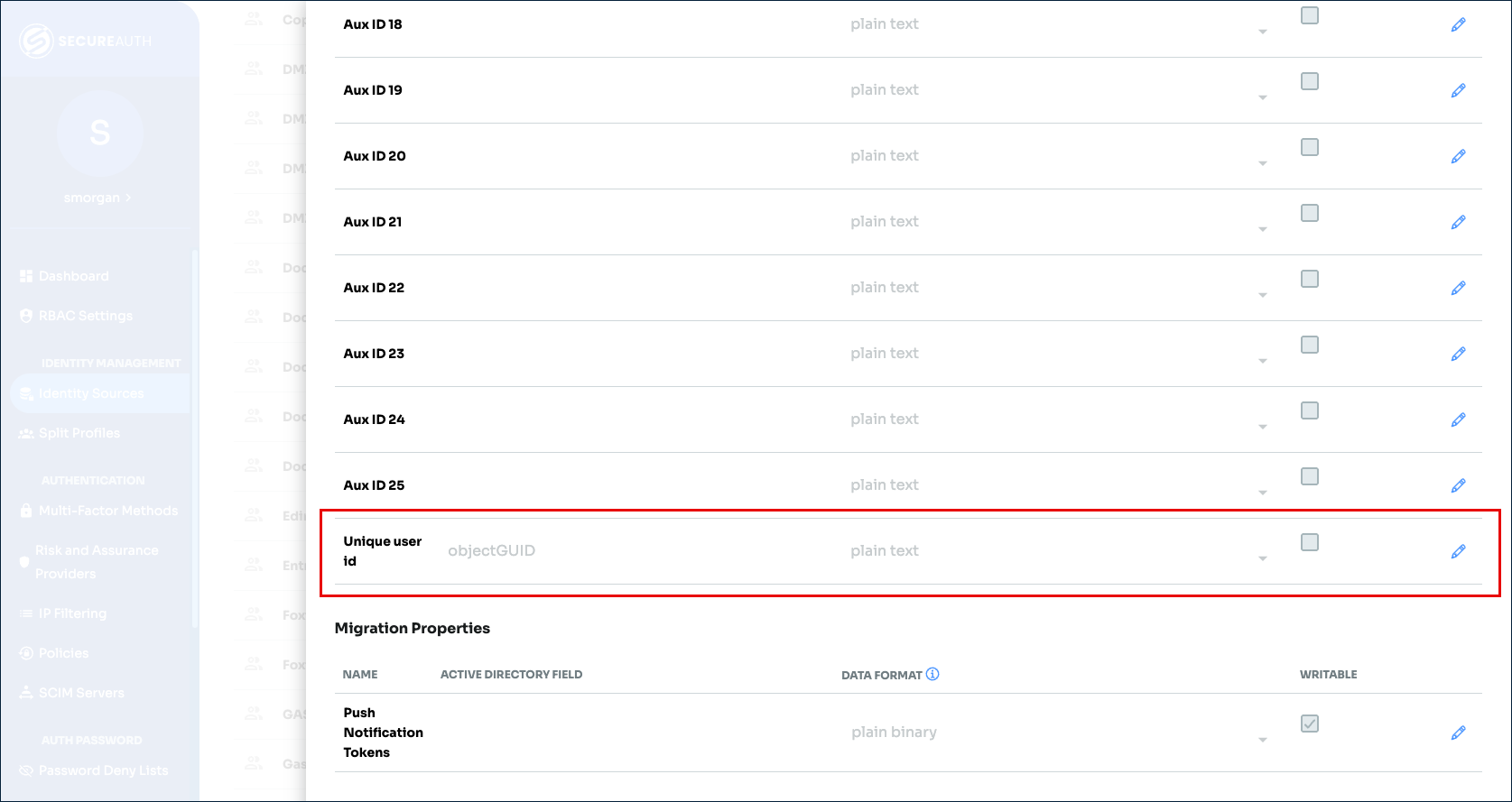
Verify the value or click the pencil icon to edit.
Enter the new value and click the blue check mark icon to save.
Confirm the change in the warning modal.
Configure Unique User ID for a Split Profile
Prerequisites
Each member data store you plan to use as the Unique User ID source has a valid Unique User ID value mapped. LDAP-based and Microsoft Entra ID data stores receive their default value automatically.
Procedure
On the left side of the Identity Platform page, click Split Profiles.
Select the Split Profile to edit or add a new Split Profile.
In the Split The Mappings section, locate the Unique User ID row.
Select the member data store that provides the Unique User ID.
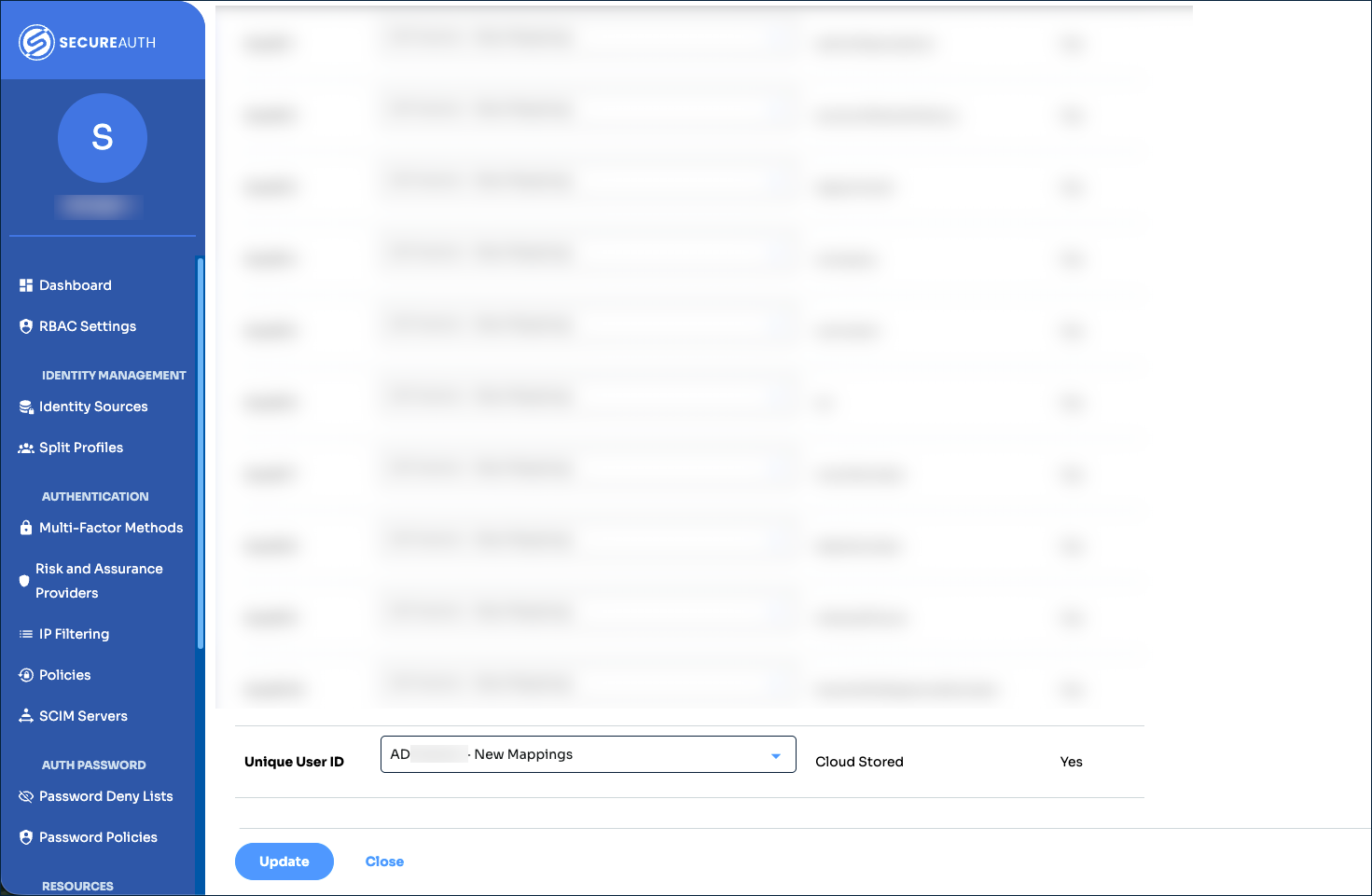
Confirm the change in the warning modal.