Assessments
Grade the data your agents reach and how far their write access spreads, organization-wide.
In the console: Activity › Assessments
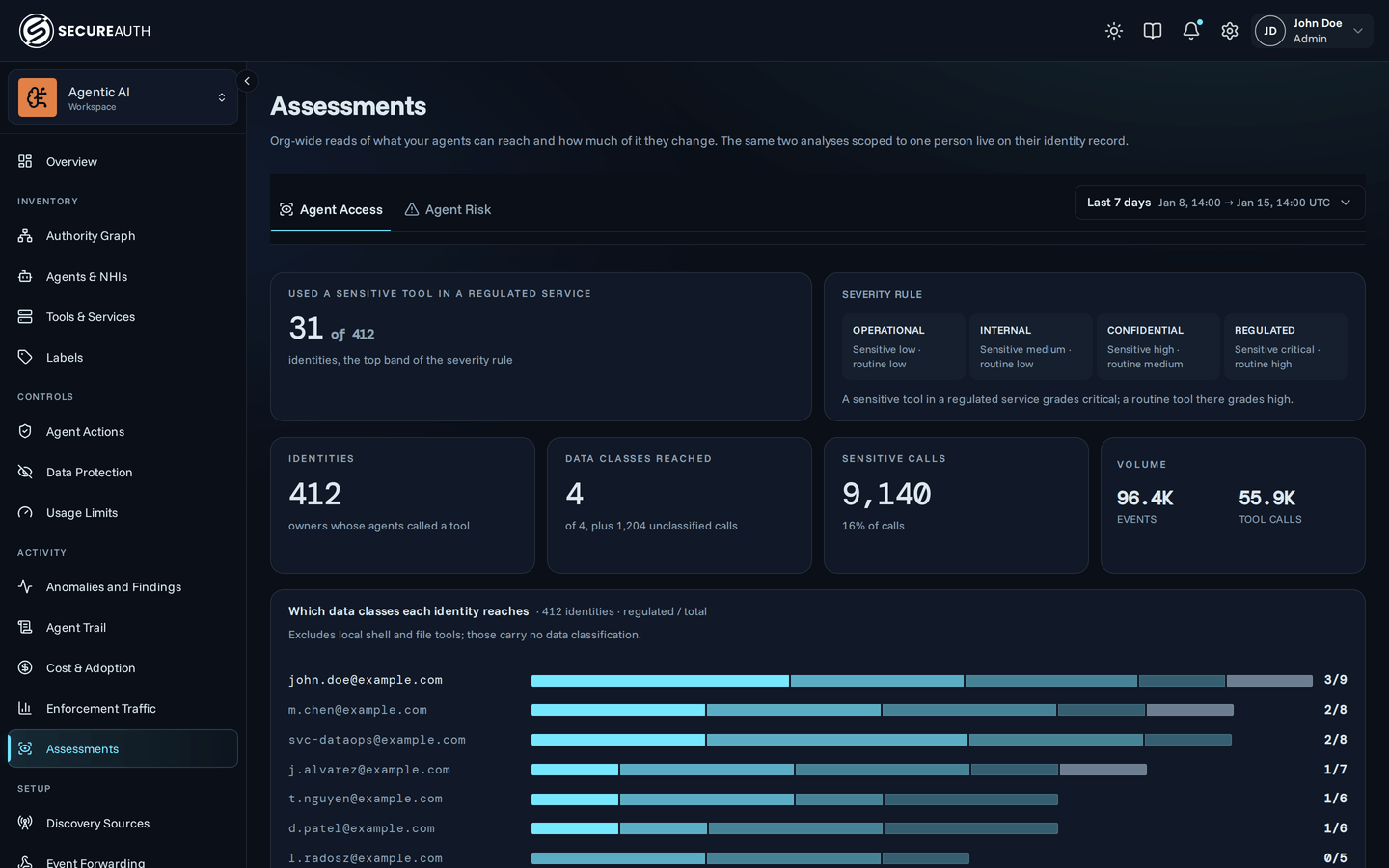
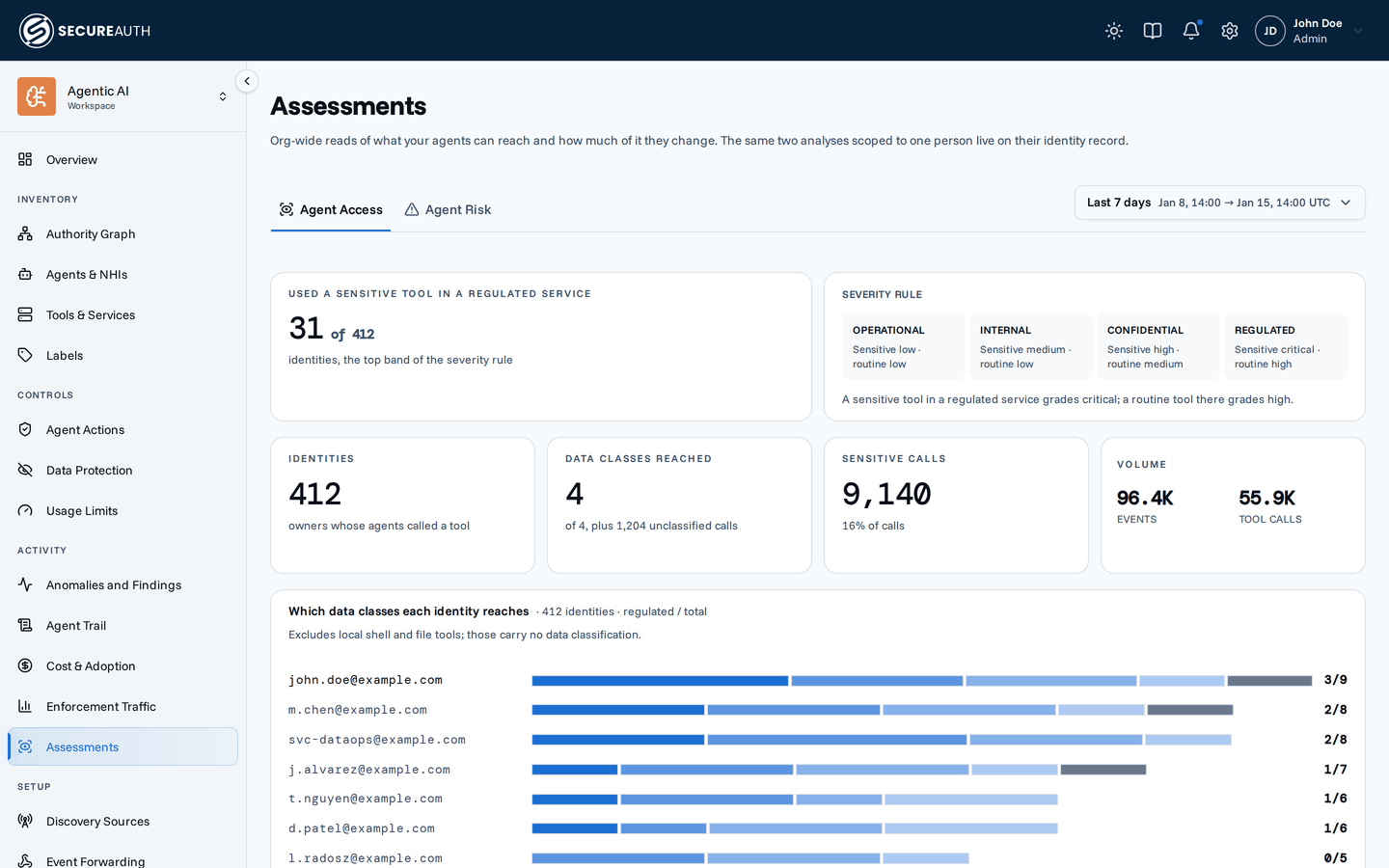
This screen grades what your coding agents reached through tool calls, across the whole organization. Use it to find the people whose agents touch regulated data or can change data in many services. The same two analyses for one person are on that person's identity record.
Filters
A date range picker sits beside the tabs and applies to both. It offers presets from Last 1h to This year, or a custom range.
With no tool calls in the range, a tab shows No agent tool calls in this window and a Go to Telemetry link to Discovery Sources.
Agent Access
This tab grades each tool call by the data class of the service it reached and whether the tool is sensitive or routine. A sensitive tool in a regulated service grades critical. It leaves out local shell and file tools, because they carry no data classification.
| Panel | Shows |
|---|---|
| Used a sensitive tool in a regulated service | Identities in the top band of the severity rule, out of all identities |
| Severity rule | The grade for a sensitive and a routine tool in each data class |
| Identities | Owners whose agents called a tool |
| Data classes reached | Graded data classes reached, plus any unclassified calls |
| Sensitive calls | Calls that used a sensitive tool, and their share of all calls |
| Volume | Events and Tool calls |
| Which data classes each identity reaches | One bar per identity, split by Regulated, Confidential, Internal, Operational and Unclassified services |
| Where the calls went | Calls per service, split into Sensitive tool and Routine tool |
| How reach grades out | Identity–service pairs by Class, under Sensitive tool and Routine tool, each with its grade |
Agent Risk
This tab measures how far each identity's delegated access reaches, and whether its tools could read protected data, change it, and send it out. It includes local shell and file tools, shown as local shell + files.
| Panel | Shows |
|---|---|
| Hold a complete exfil path | Identities whose tools cover a protected read, a change, and a send out |
| Exposure band | Where the share of identities with an exfil path falls |
| Identities | Owners whose agents called a tool |
| Services reached | Services reached, and how many are write-capable |
| Wide write reach | Identities that can change data in three or more services |
| Volume | Events and Tool calls |
| How far each identity's delegation reaches | One bar per identity, split into Write-capable service and Read only |
| Where the calls went | Calls per service, split into Can change data and Read only |
| Calls by ingest hour (UTC) | Calls by hour of day |
| Overnight | Peak hour (UTC), Calls 22:00–06:00 UTC, and Of those, writes |
On both tabs, the per-identity list is paginated, and an identity's email opens that person's record on the matching tab.
Actions
- Follow – the button at the bottom of each tab, labeled Follow and an email, opens that identity's record. On Agent Access, it is the first identity graded critical, or else the identity with the most regulated reach. On Agent Risk, it is the identity with the most write-capable services.
Permissions
The screen appears with view_user_analytics.
The tabs need view_user_analytics for the whole organization;
with a narrower grant, the screen shows Assessments are not available for this organization.
Opening an identity's record needs view_users.
Related
- Assessments – how data classes, tool sensitivity and exfil paths are graded
- Discovery Sources – send agent telemetry so this screen has data