Event Forwarding
Send audit events to a SIEM, chat tool, or any HTTPS endpoint, and check that each delivery arrived.
In the console: Setup › Event Forwarding
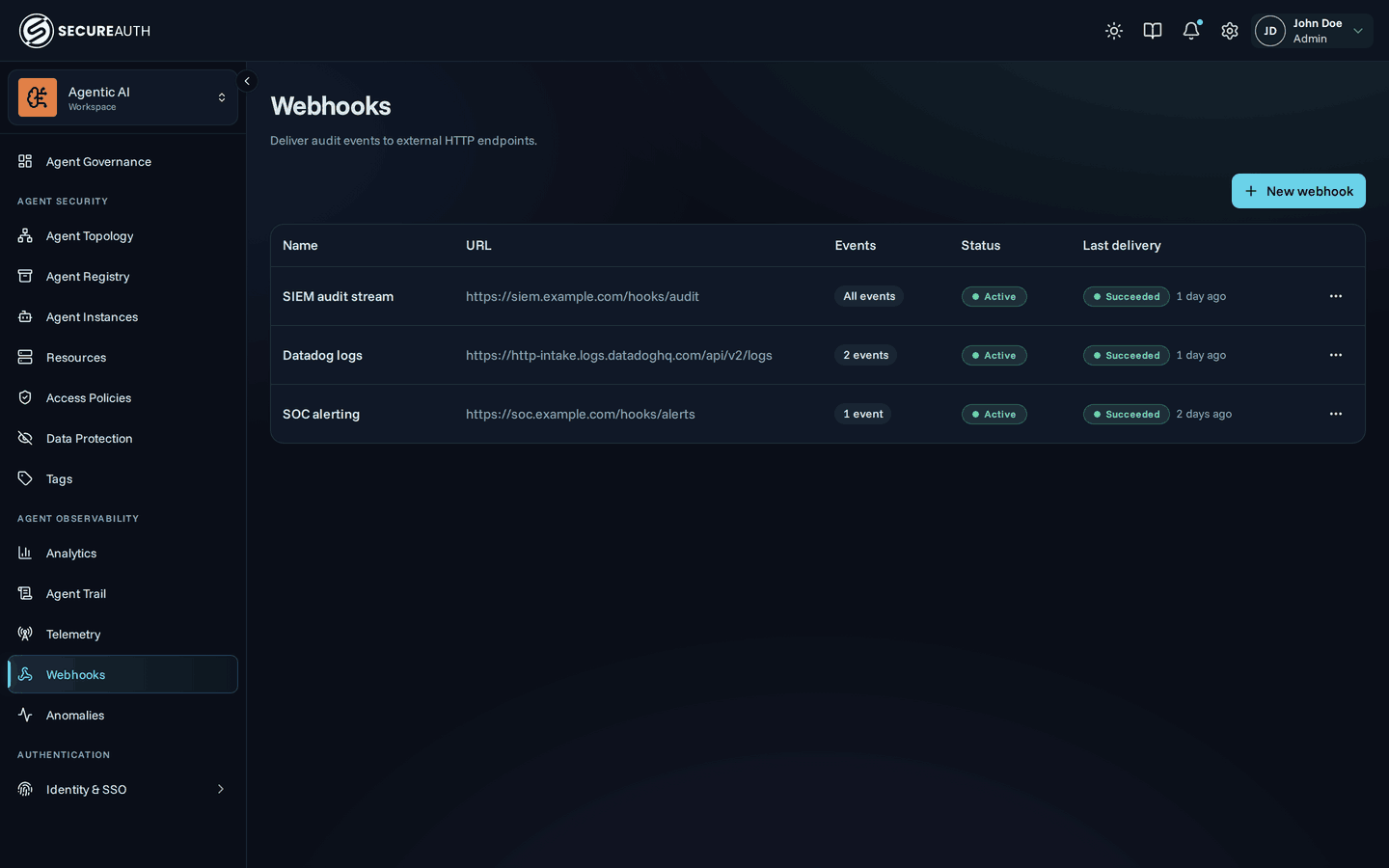
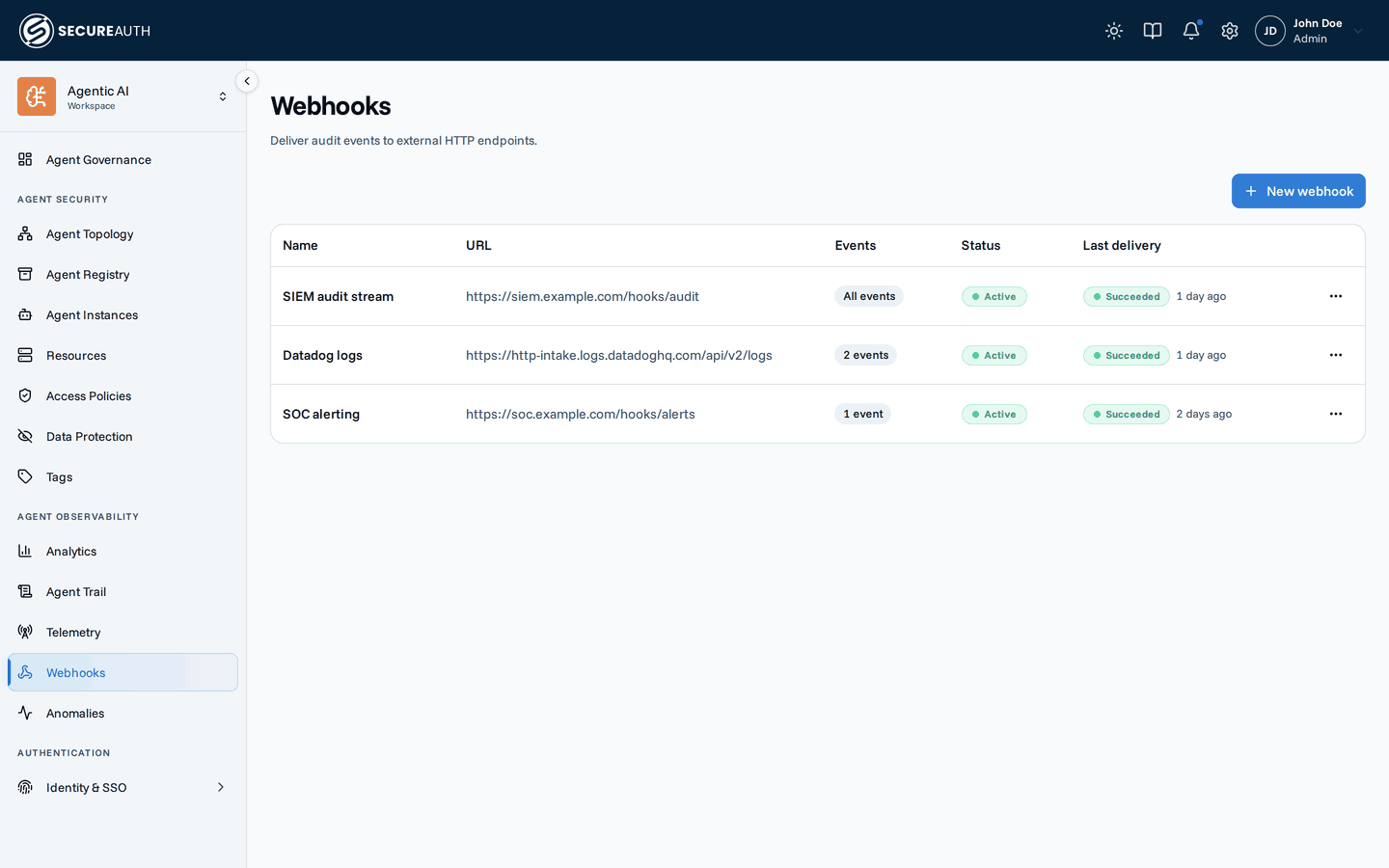
This screen lists the webhooks that deliver your organization's audit events to external HTTP endpoints. Use it to add a destination, choose which events it receives, and check or retry its deliveries.
Webhooks
| Column | Shows |
|---|---|
| Name | The webhook name, with the destination's logo |
| URL | A shortened form of the endpoint URL |
| Events | All events, or how many event types it receives, with a filter icon when a condition narrows them |
| Status | Active, Paused, or Disabled, plus Failing when an active webhook's deliveries keep failing |
| Last delivery | The status of the most recent delivery and how long ago it ran |
A disabled webhook shows why below its status:
- Endpoint returned 410 Gone – the endpoint told the gateway it no longer exists.
- Circuit breaker (endpoint failing continuously) – the endpoint kept failing, so the gateway stopped sending.
- Payload template could not render an event – the webhook's payload template failed on an event.
When no webhook exists, the screen shows No webhooks yet.
Deliveries drawer
Select a row, or Deliveries in its actions menu, to open a drawer with the webhook's Recent deliveries. Each delivery shows its status (Pending, Retrying, Succeeded, or Failed), how many events it carried, and when it was created. Below that, each attempt lists the HTTP status or error, when it ran, how long it took, and the start of the response. A retrying delivery also shows when the next retry runs.
Actions
-
New webhook – opens Where should events go?, where you pick a destination: Slack, Microsoft Teams, PagerDuty, CrowdStrike, Datadog, Splunk HEC, or Custom endpoint for any HTTPS endpoint. Then fill in:
- Name.
- The endpoint URL, labeled for the destination you picked, plus any credential the destination needs.
- Events – All events (including event types added in future releases) or Selected events.
- Add condition (optional) – a CEL expression, so the webhook delivers only the events that match it.
- Advanced (optional) – Format (Single event, JSON array, or NDJSON) and Max events per delivery, Custom headers sent with every delivery, encrypted Variables, and a Payload template. A destination that fixes its own format hides Format.
After Create webhook, a Signing secret dialog shows the secret once. Store it there to verify webhook signatures.
-
Edit – changes the same fields, except the destination. Stored credentials, header values, and variable values stay hidden; leave a field blank to keep its current value.
-
Pause – stops deliveries to an active webhook. Resume restarts a paused webhook, and Re-enable restarts a disabled one.
-
Rotate secret – generates a new signing secret, after you confirm, and shows it once. The old secret keeps co-signing deliveries for 24 hours, then expires.
-
Delete – removes the webhook, after you confirm, together with its pending and past deliveries. The endpoint stops receiving events immediately.
-
Send test event – in the deliveries drawer, sends one test event and shows whether it was delivered, the HTTP status, and how long it took.
-
Retry – in the deliveries drawer, queues a failed delivery again. It appears only on a delivery that can be retried, while the webhook is active.
Permissions
| Action | Needs |
|---|---|
| See the screen and the deliveries drawer | view_webhooks |
| New webhook, Edit, Pause, Resume, Re-enable, Rotate secret, Delete, Send test event, Retry | manage_webhooks |
Without manage_webhooks, the actions menu shows only Deliveries.
Related
- Event forwarding – set up a webhook and verify its signatures
- Event forwarding – send audit events to your SIEM, with templates, conditions, and signature checks
- Event reference – the event types a webhook can receive