Settings
Set tool search for the MCP gateway, manage roles and API keys, and record what provider subscriptions cost.
In the console: Setup › Settings
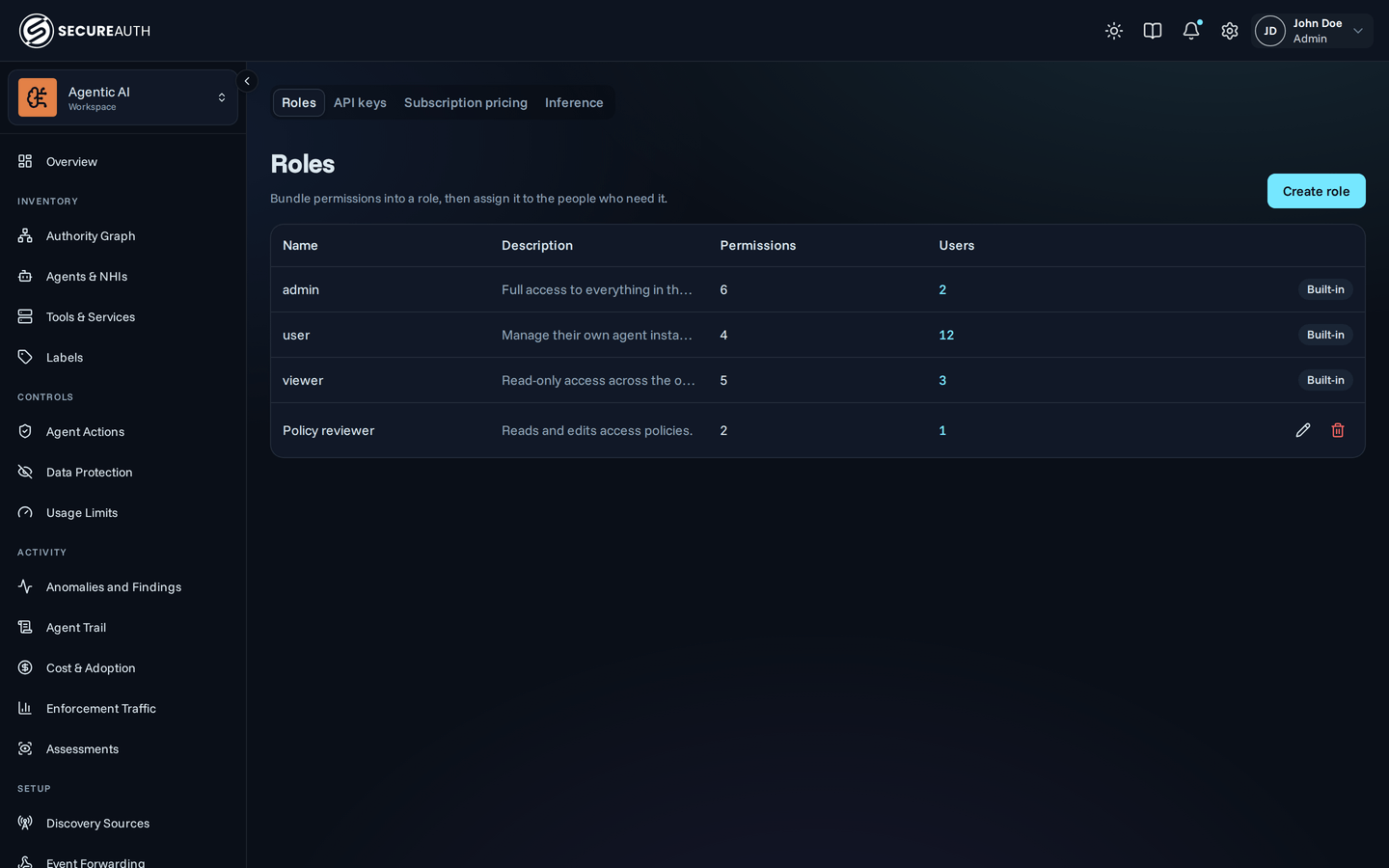
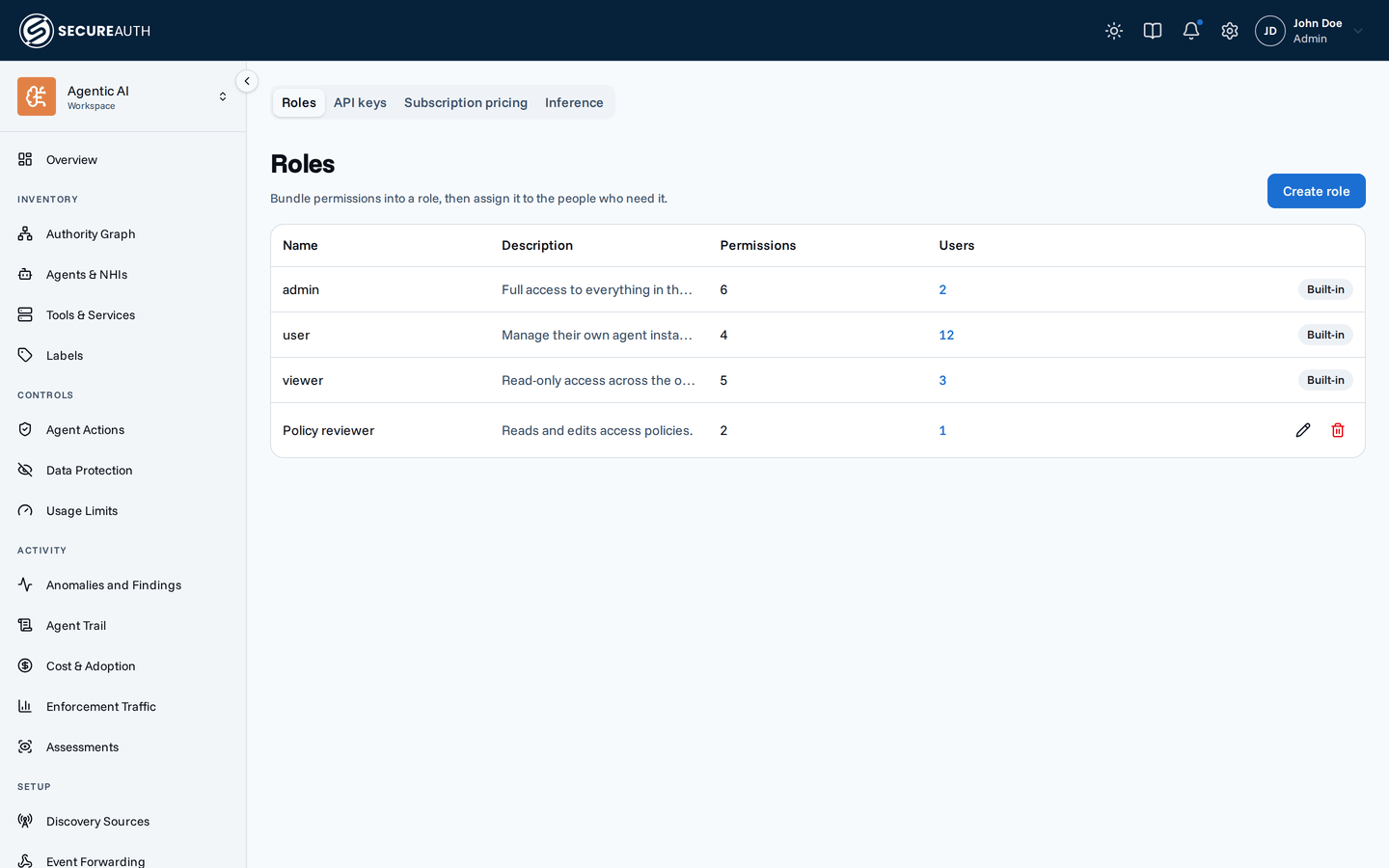
This screen holds organization-wide settings, one tab per area. You see only the tabs your permissions allow, and Settings opens on the first of them. When you can see only one tab, the tab bar is hidden.
MCP gateway
The Tool search setting decides whether agents get every tool they may call, or one tool to search for tools and one to call what it found. Policy, data protection, and audit apply the same way in both cases.
| Option | What agents get |
|---|---|
| Off | The full tool list, always. The tools=search URL parameter is ignored. |
| Opt-in | The full tool list, unless their connection URL has the tools=search parameter. |
| On | Search mode, for every agent. |
With Opt-in selected, the tab shows the Connection URL for search mode to copy. A change applies when agents refresh their tool list or reconnect.
Roles
Lists the roles in your organization.
| Column | Shows |
|---|---|
| Name | The role name |
| Description | What the role is for |
| Permissions | How many permissions the role grants |
| Users | How many people hold the role, linked to Human Identities filtered to this role |
A built-in role shows a Built-in badge and can't be edited or deleted.
API keys
Shows the API base URL to copy, then lists your organization's API keys.
| Column | Shows |
|---|---|
| Name | The key name, with a Revoked or Expired badge when it no longer works |
| Permissions | How many permissions the key carries; hover to list them |
| Key | The key prefix and its last four characters |
| Last used | How long ago the key was last used, or Never |
| Expires | When the key expires, or Never |
A key can carry only permissions you hold yourself.
Subscription pricing
Records what your provider subscriptions cost per seat and who is on each plan, so analytics can compute Subscription Spend. Nothing on this tab bills anyone. Before you add anything, the tab shows Set up subscription pricing, with the two steps and Add plan price.
Plan prices lists each plan's price.
| Column | Shows |
|---|---|
| Provider | Claude, Codex, Gemini CLI, or Copilot |
| Plan | The plan name |
| Monthly rate | What one seat costs per month, in US dollars |
| Effective from | The date the price starts |
| Effective to | The date the price ends, or a dash while it is open-ended |
Who's on which plan lists the plan assignments.
| Column | Shows |
|---|---|
| User | The assigned user, or Org default for everyone without their own |
| Provider | The plan's provider |
| Plan | The plan name |
| Effective from | The date the assignment starts |
| Effective to | The date the assignment ends, or a dash while it is open-ended |
Actions
MCP gateway
- Save – applies the selected Tool search option.
Roles
- Create role – asks for a Name, a Description, and the Permissions the role grants. You can grant only permissions you hold.
- Edit (pencil icon) – changes the same fields. If the role holds permissions you don't, the console asks you to confirm with Save anyway, because saving removes or widens those permissions for everyone holding the role.
- Delete (trash icon) – deletes the role, after you confirm. Everyone holding it loses the permissions it grants.
API keys
- Create API key – asks for a Name, when the key Expires (30, 60, 90, or 365 days, or Never), and its Permissions.
After Create, the dialog shows the key once, with a
curlcommand to try it. Copy it before you close the dialog. - Rotate – replaces the key's secret, after you confirm, keeping its name, permissions, and expiry. The old key stops working immediately, and the dialog shows the new key once.
- Revoke – stops the key, after you confirm. Applications using it can no longer call the API.
A revoked key shows neither action, and an expired key shows only Revoke.
Subscription pricing
- Add plan price – opens Set plan price: choose a Provider and Plan (or enter a plan name), set the Monthly rate (USD), and optionally an Effective from date.
- Assign plan – choose a configured Plan and a User, or leave Org default to assign the whole organization, with an optional Effective from date.
- End – from a row's actions menu, stops an open-ended price or assignment from applying to new months, after you confirm. Months already priced keep it.
- Delete – from a row's actions menu, removes a price or assignment as if it was never set, after you confirm. Any months it priced become unpriced, and Subscription Spend is computed again.
Ending or deleting a price or assignment that hasn't started yet cancels it. The one it was scheduled to replace applies again for those months; if there is none, those months stay unpriced.
Permissions
Settings appears when you hold any one of view_gateway_settings, view_roles, view_api_keys, or manage_seat_pricing.
| Tab or action | Needs |
|---|---|
| MCP gateway tab | view_gateway_settings |
| Change Tool search | manage_gateway_settings |
| Roles tab | view_roles |
| Create role, edit, delete | manage_roles |
| Users count links to Human Identities | view_users |
| API keys tab | view_api_keys |
| Create API key, Rotate, Revoke | manage_api_keys |
| Subscription pricing tab and every action on it | manage_seat_pricing |
Related
- Roles – what each permission allows and how roles combine
- API authentication – call the API with a key
- Tool search – how search mode works for agents
- Cost and adoption – where Subscription Spend appears