Onboard end users (SG VDI)
Applies to: SessionGuardian VDI
Before you start, create the Instances, Security Groups, and Projects you plan to assign.
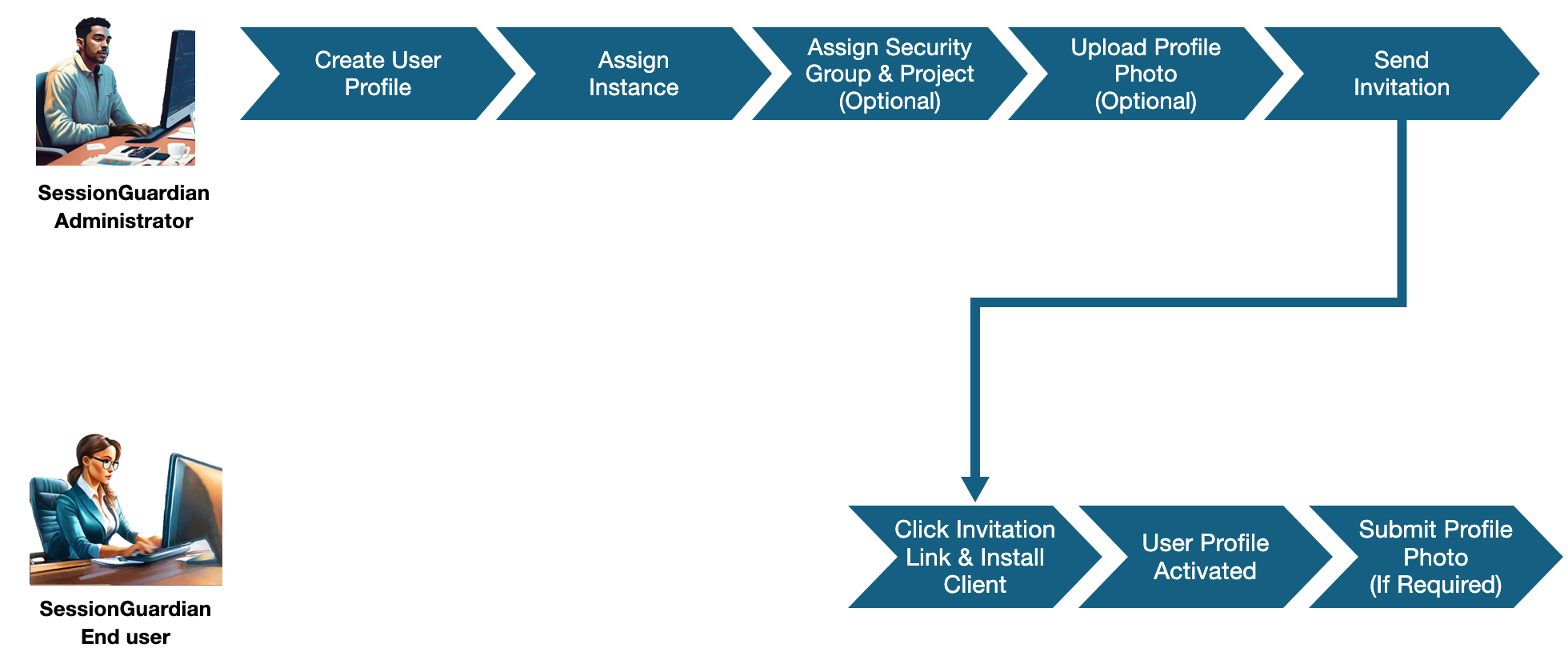
Create a user profile and enter the required details.
Assign an Instance. You can also assign a Security Group and a Project. Both are optional but recommended.
Instance: the VDI environment the end user connects to.
Security Group: the security settings that apply to the end user.
Project: groups the end user with others by department, team, or initiative.
Optional: Upload a profile photo.
Send the invitation. Check that the profile's status is Not Invited, then right-click the profile and select Invite.
To invite several end users at once, select their profiles and click Send Invite.
What happens next
The end user receives an invitation email and clicks the link to complete registration and install the SessionGuardian client. For the end user steps, see End User Docs.
SessionGuardian activates the user profile on the device.
If facial recognition is on (continuous or one-time) and the profile has no photo, the end user must take a profile photo with their webcam. They can't start a secure session until they do.