Organizations overview
Organizations let you represent multiple business customers or partners within a single workspace. Each organization is isolated, with its own data, users, and administrators. They share baseline security policies from the workspace.
What organizations provide
- Customer isolation – Each organization is completely separate. Organization A users cannot see Organization B's data or users.
- Delegated administration – Customers manage their own users through the organization admin portal. You don't manually add or remove thousands of users.
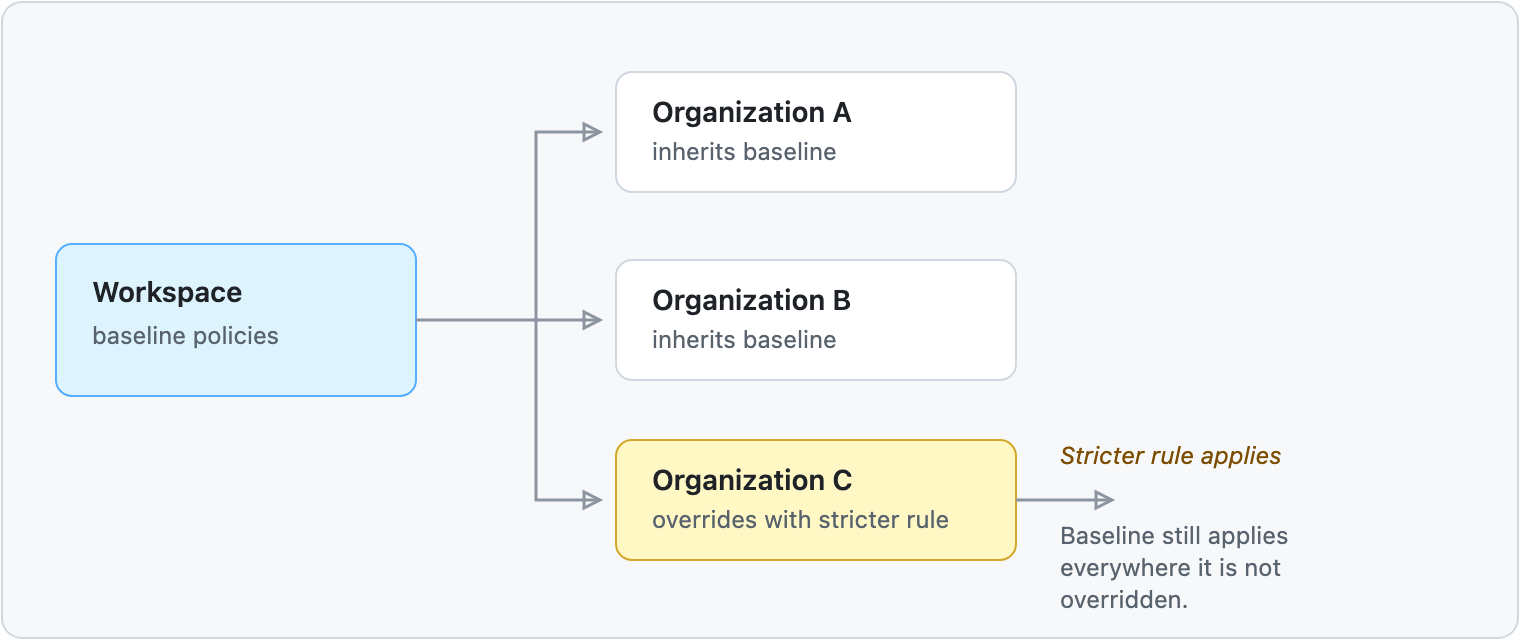
- Policy inheritance – Organizations inherit workspace policies as defaults. They can override with stricter rules if needed.
- Flexible authentication – Each organization can authenticate its users through a different identity provider, such as Microsoft Entra ID, Okta, or Google Workspace. IdP Routing selects the provider based on organization membership or email domain.
- Hierarchical structure – Support complex business relationships using suborganizations (franchises, departments, locations).
Common use cases
B2B SaaS platforms – Managing hundreds of business customers in one platform.
Insurance and financial services – Isolating customers while maintaining compliance and audit trails.
Franchise networks – Supporting parent organizations with multiple locations using suborganizations.
Partner ecosystems – Enabling suppliers, vendors, and partners to manage their own access.
How the hierarchy works
All organizations exist within a workspace and inherit its baseline policies. Each organization has its own user populations, users, groups, and administrators.
How policy inheritance works
An organization starts from the workspace baseline. It can tighten a policy for its own users, and anything it does not override keeps following the workspace.
Real-world example: EquineEase
EquineEase is a B2B SaaS platform for equestrian center management. Stable owners subscribe to EquineEase and become organizations on the platform.
How it works:
- Stable A (Organization) – Owns its own users (staff, trainers), manages staff access, sets policies specific to their facility
- Stable B (Organization) – Completely isolated from Stable A, manages its own staff
- Riding School C (Organization) – Uses its preferred identity provider for authentication
- Partners – Vendors can create their own organizations to manage equipment rental or training programs
Each stable owner has their own admin portal where they:
- Add or remove staff members
- Organize users into groups
- Manage sign-in settings, if you grant them the Admin (
admin) role - Never see other stables' data
EquineEase maintains baseline policies (like MFA requirements) but lets each stable customize further if needed.
Next steps
Ready to use organizations? Start here:
- See how B2B platforms use organizations: Building B2B SaaS platforms with Organizations
- Understand the technical details: Understanding Workspaces and Organizations
- Create your first organization: Create organizations and suborganizations
- Delegate administration to your customers: Organization administrator roles and permissions
- Onboard many similar organizations: Organization templates